Script Planner Assistant▸
 AI Apps
 AI News

SVGViewer: An Online SVG Image Viewer & Preview Tool
SVGViewer: An Online SVG Image Viewer & Preview ToolIntroduction
What is SVG Viewer?
SVG Viewer is a simple and easy-to-use online SVG viewing tool. Users paste SVG code into the editor or upload an SVG file, and can view it directly in the browser without installing any software. The interface is simple and ready to use out of the box. It mainly helps developers and designers quickly view SVG files.
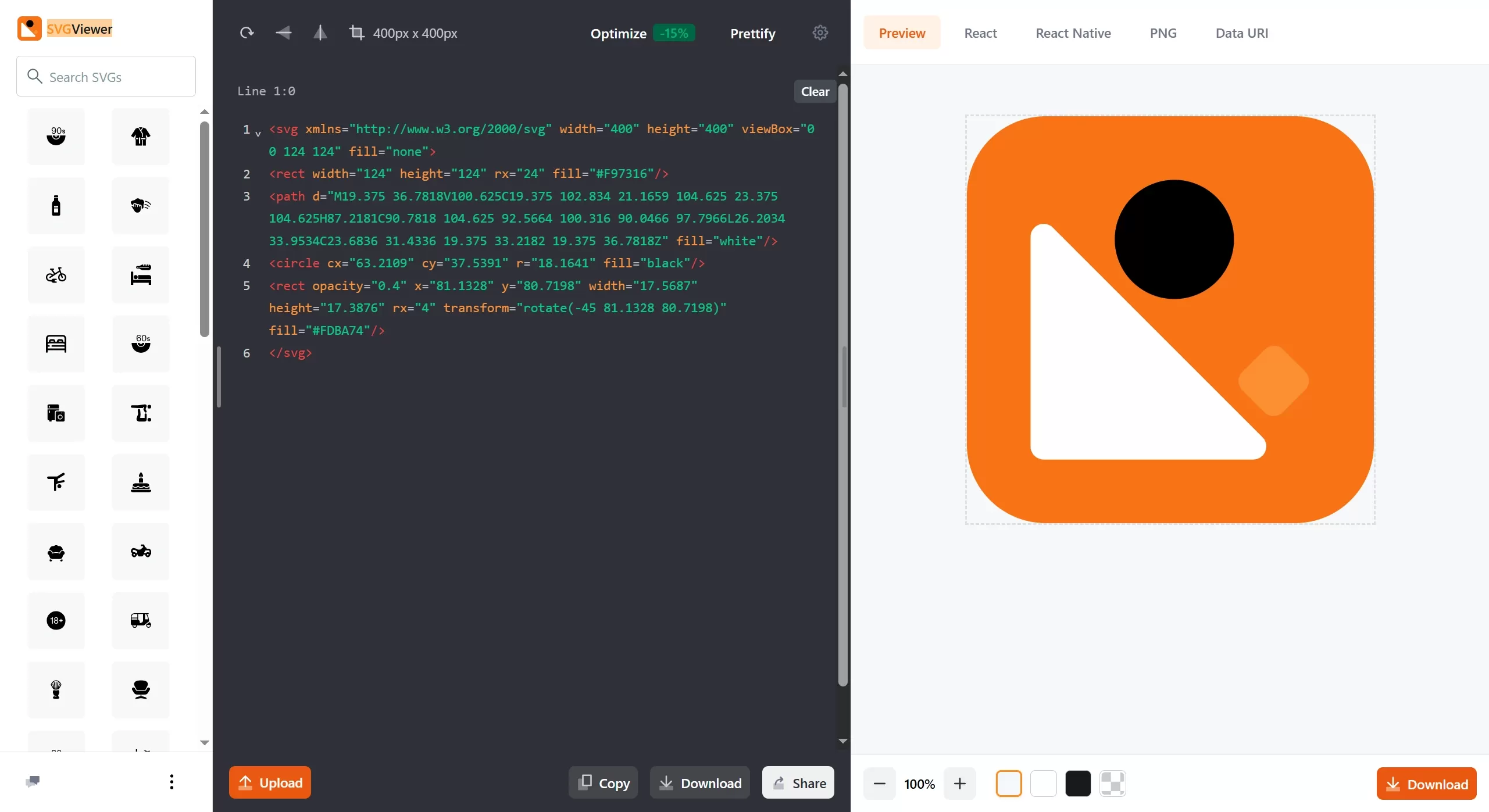
SVG Viewer Features
Instant Preview: Drag and drop an SVG file, and it displays immediately in the browser.
No Installation Required: Everything runs on the web page, no downloads or software installation needed.
Format Support: Specifically handles the SVG format.
Clear Image Viewing: Clearly displays SVG vector graphics, with the ability to zoom in to see details.
SVG Viewer Use Cases
Front-end Development Debugging: Quickly check whether SVG icons, logos, or illustrations display correctly.
Designer Preview: Check exported SVG files for issues, and review path and fill effects.
File Sharing and Collaboration: Show SVG design drafts to others without installing professional software.
Learning and Teaching: Understand how SVG code corresponds to its displayed results.
Quick Validation: Confirm whether SVGs exported from Figma, Sketch, or Illustrator are working correctly.
How to Use SVG Viewer
Open the Website: Visit the link.
Upload File: Drag the SVG file onto the page, or click the button to select a file to upload.
View Preview: The SVG is immediately displayed in the browser.
Check Details: You can zoom in or review the visual effect of the SVG.
Supported Upload Methods:
Drag a local SVG file;
Click the upload button to select a file;
Paste SVG code.
Frequently Asked Questions
Q: Is SVG Viewer free?
A: Yes, the basic features are completely free.
Q: Can I edit SVG files with it?
A: This tool is mainly for viewing/previewing, with limited editing capabilities. For editing, use professional tools such as Figma, Sketch, Adobe Illustrator, or Inkscape.
Q: Which browsers are supported?
A: All modern browsers are supported (Chrome, Firefox, Safari, Edge, etc.), and they must support HTML5 and SVG rendering.
Q: Is uploading files safe?
A: This is a pure front-end tool, and files are generally processed locally in the browser, not uploaded to a remote server (please refer to the website's privacy policy for specifics).
Q: Why doesn't my SVG display correctly?
A: There may be special filters, incompatible attributes, or external resource references in the code. Check whether the code is standardized and compatible.
Q: Can it be exported to other formats?
A: SVG Viewer is mainly for SVG previewing. To convert to PNG/JPG, use other conversion tools.
SVG Viewer is a lightweight, ready-to-use online SVG preview tool, especially suitable for developers and designers who need to quickly view SVG content. For more powerful editing features, it needs to be used alongside other professional design software.