
 Script Planner Assistant▸
 AI Apps
 AI News

ZOPIA AI: Your AI Short Drama & Comic Drama Creation Agent
ZOPIA AI: Your AI Short Drama & Comic Drama Creation AgentIntroduction
What is ZOPIA ai?
ZOPIA AI is a creation AI short drama and comic-drama Agent that uses multi-agent collaboration and a canvas-style workflow, positioned as a "conversational AI video studio." You just need to describe your idea or upload a story outline, and it can basically handle everything that comes after, turning your thoughts into a complete video. From writing the script to producing the video, it's just one click, covering scriptwriting, storyboarding, character and scene generation, video rendering, editing, and export.
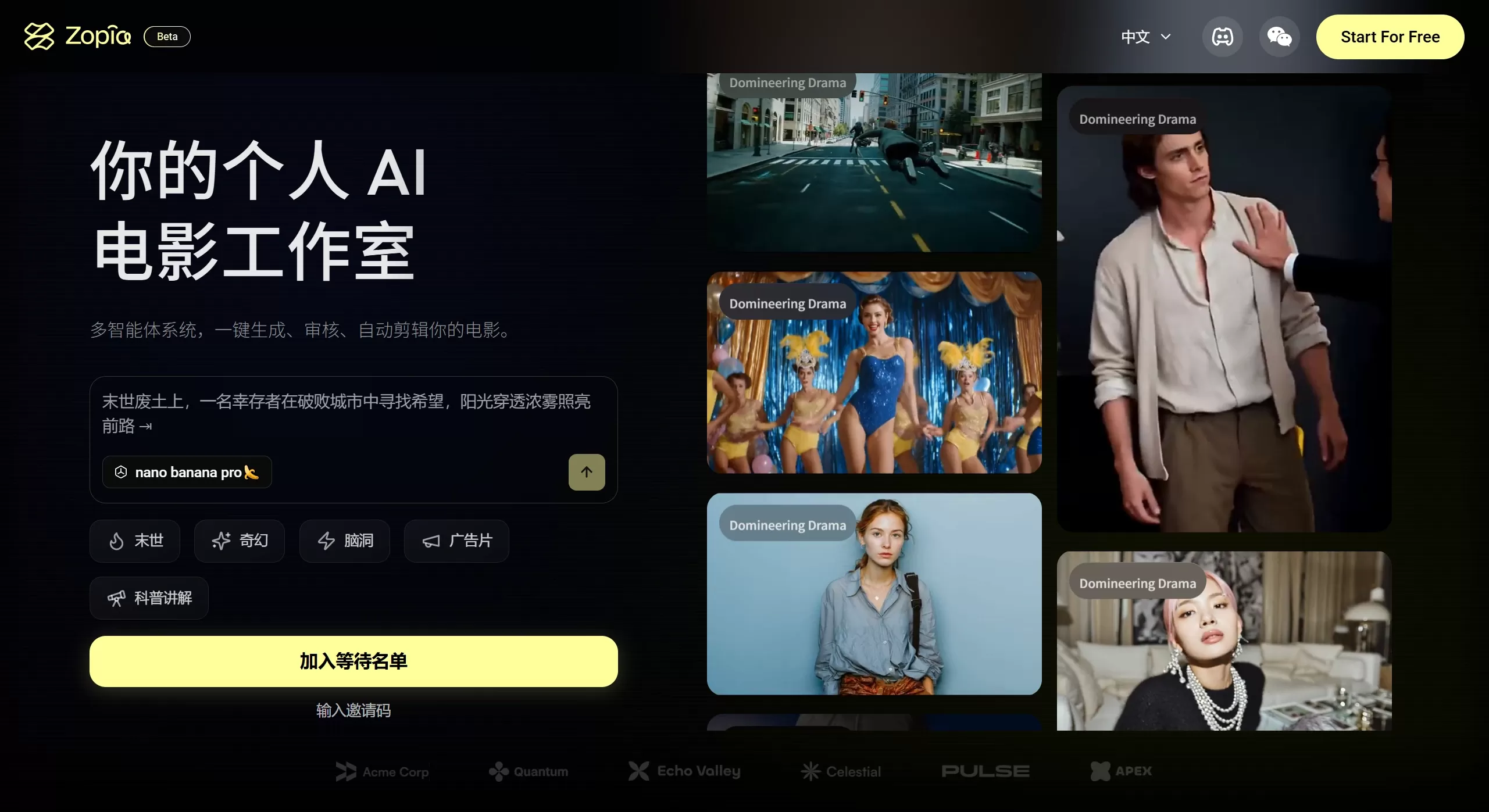
ZOPIA AI Features
AI Script Engine: Can produce structured scripts for genres such as post-apocalyptic, fantasy, advertising, and science popularization. From inspiration and story outlines to complete episodic scripts, it writes on its own, including character settings, plot pacing, and shot prompts.
Multimodal Storyboard Generation: Can transform text scripts into continuous storyboard images with camera movement annotations, lighting styles, and composition ratios, letting you directly see what the storyboard looks like.
Intelligent Video Synthesis: Turns static storyboard images into dynamic video clips, while keeping the style of characters and scenes consistent across different shots. The platform offers several video generation models, such as Seedance, Vidu, and Hailuo, which you can choose based on your needs—for example, prioritizing consistency or dynamic effects.
AI-driven Editing Station: Automatically performs rough cuts, fine cuts, adds transitions, and can match background music to produce a smooth first-cut video.
Real-time Compliance Review: Includes content safety checks that can recognize sensitive elements in the frame, verify value alignment, and flag revision suggestions to help content stay compliant.
Cross-format Output: One-click export of videos suited for platforms like Douyin (9:16) and Bilibili (16:9).
ZOPIA AI Application Scenarios
Creating AI short dramas: Quickly produce vertical-screen short dramas suitable for short-video platforms.
Knowledge science / live-action commentary: Produce science popularization videos with visuals and narration, such as historical stories and encyclopedia knowledge.
Advertising creativity: Quickly produce creative prototypes or finished ads.
Personal IP development: Help individual creators efficiently produce style-consistent series of videos.
ZOPIA AI Tutorial: How to Use
Step 1: Apply for Beta Access
It is still in beta and requires an invitation code. Go to https://zopia.ai/zh, click "Apply to Join Waitlist," and wait for an official invitation code.
Step 2: Start Creating
Input your idea: Upload your script, story outline, or inspiration description.
Generate script: The system will automatically generate a complete episodic script, which you can modify.
Set characters and scenes: Generate design images for the characters, scenes, and props in the story.
Generate storyboards: The system creates storyboard frames based on the script, which you can refine and adjust.
Generate video: Turn the storyboard frames into dynamic video clips.
Edit and export: Edit all clips on the timeline, adjust pacing, and click render-export once confirmed.
Step 3: Post-Production Polish
The current version cannot automatically do voiceover and background music; you need to add them using tools like Jianying (CapCut). It is recommended to create subtitle files separately. New user registration gives about 1100 credits, which can produce roughly 5 minutes of content.
ZOPIA AI Pros and Cons
Pros
Good consistency: Solves the problem of poor storyboard consistency in AI video.
Controllable: Allows in-depth modification throughout, without losing the creator's creative control.
High efficiency: Saves a lot of time from idea to finished video.
Suitable for Chinese users: Optimized for Chinese and more stable with domestic models.
Cons
No voiceover or music: Currently cannot be added automatically and must be done manually in post-production.
No subtitles: Cannot automatically generate subtitles; you have to make them yourself.
Poor Chinese text display: The generated Chinese text effects are poor; this is determined at the image generation stage.
Few models: Not many model types are supported; more options would be appreciated.
Long videos consume many credits: Producing cinematic-length videos burns a lot of credits, so it is currently better suited for short films and TVCs.
Frequently Asked Questions
Q: How do I use Zopia AI? Do I need an invitation code?
A: It is currently in beta, and an invitation code is generally required to register and use it.
Q: Do the videos generated by ZOPIA AI have sound?
A: It depends on the model you choose. For example, the default Seedance model generates silent video; voiceover or music must be added manually in post-production.
Q: Are the characters consistent?
A: ZOPIA AI can control cross-shot consistency, so character appearance is generally consistent. However, for scenarios with very strict requirements, you may need to select a specific model—such as the Vidu series—or manually adjust for better results.
Related Articles:
AI Comic Drama Production Tools
AI Manga Image Generation Tools
2026 Recommended AI Animation Production Generators
2026 Recommendation: Review of 5 AI Comic Drama Production Tools












