
 Script Planner Assistant▸
 AI Apps
 AI News

AI Visual Factory: Top Global AI Vision Models in Your Browser
AI Visual Factory: Top Global AI Vision Models in Your BrowserIntroduction
What is iJuhe Visual Factory?
iJuhe Visual Factory brings together the world's most useful AI visual models right in your browser. Its main selling points are no software installation and no need to understand prompt engineering—just open the webpage to generate AI images, create design assets, and refine details, so you can handle design without relying on others.
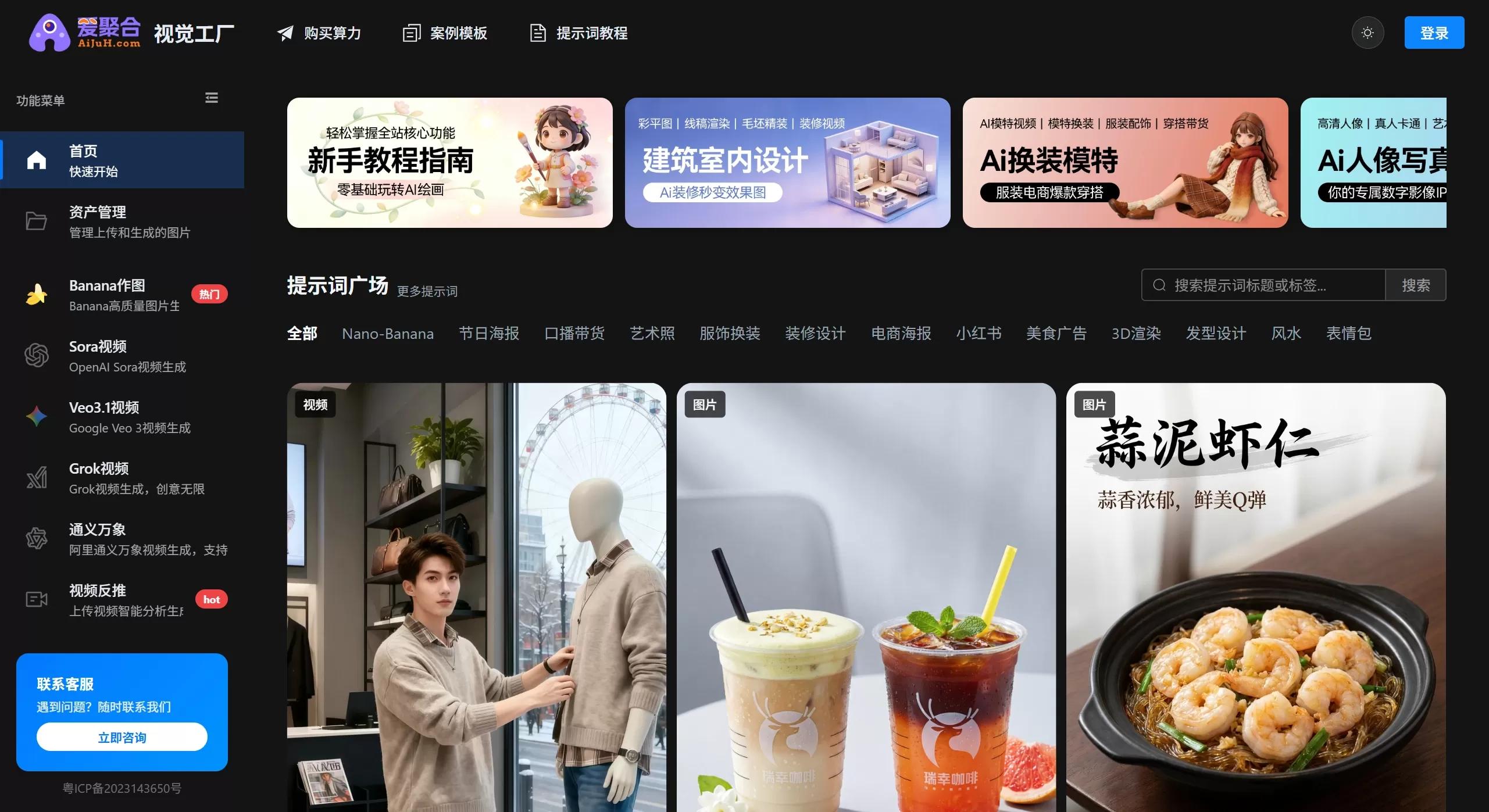
Core Features of iJuhe Visual Factory
Model Library: Includes popular models such as Stable Diffusion, Midjourney, and DALL-E, freely switchable.
One-Click Generation: Write a sentence in Chinese, and the system will translate it into English, complete the prompts, and optimize them before generating the image. Preset packages of "style + size + precision" are available with a single click.
Image-to-Image Editing: Upload sketches or existing images to perform inpainting, upscaling, color changes, background removal, and other secondary edits.
Commercial Asset Templates: Provides preset sizes for Taobao main images, Xiaohongshu covers, posters, NFT cards, etc., ready to use right after generation.
Team & API: Create shared folders, review previous versions, and use HTTP API to allow ERP/OMS systems to make batch calls.
Chinese Content Filtering: Automatically checks for prohibited or sensitive words to reduce the risk of account suspension.
Use Cases of iJuhe Visual Factory
E-commerce Sellers: Batch-produce model images, scene images, and white-background images as a replacement for real photoshoots.
New Media Operations: Quickly create Xiaohongshu and Douyin covers and illustrations to keep up with trending topics.
Ad Design: Generate initial drafts of posters, banners, and H5 pages, then refine them with AI.
Education & Publishing: Create courseware illustrations, children's picture books, and comic storyboards with ease.
Manufacturing Industry: Produce concept sketches, packaging mockups, and product color previews to save on sampling costs.
How to Use iJuhe Visual Factory
Sign Up & Log In: Visit the iJuhe Visual Factory official website, register with WeChat or a phone number, and new users get 50 free compute points.
Choose a Creation Mode: Express Mode generates images in 30 seconds, ideal for sketches; Pro Mode allows parameter adjustments, suitable for commercial use.
Write Your Idea: Type directly in Chinese in the text box, for example, "Cyberpunk-style medical aesthetic facial mask poster, pink-blue gradient, high definition"; or upload a reference image and select "Image-to-Image," then mask the area to be modified.
Fine-Tune & Batch Generate: Use inpainting to fix distorted hands; check the option to generate 4 or 9 images at once, then batch download after picking the best one.
Commercial Download: After purchasing a commercial license, download assets with an electronic authorization certificate, and view records in your personal center.
Frequently Asked Questions
Is iJuhe Visual Factory slow at generating images? During peak hours, Express Mode takes 1–3 minutes; purchasing a boost card moves your tasks up the queue.
Are Chinese prompts not working well? The iJuhe Visual Factory platform provides a Chinese-English reference table. Use commas to separate keywords and avoid writing long sentences.
Can it be used offline? Currently, it only supports online use. The API can be deployed on a private cloud—contact the sales team to discuss this.
Who owns the copyright? The free version is for personal display only; after purchasing a commercial license, the rights belong to the user. The platform does not sell the assets.
Portrait rights issues? The system blocks the faces of celebrities and political figures; for real-life models, upload your own original photos as the base for generation.
How are compute points calculated? Express Mode uses about 1 point per image, while Pro Mode uses about 4 points. Points can be earned through daily check-ins, inviting others, or purchasing a membership.











