
 Script Planner Assistant▸
 AI Apps
 AI News

PPCY AI: Online AI Toolkit for Game and Anime Creators
PPCY AI: Online AI Toolkit for Game and Anime CreatorsIntroduction
PPCY AI (泡泡次元AI) is an online AI tool for game and anime/comic illustrators. It can directly turn 2D original artwork into 3D assets and manage the entire workflow from brainstorming ideas to producing usable assets. Below it is broken down into an introduction, features, use cases, how-to, and FAQ.
PPCY AI packages Stable Diffusion, ControlNet, 3D reconstruction, and other technologies into a fixed workflow, claiming no coding is required, a quick learning curve, and easy modifications. It is mainly aimed at indie game developers, art outsourcing teams, and anime studios.
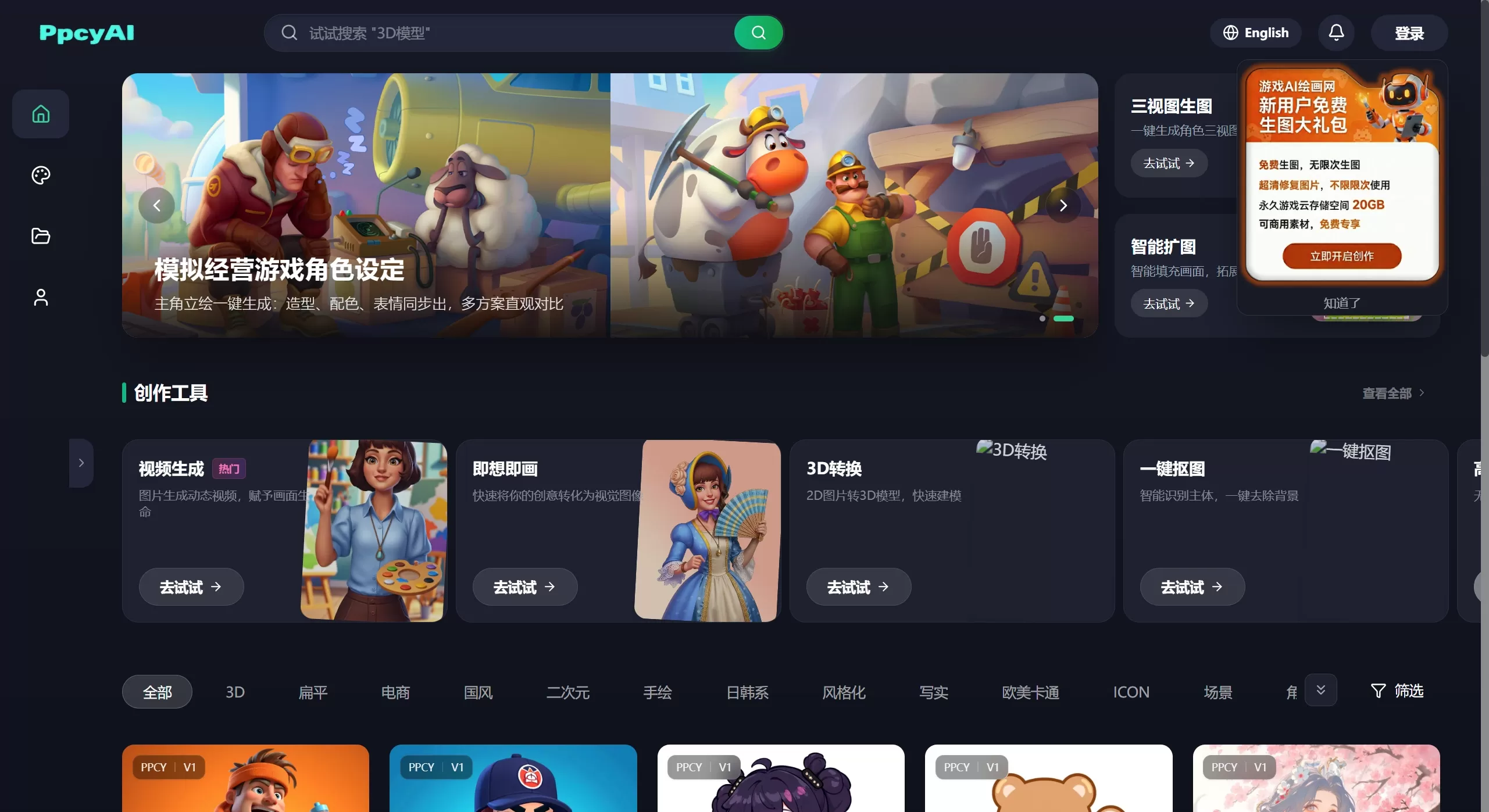
PPCY AI Features
Text-to-image / Image-to-image: Generate clear characters, scenes, and props from text descriptions or reference images.
One-click turnaround generation: Front, side, and back views are produced at once and can be imported directly into Blender or Maya for modeling.
2D-to-3D model: A single piece of artwork becomes a structured OBJ/STL rough model with selectable polygon count and auto-applied textures.
Image-to-video: Create 15 to 60-second dynamic shots with camera movement, lighting, and cloth simulation automatically handled.
Local repaint / Outpainting: Swap equipment, change expressions, or extend a vertical image to horizontal.
One-click cutout / HD upscale: Output transparent-background PNGs, upscale up to 4x, up to 600 dpi for print.
Workflow templates: Save prompts, parameters, and post-processing steps as templates so teams can keep a consistent style.
PPCY AI Common Use Cases
Indie games: Quickly produce character standees, NPCs, and weapon icons, then generate turnarounds for the 3D artist.
Art outsourcing: Use templates to batch-produce same-style event art, reducing revisions.
Anime series: Turn key frames into 3D rough models and place them directly into shots.
UI / Operations: Pop-ups, buttons, and red envelope effects in multiple sizes at once, with auto cutout and archiving.
How to Use PPCY AI (Web Version)
Go to the official site https://www.ppcy.art and sign up with a phone number to get 100 free credits.
Choose a template such as "Text-to-image / Turnaround / 2D-to-3D", then upload a reference image or write a prompt (both Chinese and English are supported).
Adjust parameters on the right: steps 20-50, guidance scale 7-12, stack up to 3 style LoRAs.
After clicking generate, multi-select on the results page to directly cutout or produce turnarounds.
If satisfied, click export. 2D images will be HD upscaled, 3D models export as OBJ with a texture ZIP, and videos export as MP4.
PPCY AI FAQ
Q: Who owns the commercial copyright?
A: PPCY AI's platform states that generated content belongs to the user. However, since the base model uses open-source data, it's best to modify it by more than 30% before commercial use to reduce copyright issues.
Q: The turnaround views don't align properly?
A: First enable pose locking in the advanced controls, and when uploading the front view, add a side-profile sketch for better alignment. If it still fails, use local repaint to fix the outline and regenerate.
Q: There are broken faces in the 2D-to-3D conversion?
A: Usually because the original artwork is missing occluded areas. First fill in the missing parts in Photoshop, or check AI completion for the back side, then regenerate. After export, use Blender's Decimate modifier to adjust the polygon count.
Q: How are credits consumed?
A: Standard text-to-image costs 1 credit per image, a turnaround set costs 3 credits, 2D-to-3D costs 5 credits per conversion, and video costs 10 credits per clip. New sign-ups get 100 credits. Posting on Weibo or Bilibili with @PPCY_AI and showing your generated image can get you an extra 200 credits.
Q: Can it be used offline?
A: PPCY AI is currently web-only. Enterprise customers can apply for a private cloud container, starting at 200,000 RMB per year, which includes custom LoRA training and API access.
In short, PPCY AI packages turning original artwork into turnarounds, 3D rough models, and dynamic video into an end-to-end template. A single character illustration can be turned into an animated, rigged, and model-ready game asset in as little as 10 minutes.
Related News:
AI Comic Drama Production Tools
How to Monetize AI Comic Drama in 2026
Complete Guide to AI Comic Drama Production Workflow and Tools
Huanman: An AI Comic Drama Tool Made by Alibaba
Recommended AI Animation Generators in 2026
2026 Recommendation: 5 AI Comic Drama Production Tools Reviewed















