
 Script Planner Assistant▸
 AI Apps
 AI News

Res-Downloader: An Open-Source, Free Cross-Platform Web Resource Downloader
Res-Downloader: An Open-Source, Free Cross-Platform Web Resource DownloaderIntroduction
What is Res-Downloader?
Res-Downloader (爱享素材下载器) is an open-source, free, and powerful cross-platform network resource download tool. It can intelligently sniff and download various resources on the network, making it a great helper for content creators and ordinary users to obtain materials.
The Res-Downloader tool is developed based on the Go language and Wails technology stack, and is a lightweight desktop application. It uses proxy packet capture technology to automatically analyze network traffic, filter out media resource links, and allows users to download with a single click without complex operations. Moreover, the software is completely open-source, with no ads and no collection of user privacy.
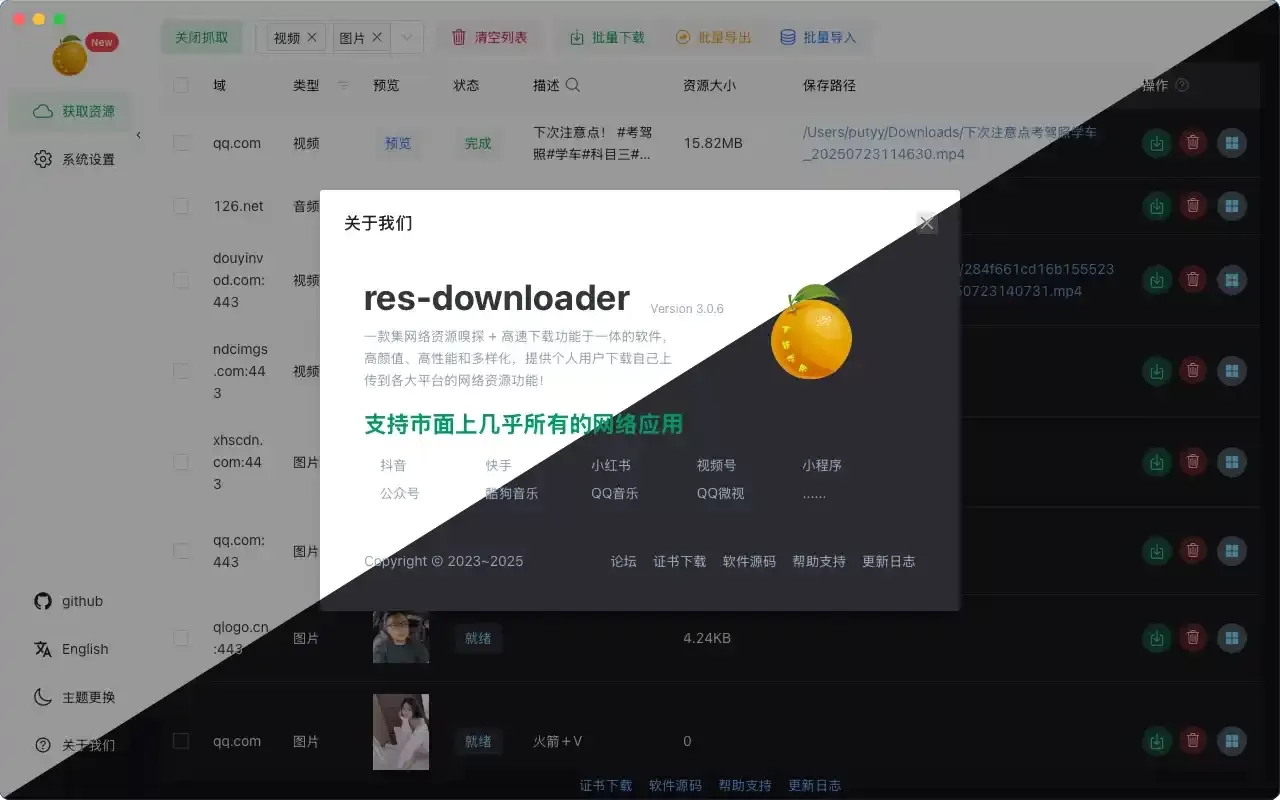
Core Features of Res-Downloader
Multi-platform support, compatible with Windows, macOS, and Linux.
Multiple resource types, including videos, audio, images, m3u8 streams, live streams, etc.
Multi-platform sniffing, capable of sniffing platforms such as WeChat Channels, Mini Programs, Douyin, Kuaishou, Xiaohongshu, Bilibili, KuGou Music, QQ Music, etc.
Smart packet capture, intercepting network responses through proxies and automatically filtering available resources.
Batch download, supporting multi-threading and batch downloads, with configurable concurrent connection count.
Proxy settings, allowing custom proxies to access resources in special network environments.
Video decryption, with decryption features for encrypted videos from WeChat Channels and similar sources.
Resolution selection, capable of downloading HD and UHD videos, up to 4K.
Application Scenarios of Res-Downloader
For self-media creation, you can download materials from platforms like WeChat Channels, Douyin, and Kuaishou for secondary editing.
For content backup, you can save your favorite music and videos locally to prevent them from becoming invalid.
For education and training, you can download teaching videos and course materials for offline learning.
For live streaming recording, you can capture live streams and save them as video files.
For material collection, designers and creators can collect images, audio, and other creative materials.
For extracting mini program resources, you can obtain videos, images, and other resources from WeChat Mini Programs.
How to Use Res-Downloader
Installation Steps:
Download the software from GitHub Releases or Lanzou Cloud (password: 9vs5), choosing the version for your system.
Install the certificate; during installation, you need to agree to install the certificate file and allow network access, which is the basis for packet capture.
Windows users are recommended to right-click and run as administrator on first use.
Basic Operation Process:
Start the proxy. After opening the software, click "Start Proxy" (or "Start Capture") in the upper left corner of the home page.
Select the type. Filter the resource types to capture at the top. The default is "All," or you can individually select Video, Audio, or Image.
Open the resource. Externally open the platform page you want to download from, such as WeChat Channels, Douyin Web, Mini Programs, etc.
Capture resources. Return to the software's home page, and you will see the list of automatically sniffed resources.
Download resources. Select the resources you need and click the download button.
Advanced Settings:
Save path. You can specify the video and audio save directories in the system settings.
It is recommended to disable full interception to avoid capturing irrelevant content.
Proxy configuration. When you need to access overseas resources, you can configure a proxy server in the settings.
Frequently Asked Questions (FAQ):
Q: What if resources cannot be sniffed?
A: This is usually a system proxy setting issue. Check the system network proxy settings to ensure the proxy address is 127.0.0.1 and the port is 8899.
Q: Slow download speed or failure to download large files?
A: You can try using third-party professional download tools (such as Motrix or Neat Download Manager) for acceleration. First, copy the resource link in Res-Downloader, download it with another tool, and then return to Res-Downloader to perform "Video Decryption" on the file, especially for WeChat Channels resources.
Q: Unable to access the internet normally after closing the software?
A: This is because the software did not automatically clear the proxy settings when it was closed. You need to manually go into the system network settings and disable the proxy configuration.
Q: Videos downloaded from WeChat Channels cannot be played?
A: WeChat Channels videos usually require decryption. Find the action option for the corresponding video in the software and click the "Video Decryption (WeChat Channels)" button. After processing, it should play normally.
GitHub address: https://github.com/putyy/res-downloader














