Script Planner Assistant▸
 AI Apps
 AI News

Ravelry: A Global Social Network for Knitters & Fiber Artists
Ravelry: A Global Social Network for Knitters & Fiber ArtistsIntroduction
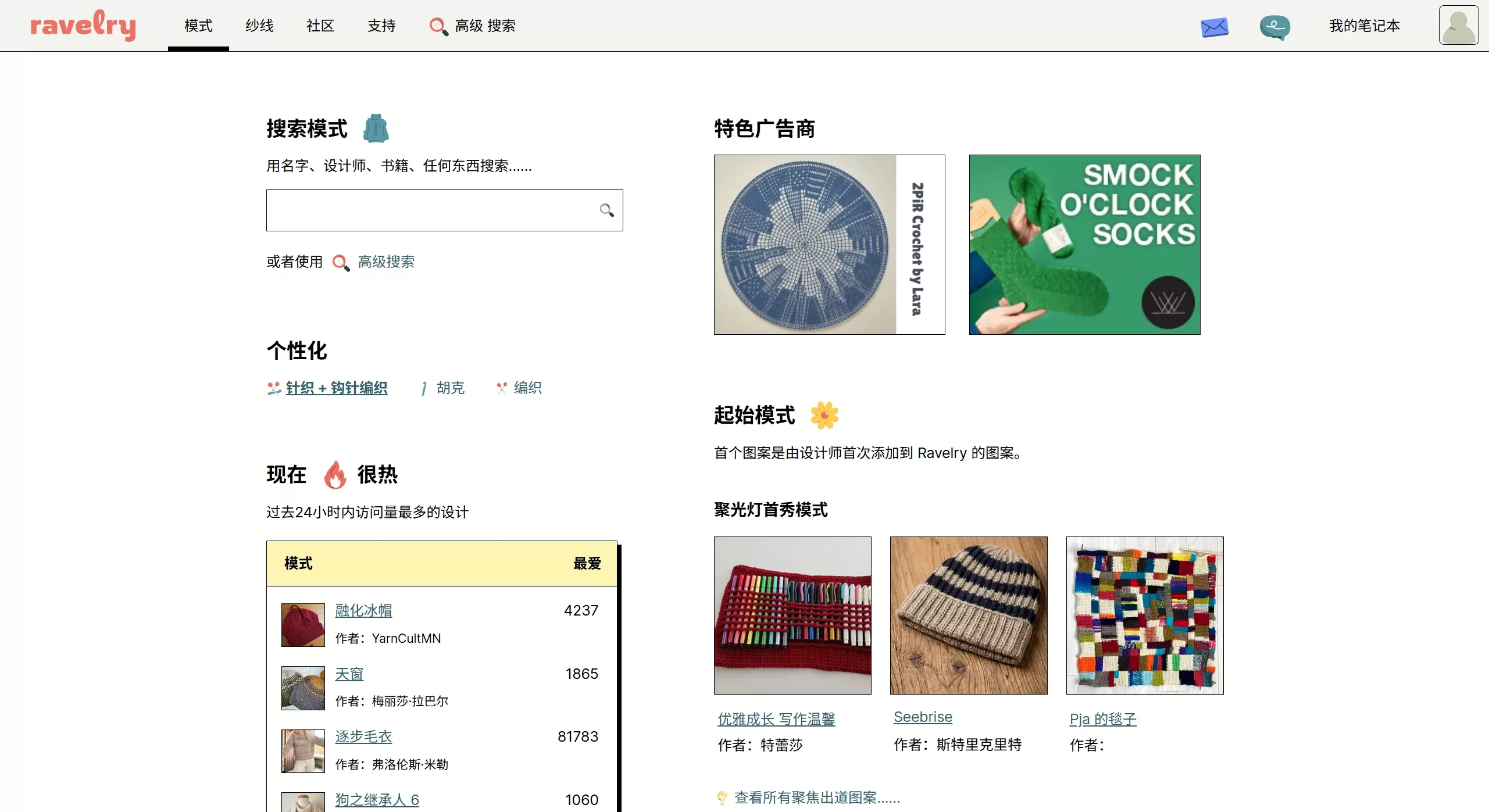
Ravelry is a social networking platform built specifically for fiber artists such as knitters, crocheters, and spinners, launched in 2007. It combines personal notebooks, a yarn-and-pattern database, and forum communities. It currently has more than 9 million registered users and supports a Traditional Chinese interface.
Ravelry Features
The world's largest pattern library: nearly 500,000 knitting/crochet patterns, available for purchase or live download. There are more than 200 filter conditions, such as difficulty, needle size, yarn weight, free/paid, language, and so on.
Personal notebook:
Projects: Create a record for each piece, noting yarn used, needles, dimensions, progress, photos, and other information. You can also check off "which row you've completed to"; it comes with a built-in row counter so you won't forget where you stopped.
Yarn stash: Log your yarn at home, take photos, note the weight and fiber content. The system will recommend patterns you can knit with the yarn you already have.
Tool library: Record needle sizes, hook sizes, circular needle lengths, and other information.
Favorites and queue: Line up the patterns you want to knit so you can "start as a new project" with one click at any time.
Communities and forums: There are groups divided by designer, region, technique, and topic, where you can post to ask for pattern translations, show off finished items, or form group check-ins.
Designer backend: You can upload original patterns, set prices, recruit testers, and the platform will help with sales and generate invoices.
Third-party mobile client: Stash2Go (iOS/Android) supports offline browsing of projects, queues, and stash, and also includes an offline row counter and navigation to nearby yarn stores.
Ravelry Use Cases
Find patterns: Enter a few keywords to find the pattern you want.
Do your homework before buying yarn: Search for a particular yarn and read real reviews from others.
Progress management: For complex pieces, you can check off progress row by row, and update from your phone as well.
Clear out your stash: Photograph and log your leftover yarn so the system can recommend small gift projects.
Designer / yarn dyer: Publish patterns or new yarn colors, recruit testers, and collect finished-item photos for promotion.
Offline events: Search "your city + knit-night" to find local knitting meetups.
How to Use Ravelry
Sign up: Only requires a username, email, and password; no phone number needed.
Complete your profile (optional): Upload an avatar and fill in your Ravelry ID.
Find your first pattern: From the top menu, look for free, Chinese-language, or keyword-related patterns, and favorite or add them to your queue.
Create your first project: Fill in the project name, link a pattern, and add yarn, needles, and other information; update your progress every time you finish a row.
Add yarn: Search for yarn, add it to your stash, fill in the relevant information and take a photo.
Join the community: Search for relevant groups, join them, and post your questions.
Frequently Asked Questions (FAQ)
Does Ravelry require payment?: Core features are free; you only need to pay for paid patterns or value-added services.
Are the pages all in English?: After logging in, you can choose Traditional Chinese, but most patterns are in English; you can use your browser's translation feature.
Can't find the pattern after downloading?: Look for the PDF list in your personal notebook, or check the receipt link in your email.
Can I publish original patterns directly?: You need to set up a designer account first, upload a PDF and pass review; you can recruit testers in groups beforehand.
Can I use it offline on mobile?: Ravelry does not have an app, but Stash2Go supports offline browsing and counters.
Why do image uploads fail?: Each image must be smaller than 10MB, and only jpg/png formats are supported. Users on domestic networks can use Stash2Go or upload to Google Drive first and use the link.