
 Script Planner Assistant▸
 AI Apps
 AI News

The Skindex: One of the Oldest and Largest Minecraft Skin Communities
The Skindex: One of the Oldest and Largest Minecraft Skin CommunitiesIntroduction
The Skindex (players commonly call it SK) is one of the oldest and largest Minecraft skin communities on the web. It is not a subsidiary of Mojang (the game's official developer); it is an independent platform built by players themselves, specifically for collecting and sharing skins made by the player community.
The Skindex Core Features
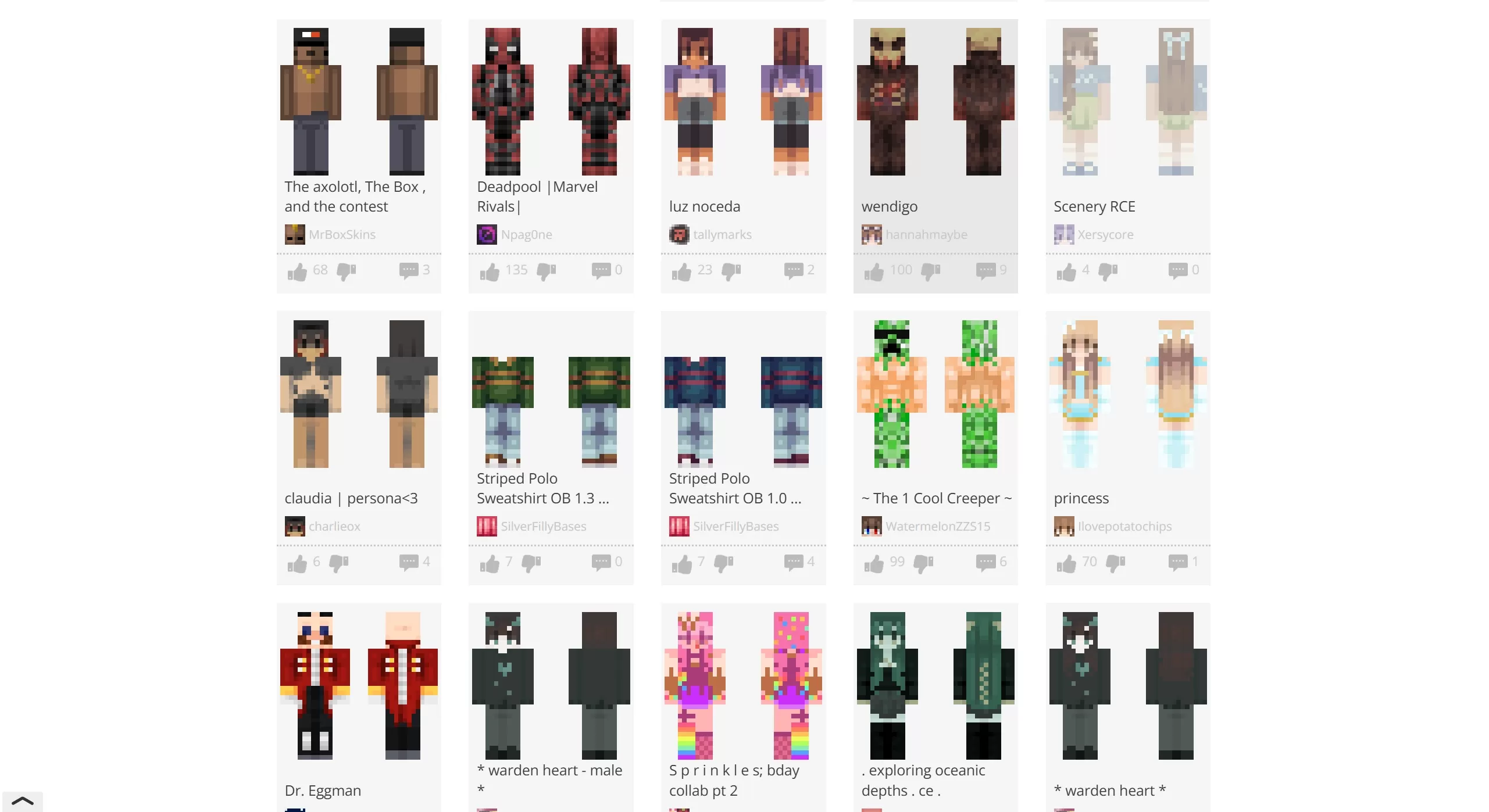
Massive skin library: This is the main body of The Skindex website, containing millions of skins uploaded by players worldwide. The content is rich: popular anime characters (such as Attack on Titan and Genshin Impact), video game characters (such as The Legend of Zelda), movie characters, as well as original designs in styles like realistic, pixel art, funny, and cyberpunk.
Skin search: Browse skins sorted by popular, newest, or random. Search for specific characters using keywords (for example, search "Ender Dragon" or "Cyborg"). There's a leaderboard so you can see the current hottest skin trends globally.
Skin-making tools: The website comes with a built-in online editor, so you don't need to download Photoshop or specialized software — you can paint and draw directly on a 3D model in your browser. It supports layer editing, allowing you to paint clothing, outerwear, and details separately.
Skin grabbing: A very useful feature. If you see someone's skin in-game and think it looks good but don't know whose it is, enter their Minecraft username, and The Skindex can fetch and let you download it.
Community interaction: Like, comment on, and favorite skins. There's a forum section where players can discuss creation tips, share resource packs, or ask for help.
Website Highlights
Unofficial and independent: Clearly states it is independent of Mojang and Microsoft, free from official review restrictions, with more creative freedom and a stronger "meme" culture (though you need to judge content safety yourself).
Simple, retro interface: The design is clean, with an old-internet vibe (like Web 1.0/2.0), not too many flashy elements, with the focus entirely on skin display.
Long history: It has been running for over ten years, witnessing various developments in Minecraft skin culture, and classic works from veteran players can be found archived here.
How to Use The Skindex?
It mainly comes down to "finding skins" and "uploading skins":
Find / Download
Go to The Skindex website and search for the character's English name. Click on a skin you like, hit the "Download" button, or click "Details" to see a larger image and author info.
Upload / Share
Register an account. Click "Upload" or "Create New", then upload your made 64x64 or 64x32 pixel PNG image. Fill in the title, description, and tags so others can find it.
Apply to the Game
International version: After downloading the skin file, select this file in the launcher's "Skin" settings.
NetEase version: Due to copyright restrictions, you can't directly import external skins — you'll need to recreate it using the in-game editor based on what you see on SK, or find channels that support importing resources.
How to Change Skins on Different Versions
International Version (PC Java / Bedrock Edition)
Log in to The Skindex official site or the launcher.
Go to "Profile" or "Skin Settings".
Click "Browse" to upload the .png file.
Select the model (Steve/Alex) and save.
NetEase Version (China Edition)
Open the launcher.
Click "Skin" or "Resource Center".
Import the image under "Local Files" or "Custom".
Apply it to your character library.
Mobile Bedrock Edition (PE)
Go to the main menu → "Profile".
Click "Edit Character" → "Skin".
Choose "Import from Gallery" or use the built-in editor.
The Skindex combines "a massive community skin library + online editor + low registration barrier" into an all-in-one experience, making it the most convenient first stop for players to find, modify, and show off skins; just be careful not to steal or repost, and check the copyright notice — with basically no learning curve, you can easily give your character a fresh new look.















