
 Script Planner Assistant▸
 AI Apps
 AI News

Wuli AI: Alibaba's All-in-One AIGC Design Platform
Wuli AI: Alibaba's All-in-One AIGC Design PlatformIntroduction
What is WuliAI?
"Wuli AI" (呜哩AI) is a one-stop AIGC creative platform built by Alibaba's Tongyi Qianwen (Qwen) team. It helps content creators, designers, marketers, and everyday users quickly turn ideas into ready-to-use image and video assets.
Put simply, Wuli AI is not just a tool for showcasing AI models — it's a design tool that emphasizes practicality and tangible results.
Core Highlights of Wuli AI
Multiple models working together: The platform leverages several AI models developed by the Qwen team, each suited to different needs:
Qwen Image 25.12: Focused on high-quality image generation, ideal for creations demanding fine detail and top-notch image quality.
Qwen Image Turbo: Built for speed — generates 4 2K HD images in about 5 seconds, great for quickly exploring creative directions.
Qwen Image 25.11: Enables intelligent image editing, such as modifying specific parts of an image.
Wan 2.2 Turbo: Used to generate controllable short videos with adjustable motion dynamics.
High efficiency: Through the coordination of these models, it supports a streamlined creative workflow of "describe → quickly generate → use across scenarios."
Practical features: Beyond generation, it offers auxiliary tools like an inspiration assistant and multilingual translation to help users brainstorm ideas and optimize prompts.
Wuli AI Application Scenarios
E-commerce design: Quickly create product showcase images, promotional posters, and ad banners.
Social media content: Produce eye-catching images and short videos for platforms like Xiaohongshu and Weibo.
Marketing & advertising: Create marketing materials such as brochures, flyers, and cinematic-style posters.
Personal creation: Help artists and designers experiment with new styles, such as 3D artistic typography and illustrations.
How to Use Wuli AI
Below are the specific steps and tips:
1. Preparation
Visit the Wuli AI website: Go to https://wuli.art/
Register and log in: Click the "Login" button on the page and use a mainland China phone number to receive a verification code to log in.
2. How to Use
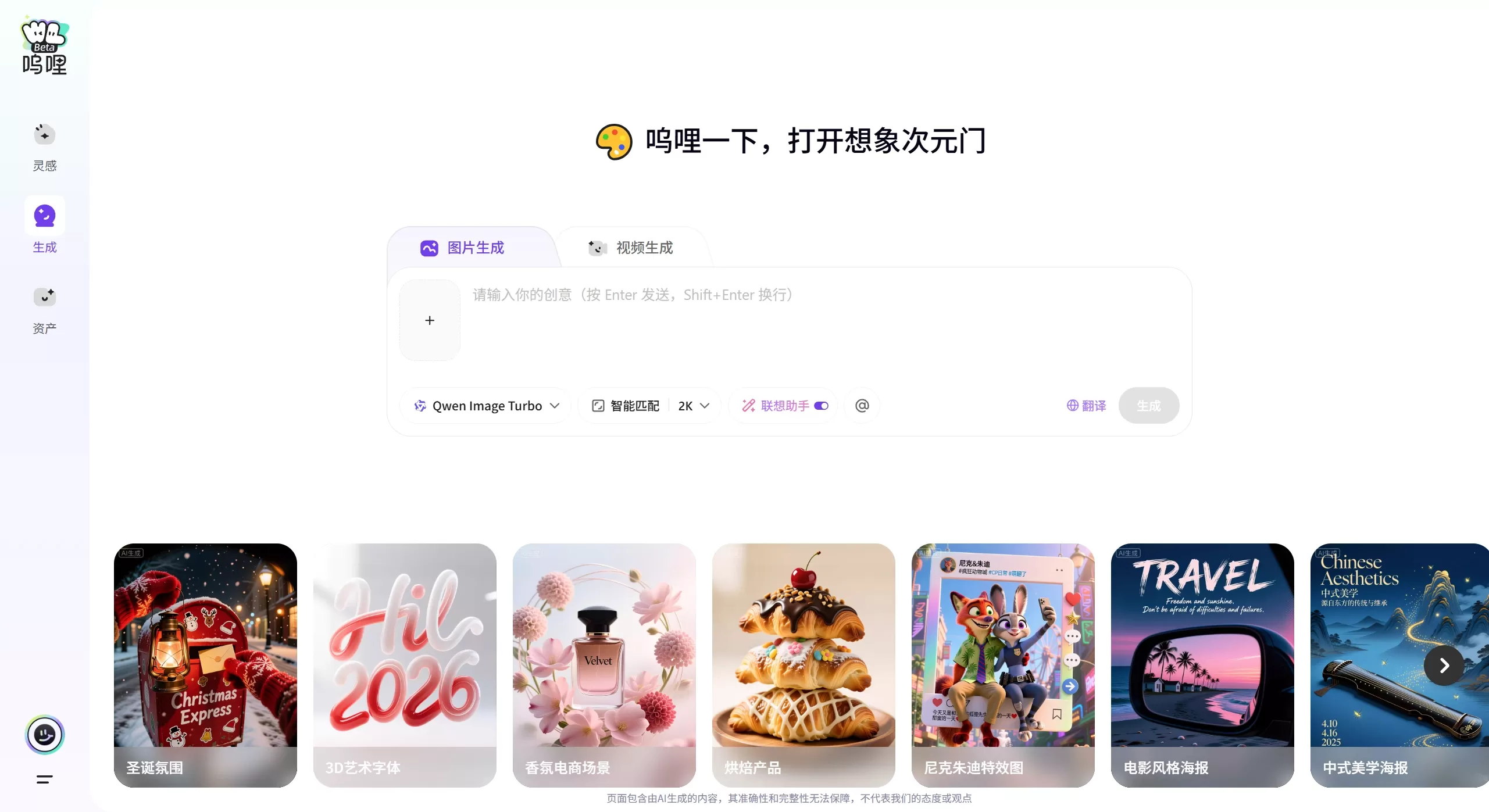
After logging in, you'll see a simple conversational interface mainly divided into two sections: "Image Generation" and "Video Generation".
Image Generation (Text-to-Image)
This is currently the core feature, powered by Qwen's Qwen Image series models.
Select the mode: Make sure you're on the "Image Generation" tab.
Enter your description: In the input box, use plain language to describe the image you want.
Tip: If you're out of ideas, turn on the "Inspiration Assistant" at the bottom-left corner — it will help you refine your prompt.
Note: Keep your description under 2000 characters, avoid overly complex JSON formats — plain text works best.
Choose a model: Click the bottom-left corner to select different models:
Qwen Image Turbo: For speed — generates 4 images in about 5 seconds, ideal for brainstorming.
Qwen Image 25.12: For quality — suitable for detailed, commercially usable large images.
Qwen Image 25.11: Suitable for images you'll want to edit later.
Choose an aspect ratio: Pick based on your use case — for example, phone wallpapers, desktop wallpapers, or e-commerce main images correspond to ratios like 1:1, 16:9, and 9:16.
Generate and download: Click "Generate," wait a few seconds, then pick your favorite to download.
Video Generation
Switch mode: Click "Video Generation" at the top of the input box.
Enter your description: Write a description of the video content, or upload a reference image.
Generate: The current beta primarily uses the Wan 2.2 Turbo model — fast but harder to control than image generation, suitable for simple motion backgrounds or creative short clips.
3. Practical Mini-Tools
Translation: If you're used to writing prompts in English or want to generate English content, click the "Translation" icon next to the generate button for quick Chinese-English translation.
Smart editing: Generated images can be modified locally or adjusted in detail using the platform's smart editing feature.
Creative Tips
Experiment more: The Turbo model is fast — try entering several different keywords to find a style you like.
Be specific: The more detailed your description, the better the result. For example, instead of saying "a cup," say "a steaming ceramic coffee mug on a wooden table, lit by sunlight, with a warm atmosphere."
Wuli AI is currently in Beta, and all features are free to try. Simply open the Wuli AI website in your browser, register and log in with your phone number, and start creating.















