Script Planner Assistant▸
 AI Apps
 AI News

Vizard Screen Recorder
Vizard Screen RecorderIntroduction
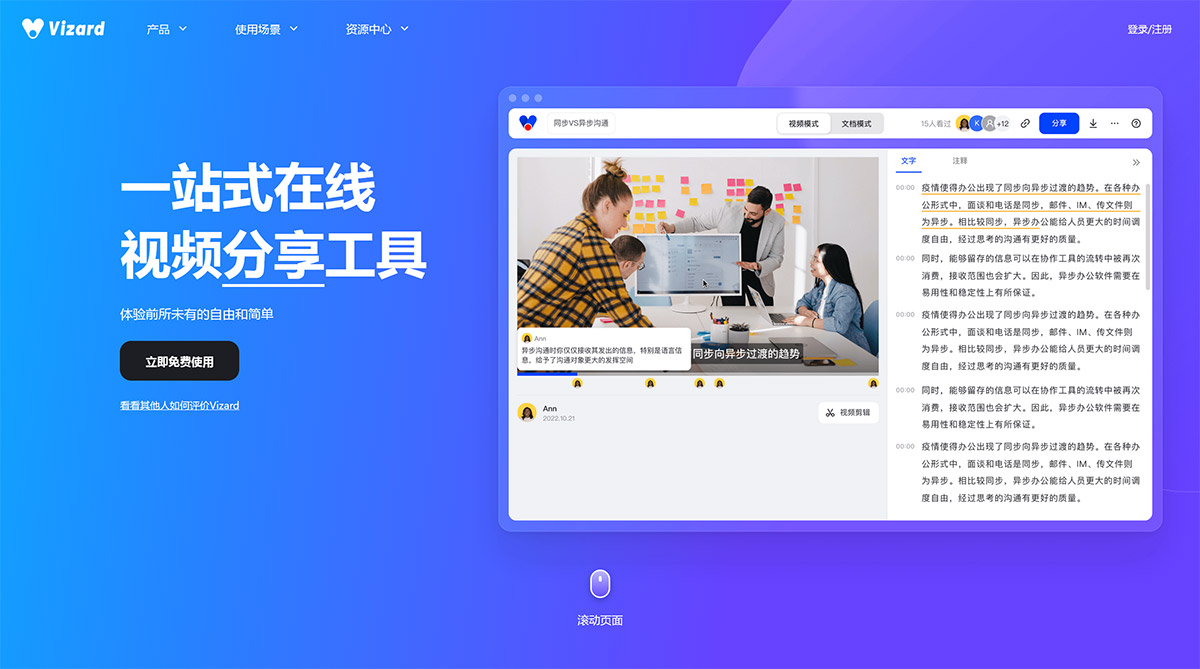
Vizard requires no software download or installation. Simply open the website and start recording anytime, easily capturing high-definition videos for a stable and smooth recording experience! It's an all-in-one video creation and communication platform covering enterprise scenarios such as internal training, product introductions, and meeting presentations, as well as educational scenarios like online course recording and courseware production. It offers online video recording, editing, and sharing features to help you effortlessly solve all your video recording challenges.
Vizard Features:
1. Record screen and webcam online
Vizard requires no software download or installation. Open the website and start recording anytime, easily capturing high-definition videos for a stable and smooth recording experience!
2. Convert recorded videos to text
Vizard uses advanced speech recognition technology to convert recorded videos into text. A 1-hour video can be processed in about 5 minutes, with an accuracy rate of over 95%.
3. Edit videos by editing text
With Vizard, deleting text removes the corresponding video segments. It's suitable for anyone who can edit a document, eliminating the need to learn professional editing tools!
4. Add annotations to highlight important information
Vizard allows you to add annotations to transcribed segments, mark key points in a timely manner, summarize your thoughts, deepen your understanding of the content, and boost learning and work efficiency.
5. Quickly share videos via links
Send the video link to others, and they can open it to watch the video on a computer or mobile device. Sharing large files saves time and effort!
Vizard Use Cases:
1. Tutorial operation demonstrations
Tutorial operation demonstrations help users learn and solve problems.
For tool-based products, due to their complexity, operational training is often required after iterations and launches. Image-and-text operation documents can be boring and lack coherence for users, while face-to-face screen projection explanation cannot quickly cover a large audience. Therefore, screen-recorded operation demonstrations for teaching become particularly important, effectively helping users learn and solve problems.
2. Create teaching videos
Record pre-designed teaching courseware
Record pre-designed teaching courseware, and use the text editing feature for post-production after recording to create high-quality teaching videos. Share teaching videos via links, and students can open the link to watch online on a computer or mobile device, truly breaking the limitations of time and space, allowing students to learn anytime, anywhere!
3. Record live classes
Record lecture audio for learning anytime, anywhere
Record live classes that you don't have time to attend, or live classes with key or difficult points. After recording, you can participate in repeated learning at any time and from anywhere, free from time and geographical constraints, continuously deepening your understanding and improving your ability to grasp knowledge.