
 Script Planner Assistant▸
 AI Apps
 AI News

Mashu Animation: Free AI Comic Drama Creation Assistant
Mashu Animation: Free AI Comic Drama Creation AssistantIntroduction
What is MochiANI (麻薯动画)
MochiANI is a creation platform for making AI manga dramas and short dramas. It can directly split novels or scripts into visual, character-based material, and then batch-produce finished episodes in the cloud. What used to require drawing storyboards frame by frame, rigging motion, and adjusting audio can now be done in minutes. The platform offers multiple art styles to choose from, reusable assets, multi-user collaboration, and multilingual localization, making it suitable for solo creators or teams producing long-running series or large batches of content.
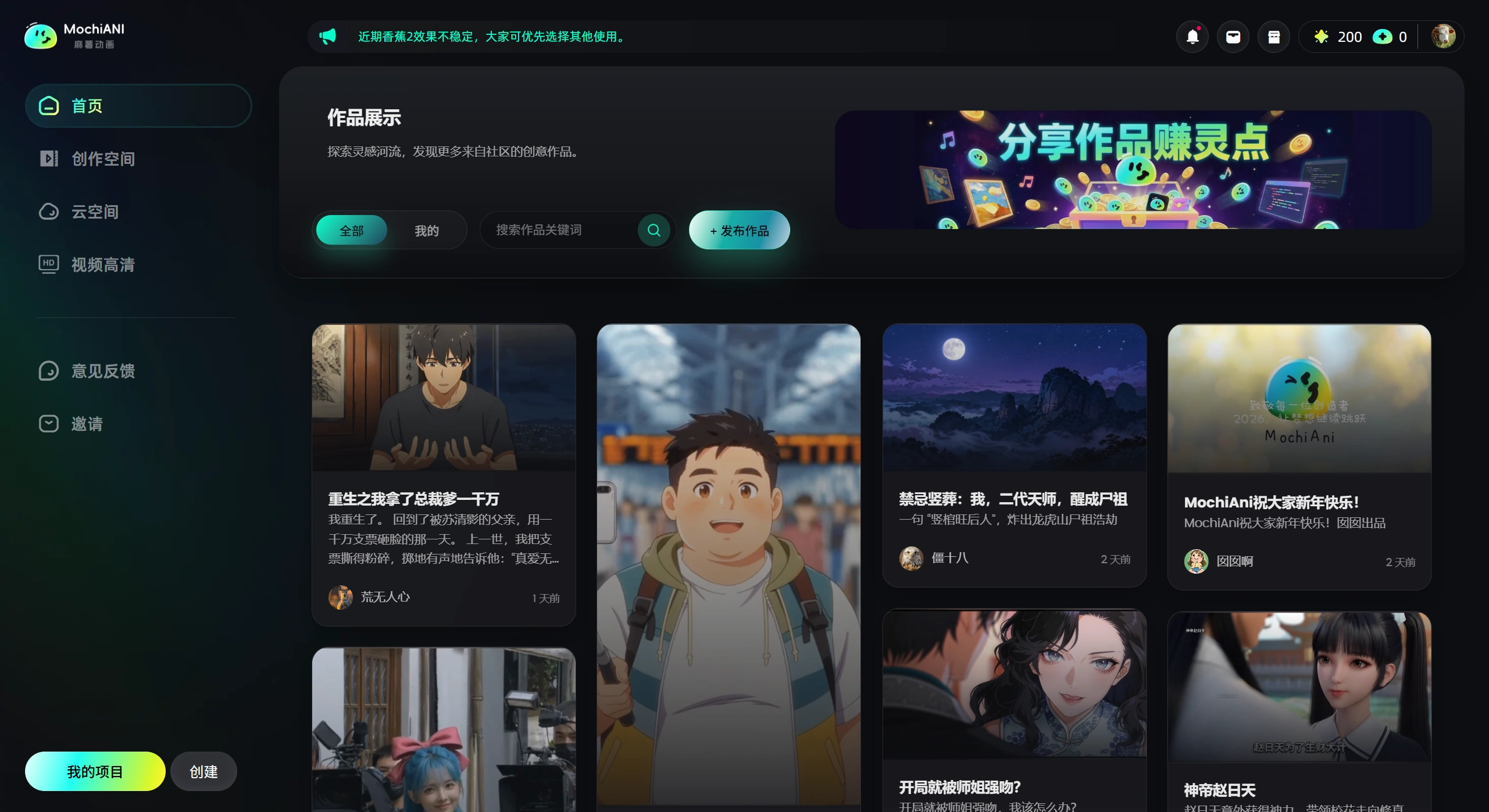
Main Features of MochiANI
One-click dynamic manga drama creation: AI divides the script into individual storyboard panels, with over a dozen ready-made art styles such as absurd comedy, rags-to-riches, system-flow, and cute style.
Consistent character appearance: The same character looks the same across multiple episodes, keeping long-running series coherent.
Synchronized audio and visuals: Voiceover and lip-sync are automatically aligned, and any errors can be fixed with one click.
Quick trend-following edits: Characters and dialogue in trending video templates can be directly replaced to quickly produce same-style horizontal and vertical videos.
Cloud rendering: No need for a local GPU; just upload the script in the browser to generate 1080P MP4 files that can be downloaded directly or further edited.
Who is MochiANI For
Short video creators and KOLs: Use "one-click generation" to cut video production time to one-fifth of the original, quickly follow trending topics, and produce content in batches.
Dynamic manga drama production teams: Consistent character appearance and automated storyboards let you focus on storytelling, reducing costs by 60%.
Brand marketing and advertising agencies: Input copy and directly turn it into ad videos in different styles to test click-through rates before deciding whether to actually shoot.
Educational institutions and knowledge bloggers: Import PPT or hand-drawn sketches, and AI turns them into animated explainer videos that make complex topics easier to understand.
What Can MochiANI Be Used For
Short video matrix: Daily updates for Douyin, Kuaishou, and TikTok drama accounts, with per-video cost reduced to one-fifth of the original.
Web novel manga dramas: Promote novels from platforms like Fanqie and Qimao, quickly turning feel-good stories into 1–2 minute manga drama trailers.
Educational micro-lessons: Training institutions can batch-produce scenario-based animations, increasing student completion rates by 40%.
E-commerce ads: Product explainer videos for Taobao and Pinduoduo pages have seen click-through rates increase by up to three times in some cases.
How to Use MochiANI
Create a project and parse the script: Start an AI manga drama project, paste in your novel or script, choose the desired art style, and click "Start Parsing" to enter the editing page.
Configure settings and prepare assets: In "Model Configuration," select video, image, and language models; batch-generate or fill in missing characters and scenes, and first check whether the look is correct and usable.
Batch production and preview: Review script and asset allocation, select all storyboards for batch image generation, check the pacing with previews, and once everything looks good, batch-produce videos (queued in the cloud, no need to stay logged in).
Refine details and export: Cut shots, add transitions, add subtitles, and adjust audio in the editor, or import directly into CapCut, Premiere, etc.; click "Export Video" in the top right corner to get the final output.
Useful Tips
Unified audio and visuals: Import the video, separate the vocals and extract subtitles, and use voice cloning (keeping the original voice timbre while changing the script) or emotion cloning (unifying character timbre and emotion) for batch voiceover to keep multiple clips and episodes consistent.
Clean, compliant visuals: Remove blurry obstructions, watermarks, and logos, or zoom in on the video to move out the bottom subtitles for a cleaner look.
Rephrase to create multiple versions: Turn on "Creative Restructuring" to switch between first-person and third-person narration while optimizing art styles, quickly producing a bunch of different versions.
Distribute overseas: Use the "Video Translation" feature to one-click translate into multiple languages, with original voice cloning and automatic removal of original subtitles, making overseas versions faster to produce.
Save cost and boost efficiency: Reuse assets to reduce duplication; after batch dispatching tasks, move on to the next episode; exported assets are auto-named by storyboard for easier organization and editing later.
Related Articles:
Recommended AI Animation Makers for 2026
2026 Recommendation: Review of 5 AI Manga Drama Creation Tools












