
 Script Planner Assistant▸
 AI Apps
 AI News

KeepMind AI: Turn Any Study Material into Flashcards and Quizzes
KeepMind AI: Turn Any Study Material into Flashcards and QuizzesIntroduction
KeepMind ai is an AI-based learning optimization tool that focuses on automatically transforming any learning materials—such as notes, PDFs, web pages, and documents—into structured flashcards, mind maps, and quizzes. Combined with a scientific spaced repetition algorithm, it helps users efficiently memorize and achieve long-term mastery of knowledge.
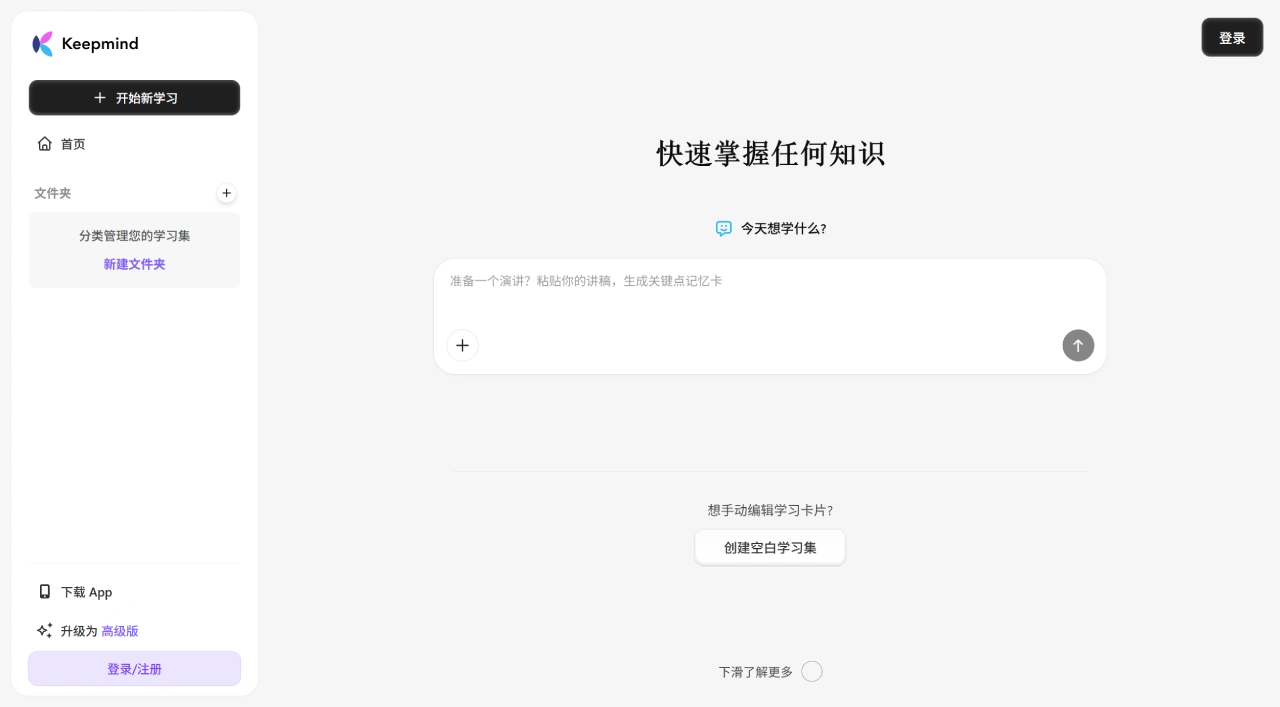
KeepMind AI Main Features
AI-Generated Study Cards
Multiple input methods: paste text, enter keywords, or upload files.
Extract key content: automatically identify key knowledge points.
Meet personalized needs: generate exclusive cards based on learning requirements.
Smart Quiz Feature
Rapid quiz generation: quickly create questions based on study cards.
Test learning results: immediately know your learning status.
Strengthen knowledge retention: deepen memory through quizzes.
Spaced Repetition Learning
Advanced algorithm: uses the FSRS-6 spaced repetition scheduling algorithm.
Optimized review timing: scientifically arrange reviews according to the forgetting curve.
Efficient knowledge retention: achieve great results with fewer reviews.
Structured Content Processing
Generate mind maps: turn complex information into intuitive diagrams.
Systematically organize content: arrange learning materials in an orderly manner.
Extract key points: automatically identify core knowledge points.
KeepMind AI Core Advantages
AI-assisted note-taking: supports natural language input; the AI can automatically summarize key points, distill content, generate tags, or suggest related content.
Bidirectional links and knowledge graph: similar to Obsidian or Logseq, supports bidirectional links between notes, and can present personal knowledge in a graph format.
Multi-source information integration: can import web pages, PDFs, document, meeting records, etc., which the AI automatically parses and organizes into structured content.
Intelligent search and Q&A: based on a vector database and semantic understanding, ask questions in natural language (such as "What did the article about attention I read last week say?") to quickly find relevant content.
Cross-platform sync: supports Web, desktop (Windows8/macOS), and mobile devices, with encrypted data and a focus on privacy.
KeepMind AI Application Scenarios
Academic field: preparing for various exams (college entrance exams, postgraduate entrance exams, study abroad tests, etc.), specialized course learning, thesis writing material organization.
Language learning: vocabulary memorization, grammar practice, article reading comprehension.
Professional certification: CFA, CPA, and other professional certification exams, skill certificates, industry knowledge updates.
Hobbies and interests: life skills like coffee and tea ceremony, history and cultural knowledge learning, organizing new book content.
Work applications: memorizing key points of speeches, organizing meeting content, learning new tools.
How to Use KeepMind AI
Basic Usage Process
Input learning materials: paste text, enter keywords (such as "Economist key vocabulary"), or upload learning resources.
AI generates content: the system automatically extracts key information, generates personalized memory cards, and builds a structured knowledge framework.
Start learning: browse memory cards, complete accompanying quizzes, and review according to the system's schedule.
Advanced Features
Customized learning: adjust generated content according to your own needs.
Progress tracking: understand learning progress and mastery level.
Multi-device sync: learn on different devices.
Usage Suggestions
Clarify learning goals and choose an appropriate input method.
Regularly use the quiz feature to test learning results.
Follow the system's review schedule to form long-term memory.















