
 Script Planner Assistant▸
 AI Apps
 AI News

Smart Excalidraw: An AI-Powered Open-Source Smart Diagram Generator
Smart Excalidraw: An AI-Powered Open-Source Smart Diagram GeneratorIntroduction
Smart Excalidraw is an open-source intelligent diagram generation tool powered by AI. Its main feature is using large language models to convert what people say into structured, editable diagrams. The output is in Excalidraw format, allowing users to adjust styles and layouts directly on the canvas, so the workflow from auto-generation to manual refinement can be completed seamlessly. The biggest difference from regular Excalidraw is that it first uses a large model to understand your description, then produces a professional diagram with clear structure and appropriate layout in one go, which can still be freely tweaked on the original canvas. It is ideal for developers, product managers, architects, and anyone who needs to quickly draw flowcharts, architecture diagrams, or ER diagrams.
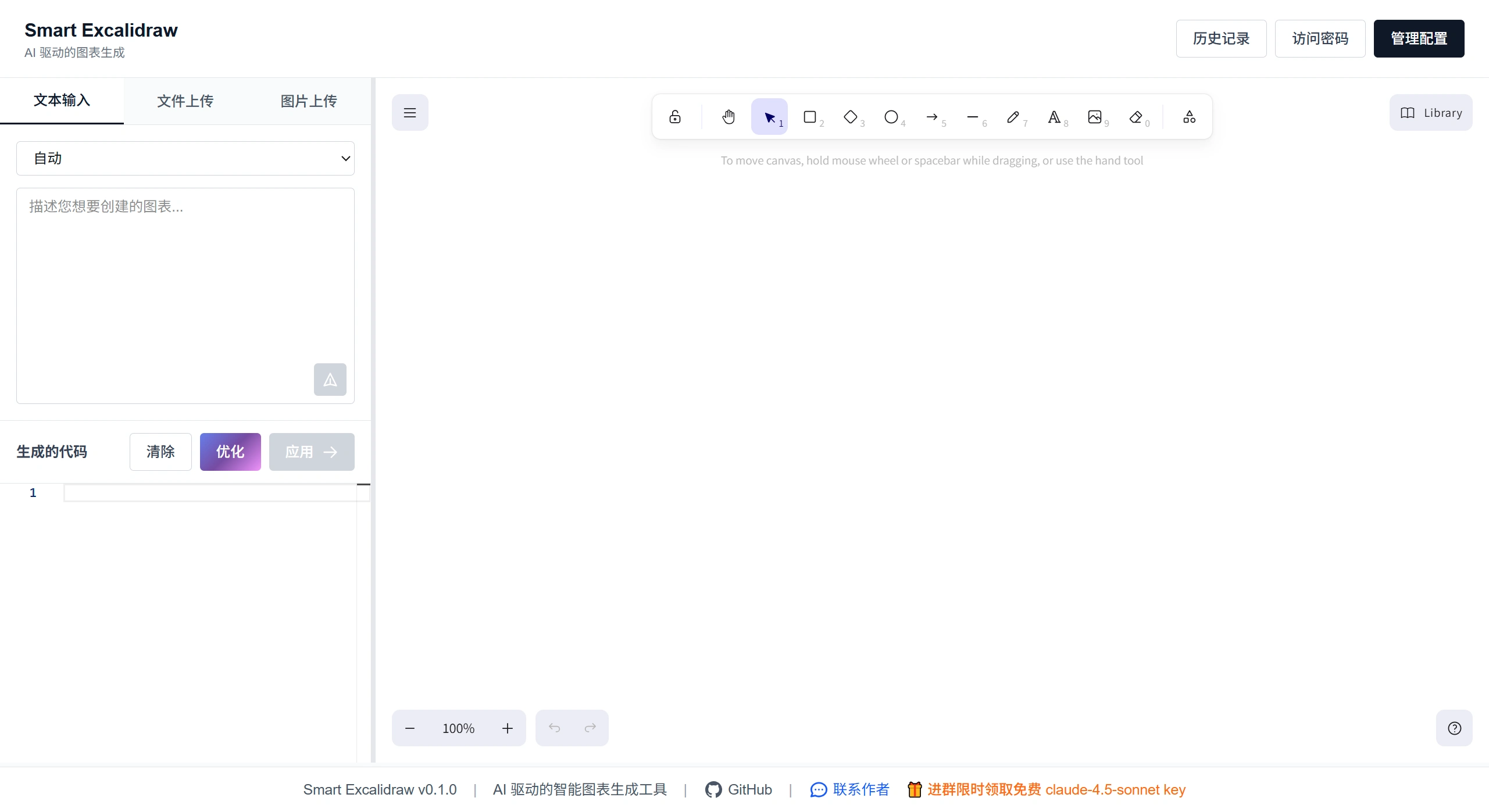
Main Features of Smart Excalidraw
Generate a diagram from a single sentence: For example, type "draw a microservice architecture diagram including a gateway, authentication, and an order service," and the AI will automatically choose an appropriate diagram type, arrange the node positions, and connect the lines.
Supports 20+ diagram types: including flowcharts, sequence diagrams, ER diagrams, mind maps, infographics, deployment architecture diagrams, and more.
Smart connections: Uses a proprietary algorithm to automatically find the best connection points, reducing line crossings so that even complex diagrams remain easy to read.
Fully compatible with Excalidraw: Generates standard .excalidraw files that can be dragged, recolored, and added with icons directly in Excalidraw.
Simple configuration, local data storage: You only need to enter your OpenAI or Anthropic API Key once; all settings and data are stored in your own browser. One-click local deployment via Docker is also supported.
How to Use Smart Excalidraw
Online Use
Open the official site:
👉https://smart-excalidraw.aizhi.site/
Configure the AI:
Click "Configure LLM" in the upper-right corner
Choose a provider (Anthropic or OpenAI)
Enter your API Key (Claude Sonnet 4.5 is recommended for the best results)
Save
Enter a prompt, for example:
"Draw a flowchart for user registration and login"
"Create an e-commerce ER diagram including orders, products, and users"
"Design a Kubernetes cluster architecture diagram"
The AI will automatically generate the diagram, and you can continue editing it on the canvas.
Local Run
gitclonehttps://github.com/liujuntao123/smart-excalidraw-next.git
cdsmart-excalidraw-next
pnpminstall
pnpmdev
Then open http://localhost:3000
Technical Features of Smart Excalidraw
Compatible with multiple models: Supports common models such as OpenAI and Anthropic. The Claude Sonnet series is recommended for better results.
Smart connection method: Comes with its own algorithm for calculating connection points, automatically avoiding line crossings so diagrams are easier to understand.
Stored on the frontend: Settings and temporary data are kept in the browser, saving server expenses and offering better privacy protection.
Built with modern tools: Based on Next.js, Excalidraw, and Tailwind CSS, making local modifications and feature additions convenient.
Use Cases for Smart Excalidraw
Suitable for building product prototypes, drawing architecture diagrams, adding visuals to technical documentation, and for team collaboration. Designers or engineers can simply describe what they want in words and quickly get a structured diagram, then fine-tune it on the Excalidraw canvas. It can also be integrated into design reviews, documentation writing, or CI workflows to make visualization tasks faster.
FAQ
Q: Which model works best?
A: Claude Sonnet 4.5 — it produces more accurate diagrams with more reasonable structure.
Q: Will my data be uploaded to the internet?
A: No. All content is kept only in your own browser.
Q: Can I edit the AI-generated diagram?
A: Yes. The output consists of regular Excalidraw elements, which you can freely drag, change colors, and add text to.
Github:https://github.com/liujuntao123/smart-excalidraw-next













