
 Script Planner Assistant▸
 AI Apps
 AI News

AI Manga Studio – Open-Source One-Stop Manga Creation AI Tool
AI Manga Studio – Open-Source One-Stop Manga Creation AI ToolIntroduction
ai What is Manga Studio?
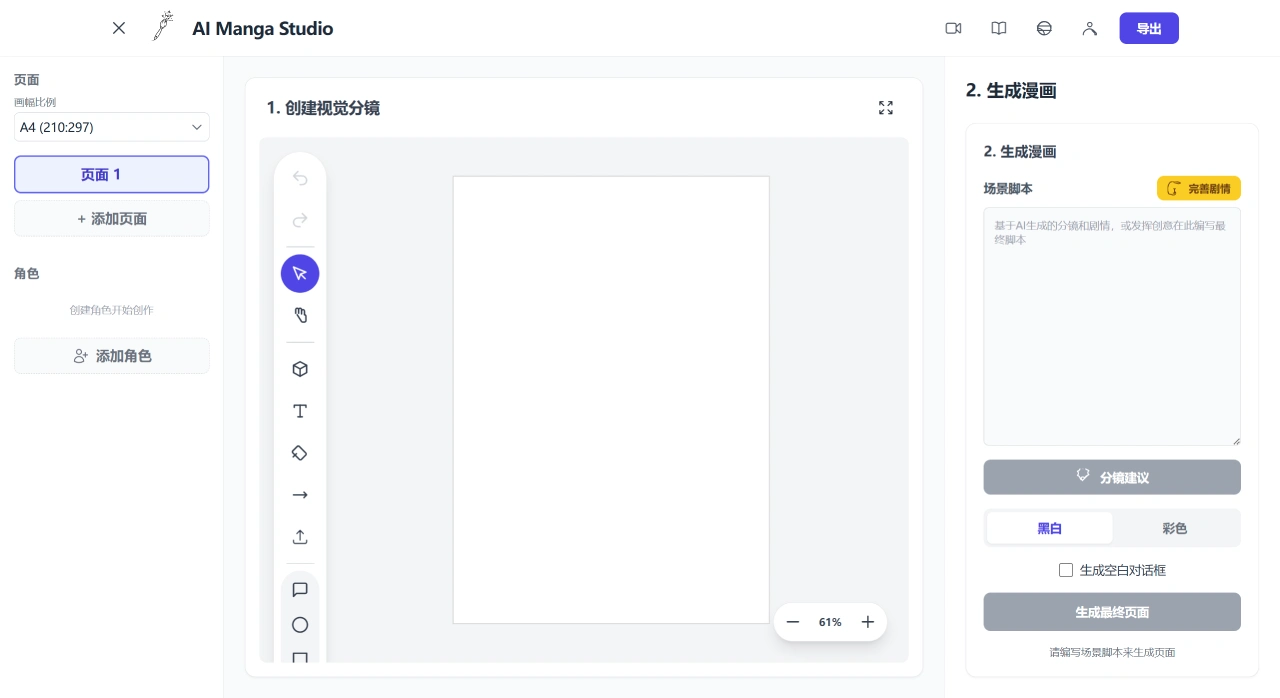
AIMangaStudio is an open-source, one-stop AI tool for creating comics. It brings script writing, storyboarding, character consistency, dialogue layout, and multi-page export together into one workflow, making it easy for beginners and helping people without a background quickly turn their ideas into shareable comics. For professionals, it can be used to produce drafts and test storyboards, speeding up the pre-production phase.
Key Features of AI Manga Studio
Generate comics from text: Input a plot or prompt, and it can be turned directly into comic frames, with dialogue and narration automatically added.
Character consistency: Keeps the same character looking the same across different panels and pages, suitable for serials and long stories.
Automatic storyboarding and layout: Arranges camera changes on its own, keeps speech bubbles from covering characters, and produces clear, well-paced storyboards.
Multi-panel and layouts: Comes with ready-made panel templates, allowing an entire page of drafts to be generated at once, suitable for various canvas sizes.
Continuity check: Helps maintain consistency in plot and characters, reducing mismatches.
Multi-page export: Can be saved as PNG, PDF, and other formats for easy sharing and printing.
End-to-end workflow: From script writing to finished product is done in one process, without needing to switch between many software tools.
Technology and Deployment
The frontend uses React, Vite, and TypeScript.
The AI part uses Google GenAI (via the @google/genai package).
Can be deployed on Vercel, Netlify, or with Docker.
How to Get and Use AI Manga Studio
The project is hosted on GitHub (morsoli/aimangastudio) and can be installed and used locally. It also supports one-click deployment on Vercel and Netlify, suitable for trying it out or modifying the code.
There is a web version that can be used directly. To use AI features, a Google Gemini API key must be set up; this key is stored locally in the browser and is not sent to any server.
It can be opened in a browser on common computer systems (Windows, macOS, Linux).
Quick Start
Requirements
Node.js (18+ recommended)
npm or yarn
Installation
npm install
# or
# yarn
Development
npm run dev
Build and Preview
npm run build
npm run preview
Who AI Manga Studio Is For
Individual creators and small teams: No subscription fees required, and the entire creation workflow can be set up quickly, from idea to finished product in one go.
Teaching and learning: Can be used as examples of AI plus digital art, convenient for classroom use and hands-on modification.
Small and medium-sized businesses and startups: Functions can be customized and integrated into their own workflows, saving time and money.
AI Manga Studio's role is not to replace professional manga artists, but to broaden the scope of creation and speed up the pre-production phase.
Open source address: https://github.com/morsoli/aimangastudio
Related News:
AI Comic Drama Production Tools
AI Comic Image Generation Tools
2026 Recommendation: Review of 5 AI Comic Drama Production Tools















