
 Script Planner Assistant▸
 AI Apps
 AI News

Karumi AI: Y Combinator-Backed Smart Product Demo Platform
Karumi AI: Y Combinator-Backed Smart Product Demo PlatformIntroduction
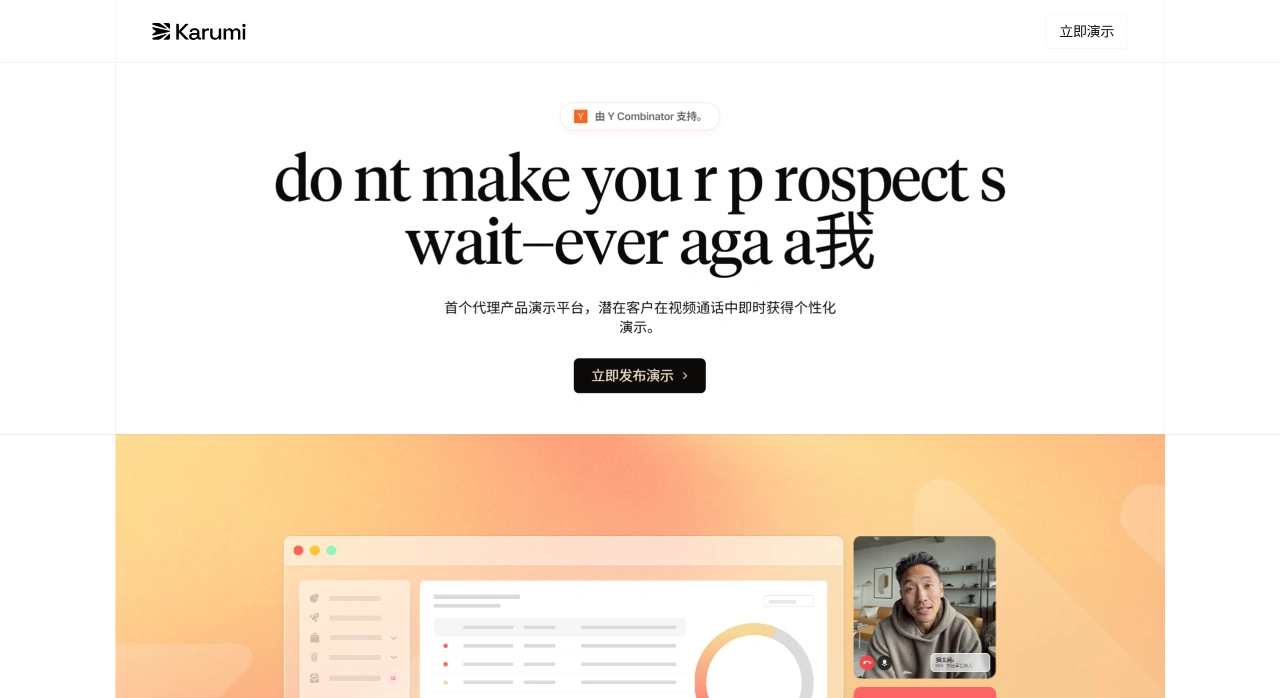
Karumi ai is an intelligent product demo platform backed by Y Combinator. It uses live video calls to deliver demos to potential customers, is available 24 hours a day, supports multiple languages, and can tailor the content based on each customer. There's no need for a real person to be online — it replaces low-performing recorded demos and long scheduling delays, helping improve lead conversion and sales efficiency.
Karumi AI Features
24/7 Live Video Demos: The AI delivers demos via live video calls rather than playing recorded videos. Customers can join at any time, view the screen, interact with the product, listen to explanations, and even ask questions on the spot, with the demo content adjusting accordingly.
Content Tailored to the Situation: By connecting to CRM or visitor behavior data, the demo content adapts dynamically. The same product can emphasize different points depending on the visitor's industry or role.
Multilingual Support: The system automatically detects the visitor's language and can switch across more than 30 languages without manual translation, enabling coverage of global customers.
Interactive Operations: In the browser, it can open new tabs, switch pages, fill out forms, and scroll pages in real time, much like a live demo.
Lead Qualification and CRM Logging: During calls, it automatically captures intent signals from prospects, such as keywords asked or where they paused on the content. Afterward, the recordings, summaries, lead tags, and next-step suggestions are stored in common CRMs like Salesforce or HubSpot.
Security and Compliance: Certified for GDPR, SOC 2, and ISO 27001, with VPC and private deployment supported, making it suitable for industries with strict compliance requirements such as finance and healthcare.
Easy Integration: Add a snippet of JavaScript code to your website, post-login pages, or email signatures to embed a "Start Demo" button — typically deployable in under 30 minutes.
Karumi AI Application Scenarios
Accelerate the Sales Cycle: On high-intent pages such as the pricing page or competitor comparison pages, place a "Demo Now" button to capture after-hours or overseas prospects, shortening the time from visitor to qualified lead.
Global Prospecting: No need to staff sales engineers in every time zone — the AI can deliver demos in native languages like German or Japanese, helping startups test international markets faster.
Product-Led Growth: Add an "Interactive Tour" entry point inside your SaaS product that pops up the first time users land on complex feature pages, guiding them through key setup steps to reduce drop-off.
Onboarding New Customers: Newly signed customers can book "self-paced in-depth training for the evening," with the AI walking through API integration, report configuration, and similar steps on demand — reducing repetitive explanations by customer success teams.
Replacing Humans on Simple Questions: For frequently asked things like "how do I use this feature?" or "setup failed," let the AI demonstrate the steps first, and only escalate to a human if it doesn't resolve — cutting down many basic support tickets.
Supporting Channel Partners: Embed the demo entry on partner pages so they can always view the latest product demos with consistent information, eliminating the need for constant training from headquarters.
How Enterprises Use Karumi AI
Sign Up and Upload Materials: First, log in at karumi.ai and connect your website or test environment. Then upload product documentation, how-to videos, FAQs, and sales talking points — the system will break them into chunks and build a knowledge base.
Set Up Demo Flows: In the "Script Editor," drag and drop to create multi-branch scripts. Define trigger conditions such as the visitor's industry, role, or trial stage; choose demo sequences such as showing the integration page or value calculator first; set decision rules like jumping to the security module when security is mentioned. You can also test different scripts to see which converts better.
Add Entry Points: Copy the generated JavaScript code and place it as a "Watch Demo" button on prominent spots of your website, a floating widget in the top-right corner of the pricing page, an in-product prompt bar, or "Book a Demo" links in marketing emails.
Connect to Lead Systems: In the "Integrations" section, authorize tools like Salesforce, HubSpot, or Pipedrive, and map fields such as company size, intent score, and next-step tasks — records will be automatically created or updated after each call.
Monitor Data and Manage the Process: View demo counts, average duration, frequently asked keywords, and generated leads in real time. Recordings and transcripts are searchable by keyword for sales reviews. Questions can be tagged as "covered/not covered in demo," and the system will automatically replenish the knowledge base.
Continuous Improvement: Use closed-won data from your CRM to calculate demo-to-close conversion rates, experiment with different scripts and entry-point placements, and iterate. The system can remember a visitor's previous demos so already-seen content isn't repeated.











