
 Script Planner Assistant▸
 AI Apps
 AI News

Playscape – No-Code Game Generator & Instant Play Platform
Playscape – No-Code Game Generator & Instant Play PlatformIntroduction
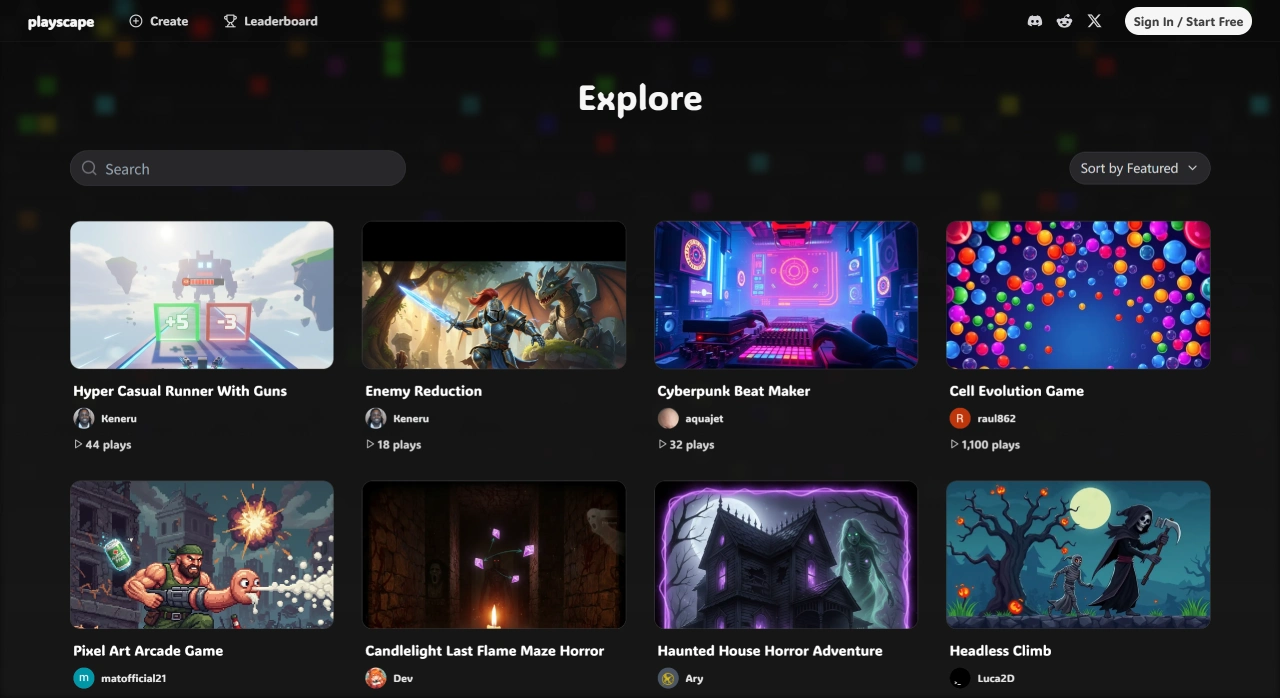
Playscape is a super cool online gaming platform focused on "instant generation + immediate play." No need to set up a development environment, write code, or download software—just open your browser and instantly turn your creative ideas into playable games. Here, you can quickly create and try out various types of games, and even share the games you make. Registration is free, and you can use it simply by opening the website—it's truly a "magic tool for bringing game ideas to life."
Playscape Main Features
Text-to-Game Generation: Just enter the gameplay, style, and level descriptions, and the ai will automatically build the complete game for you.
Instant Preview & Play: Once the game is generated, simply click "Play" directly on the webpage to launch it, supporting keyboard, mouse, or touch controls.
Multi-Type & Multi-Style Support: A rich variety of game types are available, including platform jumping, shooting, puzzles, quizzes, role-playing, and more; the visual styles are also diverse, supporting pixel art and cartoon styles.
Sharing & Community Exploration: Generated games come with a unique link for one-click sharing. You can also view data on your creations and remix the games.
Rapid Iteration Editing: You can fine-tune the text descriptions or adjust parameters like difficulty and character attributes to make the game more polished.
Playscape Core Advantages
Extremely High Generation Efficiency: From entering text descriptions to generating a playable game, it only takes a few seconds—much faster than traditional game prototype development, which can take hours or even days, and adjustments and iterations respond in seconds as well.
Zero Technical Barrier: You don't need to master programming languages or game engines, nor do you need to know how to use art tools. Just describe the gameplay, style, and levels in words, and the AI will automatically construct characters, maps, logic, and visual elements—making game creation easy even for tech novices.
Web-Native Experience: Runs entirely in the browser, compatible with both desktop computers and mobile devices. No client installation or environment configuration is needed—open the webpage to create, play, and share, making it extremely cost-effective to spread.
Community-Driven Creativity: The platform hosts a large number of self-made games by users, covering various types and styles. You can browse popular works, draw inspiration from others' design ideas, and remix existing games, forming an amazing creative loop.
Playscape User Groups
Indie game enthusiasts and prototype developers: Quickly validate gameplay mechanics and shorten iteration cycles.
Educators and students: Can be used in game design courses, programming启蒙 (intro to programming), creative assignments, and more.
Content creators and media bloggers: Customize interactive games to boost fan engagement.
Small studios and game development teams: Quickly produce demo prototypes during the project initiation phase.
Non-technical creative professionals: Such as graphic designers and illustrators, who can realize跨界 (cross-disciplinary) game creativity.
How to Use Playscape
Visit the Playscape official website: Enter the link Playscape.com in your browser, then click "Get started".
Enter Description: In the large text box, write your game requirements in any language—the more specific, the better. You can describe it from aspects such as structure (e.g., number of pages, navigation names), style (e.g., colors, dark/minimalist/glassmorphism), functions (e.g., forms, payments, animations, 3D, multilingual support), and content (you can paste text, external image links, CSV tables directly). For example: "Create a bilingual (Chinese-English) NFT portfolio website with a full-screen carousel of 5 images on the homepage, mouse parallax on the second image, an email subscription form at the bottom that saves submissions to a database and automatically sends a thank-you reply, with an overall neon cyber style featuring black-purple gradients."
Generate and Publish: Press Enter, and after 10–30 seconds, a preview window will appear. If you're happy with the generated game, click "Publish" to get the game's link (e.g., https://abc.playscape.gg); if you're not satisfied, add modification instructions in the input box, such as "change the font to Source Han Sans, make the nav bar fixed and floating," and then generate again.















