
 Script Planner Assistant▸
 AI Apps
 AI News

PICKFREE: A Handy Navigation Site for Free Resources
PICKFREE: A Handy Navigation Site for Free ResourcesIntroduction
PICK FREE is a navigation website that gathers free assets, helping creators quickly find usable images, sound effects, music, fonts, videos, icons, tools and other materials, while avoiding copyright pitfalls. The site mainly collects resources that can be used commercially, but it's best to check the license terms on the original website before use.
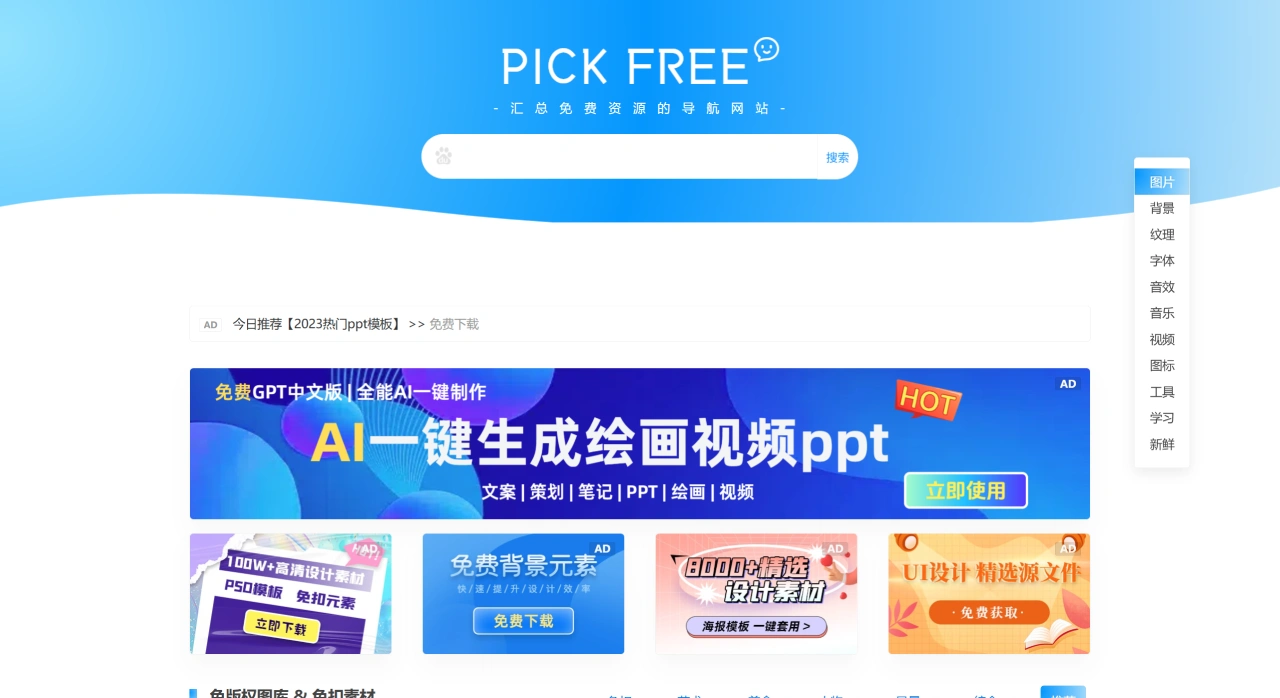
What Resources PICKFREE Has
Images: Including landscapes, people, food, illustrations, etc., also categorized into cutout PNG, art, comprehensive and other categories. Commonly used sites include Pixabay, Unsplash, Pexels, where you can get clear, commercially usable images.
Sound Effects and Music: Collects many royalty-free sound effect and music sites, such as Adobe Sound Effects, Freesound, FreePD, Taosheng, and Listening Network, useful for video editing or voice-over.
Fonts and Textures: Has royalty-free fonts and tileable textures, usable for typography or background design.
Videos and Illustrations: Curates free-to-use video and illustration sites, making it easy to create content and find matching visuals.
Online Tools: Includes image processing, document processing, OCR, format conversion, QR code/short link and other tools, making office tasks easier.
Learning Resources: Provides entries to Coursera, iData and other platforms.
PICKFREE Resource Categories
Royalty-Free Image Libraries and Cutout Materials
Well-known free image libraries like Pixabay, Unsplash
Themes including landscapes, people, food, art, etc.
Access to cutout PNG materials
Online background generation tools
Capable of creating dynamic backgrounds, low-flat design, paper-cut style, etc.
Gradient background generator, wave background generator
Seamless texture tileable backgrounds
Royalty-Free Fonts
Download free Chinese and English fonts
Commercially usable free fonts available
Royalty-Free Sound Effects and Music
Sound effect resources like Komagire Sound Effects, Taosheng
Music platforms like Dova Syndrome, FreePD
Royalty-Free Video Materials
Mazwai, Mixkit, Pexels Videos and more
HD video clips without watermarks
Usable for all kinds of creative projects
Royalty-Free Icons and Illustrations
Illustration sites like illustAC, Ouch!
Various styles of icons
Commercially usable vector materials also available
Online Productivity Tools
Image compression, format conversion, smart cutout
PDF conversion, video trimming
QR code generation, short link creation
Learning Resources
Khan Academy, NetEase Open Course, Coursera and more
Various online learning platforms
Learn programming, design, languages
How to Use PICKFREE
First open https://www.pickfree.cn/.
Select a resource category at the top or sidebar, such as images, audio, video, fonts, tools.
After entering a specific site, use search or categories to find what you need. When downloading or using, check that site's license terms to see if commercial use is allowed and whether attribution is required.
For online processing, enter the "Tools" category and select image compression, PDF processing, OCR, format conversion and other features, then follow the page instructions.
Who is PICKFREE Suitable For
Content creators, self-media practitioners, short video editors: Quickly access royalty-free images, music, sound effects, videos, as well as cutout, compression and other tools.
Designers and operations staff: Find fonts, illustrations, textures, icons in one place, along with document and image processing tools to work faster.
Teachers and students: Access teaching illustrations, courseware materials, and learning platform entries, usable for classes and assignments.















