
 Script Planner Assistant▸
 AI Apps
 AI News
Planet Minecraft: Unofficial Community & Resource Hub for Minecraft Fans
Planet Minecraft: Unofficial Community & Resource Hub for Minecraft FansIntroduction
What is Planet Minecraft?
Planet Minecraft, or PMC for short, is an unofficial creation community and resource site for Minecraft players. It has long gathered player-made content such as maps, skins, texture packs, resource packs, data packs, and servers, as well as social features like forums, personal profiles, favorites, likes, voting, and events. The site was founded and is run by an administrator named Cyprezz, with former core members including developer Paril and others. The community has always been active, and many consider it one of the largest and most influential Minecraft fan sites. Launched in 2009, it now has 5.3 million registered users.
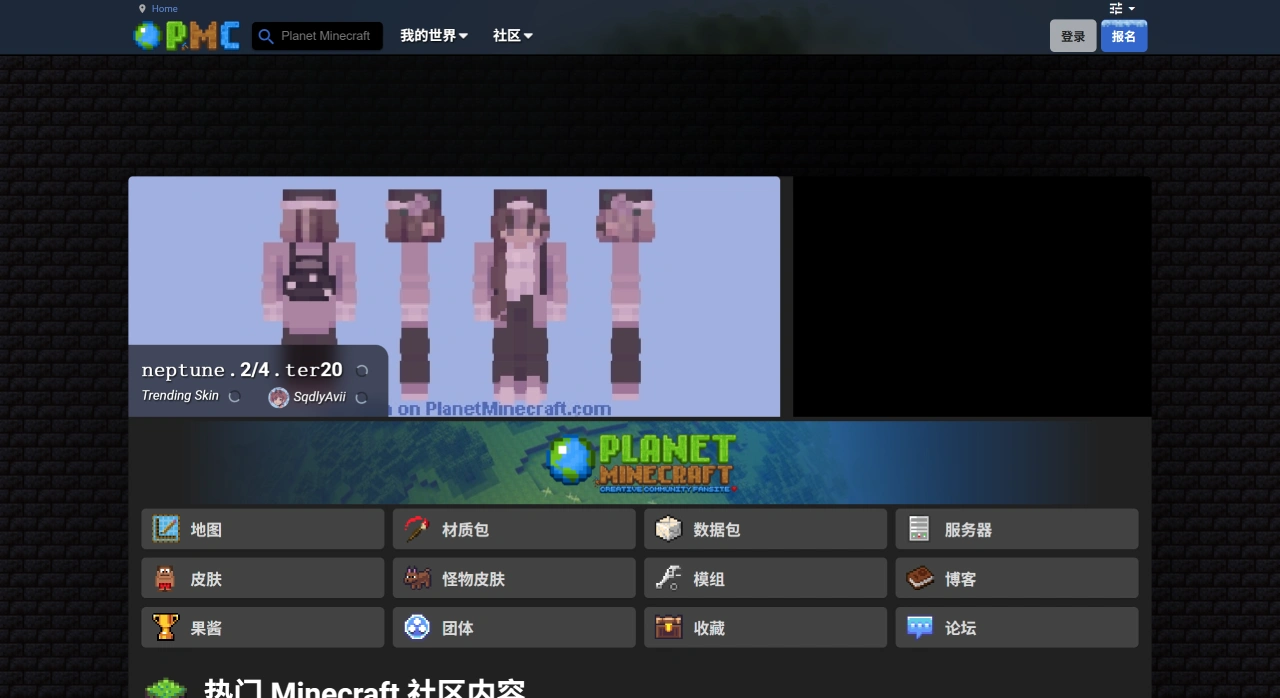
Planet Minecraft Core Features and Content
Planet Minecraft's content library contains a large number of maps submitted by players, including adventure, survival, puzzle, and building types, along with skins, texture packs, resource packs, data packs, as well as server listings and rankings. You can search and download by version, type, and tags.
The site also offers some creation tools, such as the PMCSkin3D online skin editor, banner and flag maker, and mob model designer. These tools make creating easier.
Community interaction includes profiles, favorites, follows, comments, forums, as well as content curation, voting, themed creation events, and groups. From posting works to chatting and gradually becoming familiar, the entire flow can be done on the site. Because of these features, PMC is not just a site for downloading resources, but also a place for creators to showcase and communicate.
Planet Minecraft's Relationship and Differences with the Official Ecosystem
The official Minecraft.net is run by Microsoft and Mojang, where you can download the game, buy official Marketplace content, launch Realms private servers, use the Education Edition, and access official community support. It is the main hub for the game, managing standards and commercial content.
Planet Minecraft (PMC) is a third-party site run by the player community, mainly for sharing player-made content, from maps to skins, from tools to events. The two are different but complementary: the official side handles formal releases and official content, while PMC handles player creations and community interaction.
What You Can Do on Planet Minecraft (PMC)
Download: skins (both Java and Bedrock editions), maps (survival, adventure, mini-games, showcase types), texture packs, resource packs, data packs, mods, plugins, and server advertising posts.
Upload: as long as it's something you made or modified yourself, you can package and post it. You can add screenshots, videos, and update notes.
Social: likes (Diamond), favorites, comments, follows.
Level system: posting works, getting likes, and commenting all earn XP, which can be exchanged for titles, avatar frames, and personal pets.
Groups: people with shared interests gather together, can set up private areas, and make plans together.
The official side runs "Content Jams," which are timed competitions with a set theme, with medals and physical prizes for winners.
Download and Use
Maps are commonly .zip (Java Edition) or .mcworld (Bedrock Edition). For Java Edition, place it in the .minecraft/saves folder; for Bedrock Edition, just open the .mcworld file to import it.
Resource packs are usually .zip; place them in .minecraft/resourcepacks, then enable them in-game under "Options → Resource Packs."
Data packs go in .minecraft/datapacks, enter the corresponding world, and load them under "Server" or "World Options."
Upload and Publish
First, register an account, package your resources by category, prepare preview images and showcases, clearly state the supported version and requirements, then publish. Afterward, you can check comments and participate in Jams to get more visibility.
Safety and Compliance
First check the work's description, version tags, and other users' comments. Be cautious with unfamiliar download links, and it's best to scan them with antivirus software.
Respect copyright when using others' work; when forwarding or reposting, follow what the author has stated. Doing so lets you play with peace of mind and stay within the rules.
How to Use Planet Minecraft
Registration is free; verify your email and you can start posting works.
When posting, choose the correct category, version number, and tags; a cover image of 400×225 is relatively clear.
Use English for titles and descriptions so they're easier for global players to search; you can use bilingual text inside.
If you want to drive traffic to Bilibili or Douyin, you can put short links in your description; PMC allows self-promotion.
Questions Chinese Players Often Ask
Is it safe to download from Planet Minecraft? PMC does not encrypt files, but the site has automatic scanning and manual reporting, though it's still recommended to run an antivirus check after downloading.
Do I need a VPN to access Planet Minecraft? The main site does not require one, but downloading large files can sometimes be slow; if you encounter a 502, try a different time or use an accelerator.
Can I use it on mobile? There is a mobile-adapted web version, but no dedicated app; uploading and posting are best done on a computer.
How does copyright work on Planet Minecraft? By posting, you default to the PMC sharing agreement: free use in-game is allowed, but forwarding requires crediting the author by name; if you want stricter copyright, you can specify it additionally in the description.
Some people confuse the "PMC server" with the Planet Minecraft website. In fact, PMC is a website and community platform, not a long-running official public server to play on.















