
 Script Planner Assistant▸
 AI Apps
 AI News
MarkDowntoWord: Free Online Markdown to Word Converter
MarkDowntoWord: Free Online Markdown to Word ConverterIntroduction
What is MarkDowntoWord?
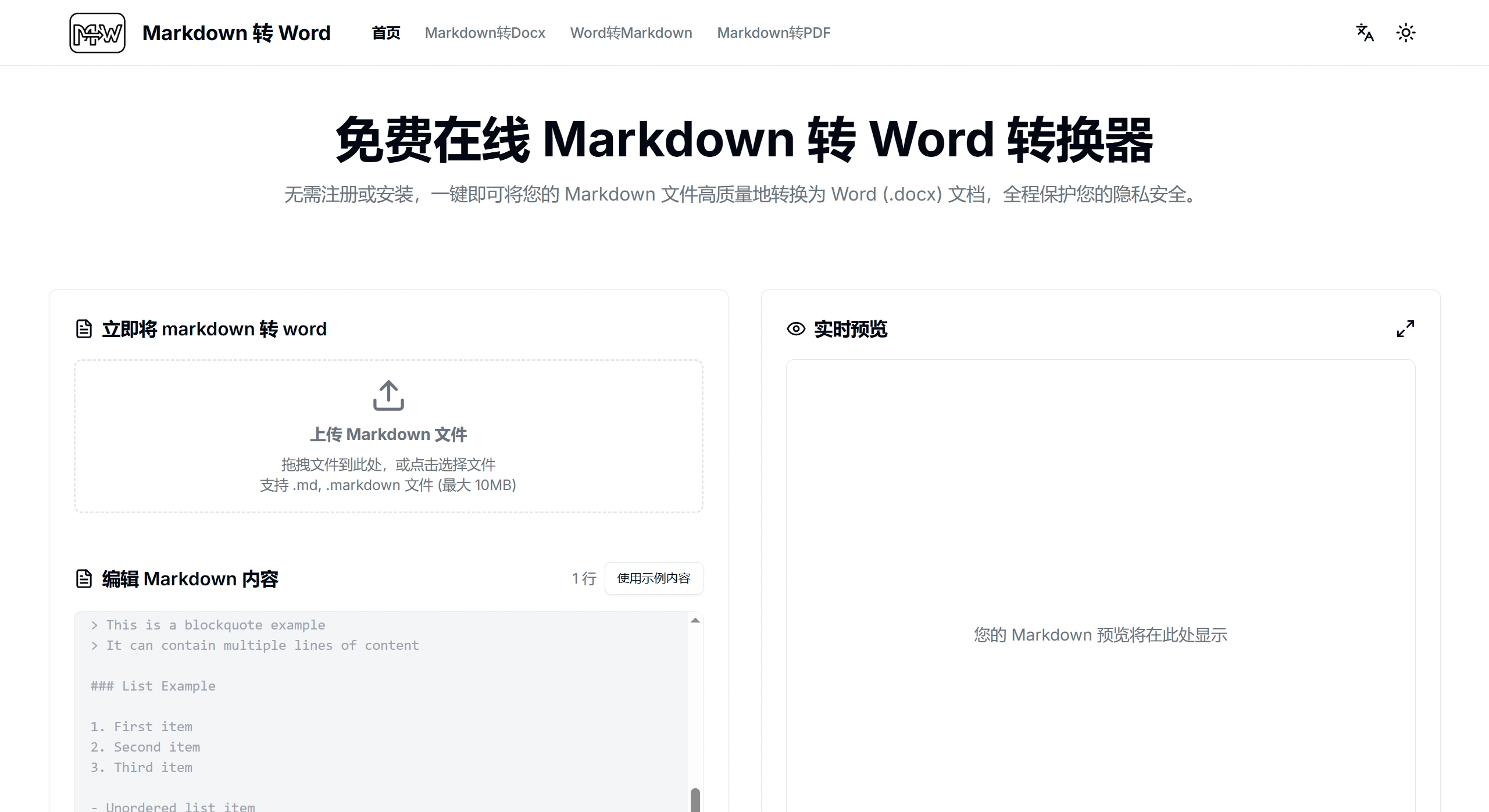
MarkDowntoWord is a completely free markdown to word online tool that requires no registration. You can directly upload .md or .markdown files up to 10MB, or paste Markdown content directly into it. The entire conversion process is completed locally in the browser, ultimately converting Markdown into .docx format. You can see the conversion effect in real time, and standard syntax formatting such as headings and lists is fully preserved. The converted document can be opened normally in mainstream office software, whether for personal, learning, or commercial use, while also protecting your privacy and delivering fast conversion speeds.
Main Features of MarkDowntoWord
Supported syntax: Headings (from H1 to H6), bold/italic text, ordered or unordered lists, code blocks and inline code, blockquotes, links, images, tables, and horizontal rules.
Conversion characteristics: Instant local conversion (completed in seconds), real-time preview of the effect, and complete preservation of all formatting.
Output format: Generates .docx files, compatible with commonly used office software such as Microsoft Word, Google Docs, and WPS.
Where it can be used: Suitable for personal, learning, and commercial use. The converted document is entirely yours to use however you want.
How to Use MarkDowntoWord
Ways to input content
Upload file: Supports .md and .markdown formats, with a maximum file size of 10MB. You can drag files directly to the designated area to upload.
Paste content: Paste Markdown text directly into it, and you can preview the effect in real time as you type.
Operation steps
Upload a file or directly paste Markdown content;
You can modify the content, or load sample content to try out the effect;
Check the preview area on the right to see if the converted effect is what you want;
Click "Download as Word" to get the .docx file.
Advantages of MarkDowntoWord
Privacy and security: All conversions are completed locally in the browser. Files are not uploaded to any server, keeping your privacy and data safe.
Fast conversion: Conversion is completed instantly locally, finishing in seconds with no waiting for upload or download.
Real-time preview: You can directly see the final effect as you make changes, making it easy to adjust.
Full format support: All Markdown syntax is supported, and formatting and structure are not disrupted.
Completely free: No registration required, no hidden fees, and all features are available for free indefinitely.
Professional results: The converted Word document looks professional with attractive formatting and layout, and is highly compatible with mainstream office software.
MarkDowntoWord Supported Syntax and Format Specifications
Basic syntax: Standard usage including regular paragraphs, headings (H1 to H6), bold/italic, ordered/unordered lists, links, and blockquotes is fully preserved.
Other content: Tables, images, and code blocks remain clear after conversion, with good layout effects in Word. Headings display according to Word styles, and elements such as lists and tables remain the same as the original.
Compatibility: Exports in .docx format, compatible with commonly used software such as Microsoft Word, Google Docs, and WPS.
Frequently Asked Questions
Q: How does MarkDowntoWord ensure security?
A: All files are processed within your own browser and are not uploaded to any server. Your document content and data are very secure, and the converted document is entirely yours to use however you want.
Q: What file formats can be uploaded? What is the file size limit? Are there other input methods?
A: You can upload files in .md and .markdown formats, with a maximum single file size of 10MB; you can also directly paste Markdown text. The output after conversion is in .docx format.
Q: Which software can use the Word document converted by MarkDowntoWord? What can it be used for?
A: The generated .docx file is compatible with commonly used office software such as Microsoft Word, Google Docs, and WPS. It can be used in personal, learning, commercial, and various other scenarios without restrictions.
Notes on MarkDowntoWord
File size: A single file cannot exceed 10MB.
Conversion quantity: Only 1 file can be converted at a time.













