
 Script Planner Assistant▸
 AI Apps
 AI News

Funy AI: No Signup, Forever Free, Multi-Feature AI Creative Platform
Funy AI: No Signup, Forever Free, Multi-Feature AI Creative PlatformIntroduction
Funy ai is a creative AI tool platform that requires no sign-up, is permanently free, and works on both phones and computers. It can handle photo and video face swapping, AI drawing, automatic background removal, photo sharpening, and aging effects. What you create can be used for commercial purposes for free, making it suitable for posting on social platforms or for brand promotion.
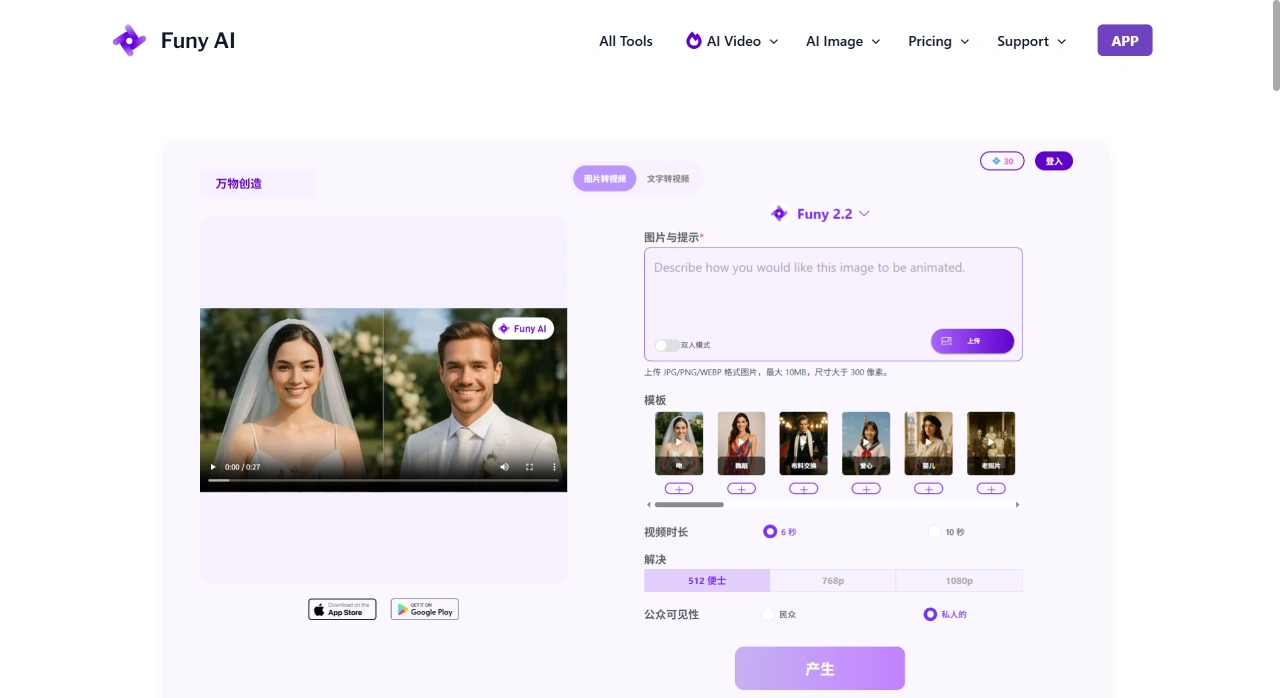
Funy AI Main Features
Image and text to video: Provide an image or write a sentence, and you can create short videos. The platform says this makes it easy to quickly produce dynamic content suited for social platforms.
AI dance videos: Upload a picture of a person, pet, or character, choose a dance style, and generate an MP4 dance clip. The steps are: upload, choose dance, generate.
Image editing tools: Automatically remove backgrounds, reduce blur, improve image quality, remove watermarks, and add aging filters—all common image issues solved in one go.
Simple video editing: For example, making videos slightly longer to adjust timing.
Photo and video face swap: Use AI to swap faces onto other images or videos, with the ability to swap multiple people for nearly realistic results. Works for both images and videos.
AI art generation: Write a sentence to generate artworks in different styles, such as photo-realistic portraits, abstract paintings, and 3D animations.
Smart background removal: With one click, remove the background from an image and make it transparent—perfect for design and promotion.
Photo sharpening and deblurring: Enhance image details and fix the problem of blurry photos.
Age transformation effects: Create a GIF that makes a person appear older or younger, letting you see what they might look like in the future or past.
How to Use Funy AI
First, open the Funy AI official site and find the tool you want to use, such as the AI dance video. Then upload a clear image—preferably a full-body, front-facing one where the subject is easy to see at a glance. Next, choose a style or action, such as which dance to perform, and click generate. Review the result and download the MP4. If you want better results, you can first process the original image using "Image Enhancement" or "Background Removal."
Pricing and Credits
New users get 10 free credits per day, which is roughly enough for 3–4 uses at standard quality. If you want 1080p output, batch creation, or commercial use, you can purchase VIP once for around $7–$15. There is no monthly subscription option.
Funy AI Use Cases
Social platforms: Create trending templates for TikTok and Reels, holiday jokes, and remixes of movies and TV shows.
E-commerce: Use AI to remove backgrounds and swap model faces to quickly produce product hero images, as well as test mockups.
Event promotion: For example, transform your boss into a celebrity-style video for the company party, or create an age-traveling GIF as a birthday surprise.
Tattoo or outfit previews: Use AI to preview the effect first before deciding whether to actually get it.
Frequently Asked Questions
Q: What is the biggest advantage of Funy AI?
A: There are three. First, it's versatile—face swapping, AI drawing, background removal, and more are all available. Second, it's affordable to use, requires no sign-up, and is permanently free with essentially no limits. Third, what you create can be used directly for business purposes.
Q: What main things can Funy AI do, and where is it best suited?
A: It can perform photo and video face swapping, AI drawing, smart background removal, photo sharpening, and age transformation effects. It's ideal for creating social platform content, brand promotion, personal creative projects, video creation, and entertainment.














