
 Script Planner Assistant▸
 AI Apps
 AI News

AdaCpp: An AI Development Environment Built for Learning and Building with C/C++
AdaCpp: An AI Development Environment Built for Learning and Building with C/C++Introduction
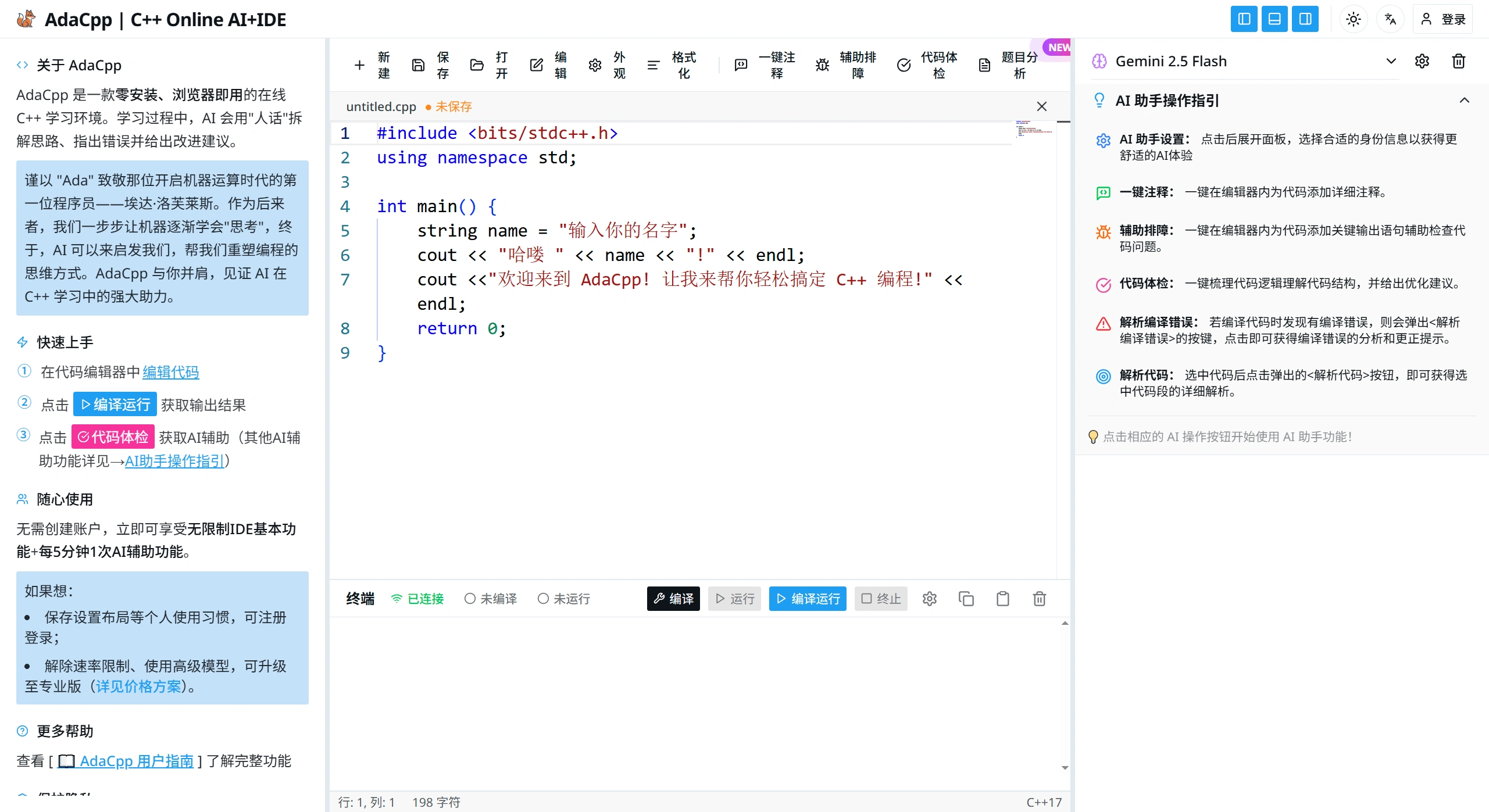
adacpp is an AI development environment built specifically for learning and developing with C/C++. It combines the Monaco editor, the GCC compiler, and AI models like DeepSeek and GPT in one place. It supports all standard versions of C/C++, and offers code writing, compilation and running, error checking, debugging, file management, plus a sandboxed secure runtime, quota management, and settings tailored for teaching—suitable for learning programming from elementary school all the way to university.
AdaCpp Features
Ready-to-use IDE
Built on VS Code's Monaco editor, with syntax highlighting, intelligent autocomplete, line numbers, minimap, and autosave.
Comes with a built-in GCC compiler—you can switch C++11/14/17/20 and optimization levels from -O0 to -Ofast with one click, and turn on AddressSanitizer to detect memory issues.
Connected to an XTerm terminal that lets you enter commands, view output, browse command history, and use shortcuts—almost like a real command line.
Multiple AIs to help you write code
Integrated with DeepSeek, GPT-4o, Claude 3.5, Gemini 2.5 and other models, delivering instant answers with Markdown and Mermaid diagram rendering.
Select a code snippet and the AI can: translate compile errors into easy-to-understand language, add Chinese comments to every line, automatically insert debug output, draw algorithm flowcharts, and score the code.
Security and resource management
Programs run in cloud containers, with memory adjustable from 16MB up to 1GB, time-limit safeguards, visible resource usage, and secure access on the public internet.
Guest users get 10 AI calls and 50 compilations per day; logged-in users get over 100 compilations per day and can save projects to the cloud.
Manage files directly in the browser
Save directly to your computer's disk, open files from disk, or drag and drop .cpp/.h files in. Works on Windows, macOS, Linux, and iPad.
What Can AdaCpp Be Used For
Zero-basics teaching: In computer labs, online classes, and MOOCs, you can open a browser and start writing C++ in 3 seconds—no need to install a compiler or configure the environment.
Algorithm contest practice: Use light devices like Chromebooks, Macs, or iPads to practice problems anywhere. The AI quickly explains what's wrong and how to fix it, saving time on debugging.
Cross-platform development: Mac users don't need to install Xcode/Clion, and Windows users don't need to configure MinGW—you still get a full Linux GCC toolchain.
Self-study and interview practice: Add comments or generate flowcharts with one click, making complex algorithms easy to understand—great for learners from absolute beginners to advanced.
How to Use AdaCpp
Go to the AdaCpp official site: adacpp.com—no registration, no plugins required.
Write code in the central editor, for example:
include <iostream>
using namespace std;
int main(){
cout << "Hello, AdaCpp!" << endl;
return 0;
}
Click "Compile & Run" at the top, and the XTerm terminal below will instantly show the result.
Click "Code Check" on the right or select a code snippet, and the AI will automatically:
Identify compile errors and explain how to fix them;
Add Chinese comments to every line and generate algorithm flowcharts;
Insert key outputs automatically to help you find runtime errors.
File management:
Save to local: Click File→Save and choose a folder on your computer;
Open from local: Click File→Open or drag a .cpp file into the browser;
Save to cloud: After registering an account, sync your project to the cloud with one click.
Benefits of AdaCpp
Easy to get started: No installation or configuration required, so computer labs, classrooms, or cross-system environments (e.g., Windows/macOS) can start teaching and practicing quickly.
Practice algorithms and contests: The AI instantly tells you what's wrong and what's off in your code logic, making debugging and review much faster—even beginners can learn quicker.
Test as you write: Perfect for classroom demos, homework checks, or quick practice runs—no environment inconsistencies to slow you down.
Frequently Asked Questions
Q: Which C/C++ versions does AdaCpp support, and what compile options can I adjust?
A: C is supported up to C99/C11, and C++ from C++11 to C++20. Compilation supports optimization levels from -O0 to -Ofast, memory safety checks, AddressSanitizer, and all parameters can be freely tweaked.
Q: Which AI models does it use? What's the difference in usage between guests and logged-in users?
A: The AI lineup includes free options DeepSeek R1/V3 and Gemini 2.5 Flash, paid options OpenAI GPT-4o and Claude 3.5 Sonnet, plus multi-model access via OpenRouter. Guests get 10 AI calls and 50 compilations per day; logged-in users get over 100 compilations per day.
Q: What special features does AdaCpp offer for people learning to code?
A: Responses can be tailored by age (elementary through university) and learning stage (from learning syntax to advanced algorithms), with switches between detailed and simple modes and between Chinese and English interfaces. The AI can identify compile errors and explain how to fix them, add comments, explain code snippets, and help you learn step by step.












