
 Script Planner Assistant▸
 AI Apps
 AI News

PDFgear: A Free Cross-Platform PDF Toolkit
PDFgear: A Free Cross-Platform PDF ToolkitIntroduction
PDFgear is a completely free cross-platform PDF tool that integrates reading, editing, conversion, merging, signing, annotation, and OCR features. It offers web-based tools and an AI assistant. It supports seamless use across Windows, macOS, iOS, and Android, with a lightweight experience that requires no registration, includes no watermarks, and has no page limits.
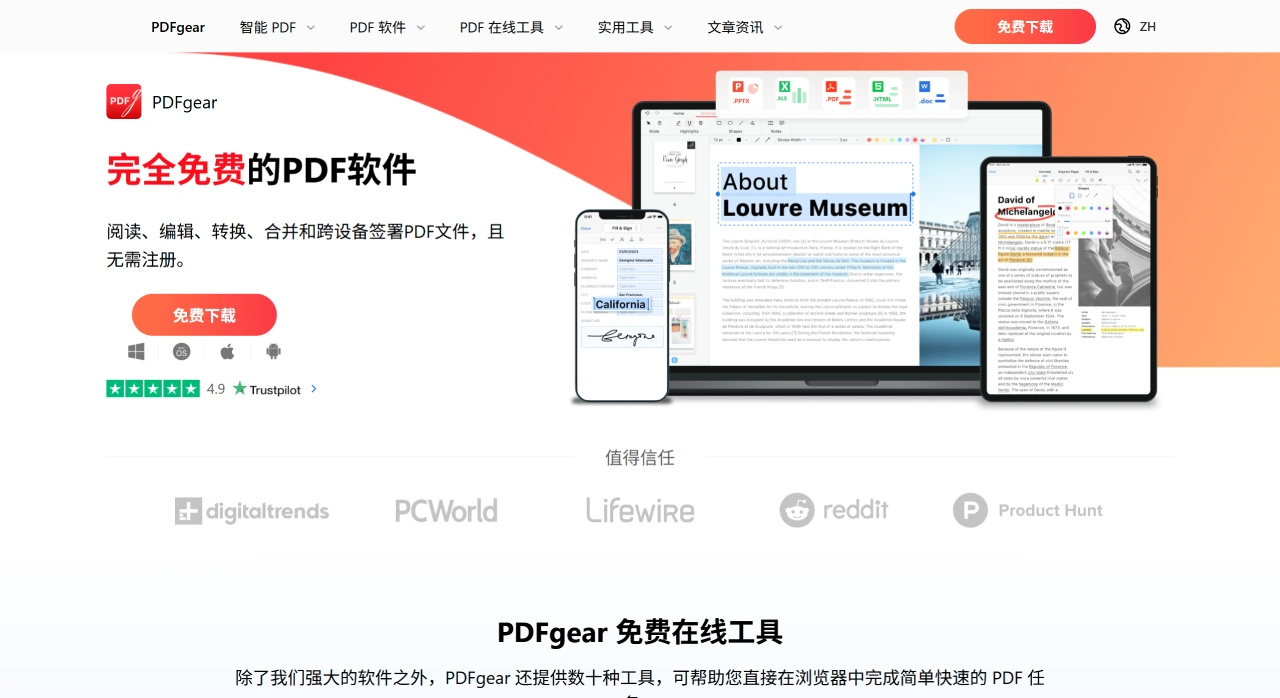
PDFgear Main Features
Reading & Annotation: Supports single/dual-page view, thumbnails, dark mode, full-text search, and printing; allows highlight, underline, and strikethrough annotations, adding text boxes, shapes, and stamps, supports handwriting, image, and text signatures, and manages bookmarks.
Editing & Pages: Directly modify text and images, resize or crop images; merge/split pages, rotate, reorder, insert blank pages, and extract specified pages.
Conversion & Compression: Enables bidirectional conversion between PDF and Word, Excel, PPT, images, TXT, and other formats, with batch processing support; built-in offline compression reduces file size.
Forms & Signatures: Supports filling static forms and interactive form fields, such as text boxes, checkboxes, lists, etc., and allows creating and saving multiple signatures.
OCR & AI: Built-in OCR feature supports recognition in over 30 languages; the desktop version integrates a ChatGPT-like AI assistant capable of summarizing long documents, extracting key points, and answering questions.
PDFgear Platform Version Features
Windows Version
Features include: reading, text/image editing, annotation, OCR, format conversion (PDF ↔ Word/Excel/PPT/Image/HTML, etc.), merging/splitting/rotating/cropping pages, compression (three settings), encryption/password removal, digital signatures, and AI Copilot (editing via natural language commands, generating summaries, Q&A).
The latest version is 2.1.12.6, approximately 128MB in size, supporting Windows 7/8/10/11 (x86/x64 systems).
How to get it: Download the installer from the official website; administrators can use silent installation commands (e.g., pdfgear_setup_x.y.z.exe /VERYSILENT /NORESTART), or install with one command via winget (command: winget install --id=PDFgear.PDFgear -e).
macOS Version
Features are largely consistent with the Windows version, including OCR, AI chat, batch conversion, password protection, and page management.
System requirements: macOS 10.14 and above.
How to get it: The official website provides a standalone offline installer; sites such as FileCR also offer the latest 2.15 version for download.
Mobile (Android/iOS)
PDFgear Scan (AI Scan): Ad-free with no scan limit, supports auto-edge cropping, OCR, automatic invoice categorization, AI Q&A/summarization, and electronic signatures. Available from Google Play, App Store, or APK sites.
PDFgear Full-Feature Editor: Supports reading, annotation, text/image editing, conversion, compression, splitting/merging, bookmark management, and more.
Frequently Asked Questions
Q1: What devices and systems does PDFgear support? How is the cross-device experience?
PDFgear supports Windows 10/11, macOS 10.4 and above, iOS 14.0 and above, Android devices, and also offers web-based online tools. The cross-device experience is smooth, allowing you to freely switch between desktop, web, and mobile to handle documents anytime.
Q2: As a free tool, what advantages does PDFgear have over paid PDF tools?
PDFgear's advantages are mainly reflected in three aspects: First, comprehensive features covering basic functions such as reading, editing, conversion, and merging, as well as advanced features like OCR image-text recognition and AI empowerment, comparable to or surpassing some paid tools; Second, no barriers to use—completely free, no registration required, no additional conditions, with some features available offline; Third, strong cross-device compatibility covering desktop, mobile, and web, while many paid tools may have device restrictions.
Q3: How effective is PDFgear's OCR feature? What languages does it support?
This feature accurately extracts text from image-based documents, converting scanned PDFs into editable Word or TXT format, solving the problem of image PDFs being uneditable. It supports over 30 languages, making it suitable for multilingual use cases like cross-border office work and academic material processing.













