
 Script Planner Assistant▸
 AI Apps
 AI News

Qwen AI: AI Chat Assistant Powered by Alibaba's Tongyi Qianwen LLM
Qwen AI: AI Chat Assistant Powered by Alibaba's Tongyi Qianwen LLMIntroduction
Qwenai is an AI chat assistant built by Alibaba using its Tongyi Qianwen large model, focused on being "good at chatting and getting things done" — a personal AI assistant. It runs on Alibaba's own open-source model Qwen3 and competes globally in the C-end market against products like ChatGPT. It is already available on major app stores, with both a web version and an app version. The official plan is to gradually integrate lifestyle services such as maps, food delivery, ticketing, office, learning, shopping, and health into a unified AI lifestyle entry point, and an international version is also in the works.
Qwen AI Features
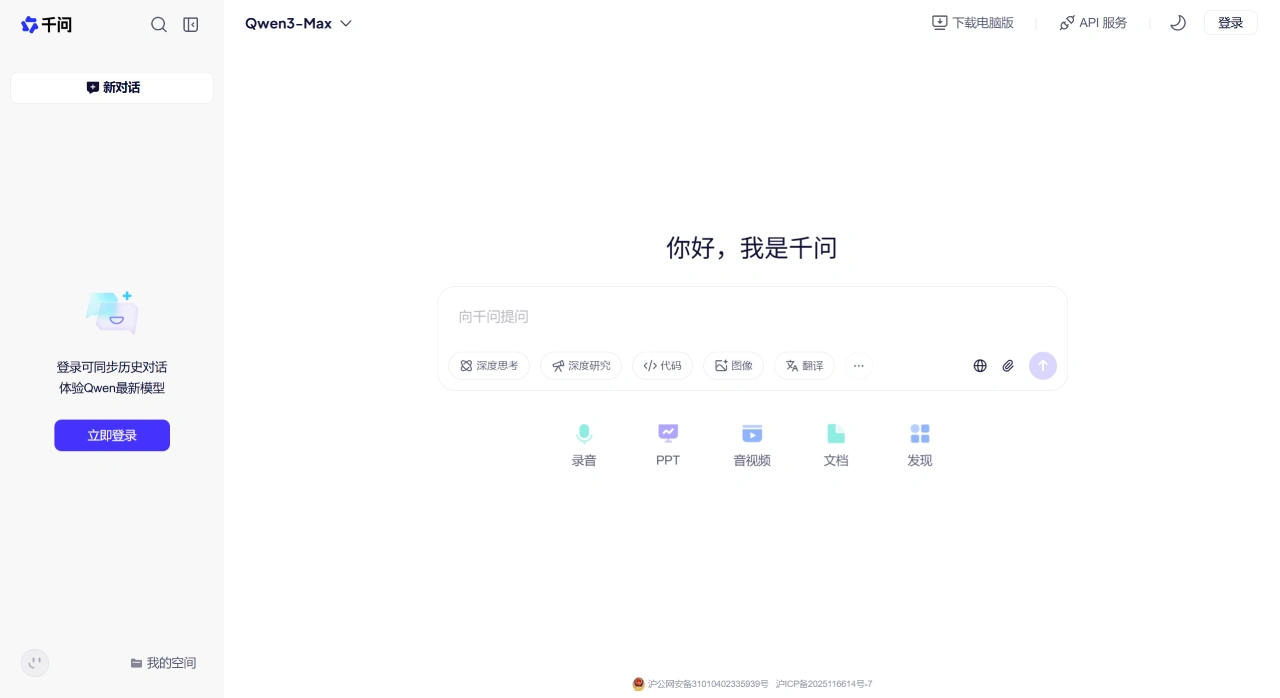
Supports multiple interaction methods, including text, images, voice, video, as well as deep research, smart writing, audio & video quick reading, translation, image Q&A and photo editing, video generation and other tools, mainly used in common learning and office scenarios.
You can choose between two models: Qwen3-Qianwen, suitable for general questions and comprehensive tasks; and Qwen3-Max, better suited for harder tasks such as reasoning and code writing.
Shopping scenarios are already available — for example, snap a picture to find a product, and it will return links from Taobao, 1688, and Xianyu. Maps, food delivery, and ticketing services will be added later to make getting things done more convenient.
Starting from December 10 last year, everyone can use four new features:
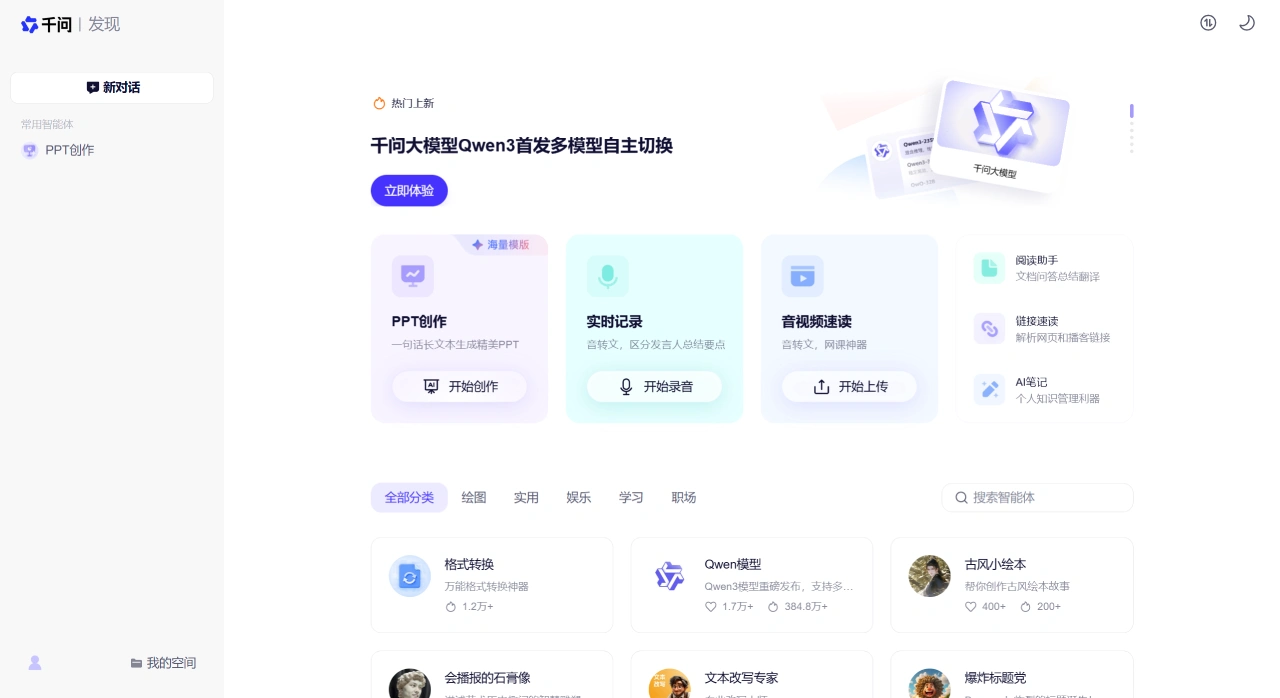
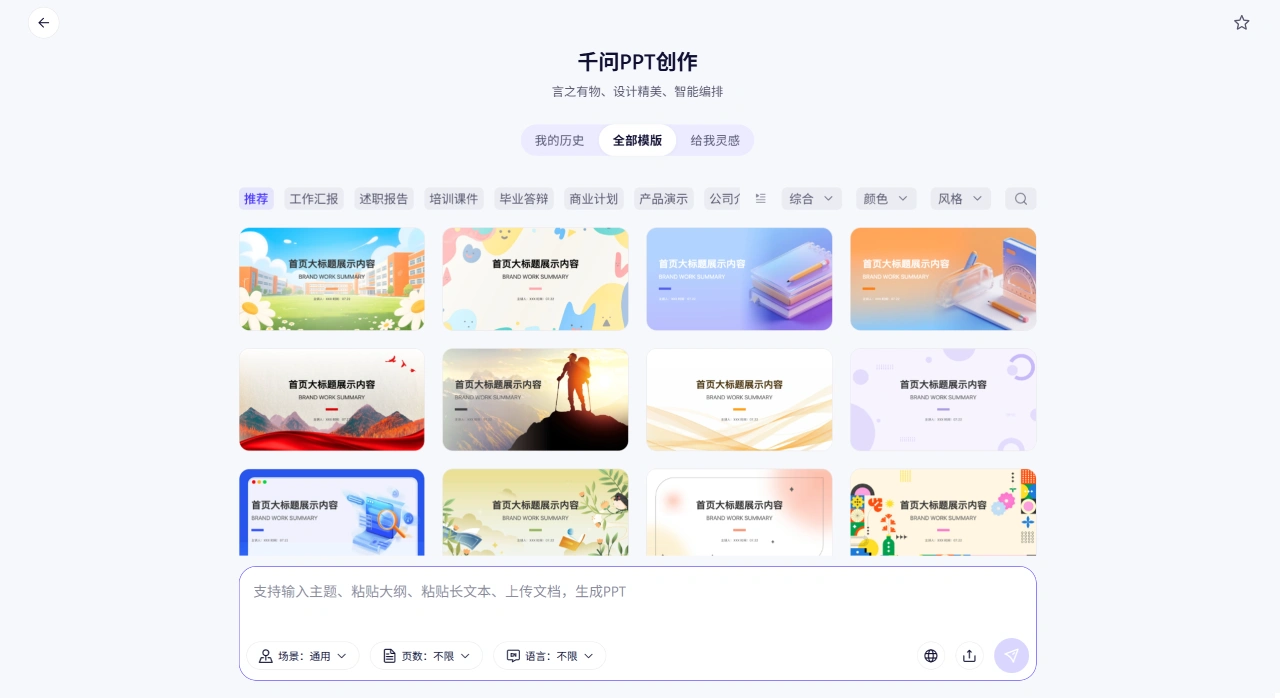
AI PPT: generate presentations with a single sentence, support importing content in 39 formats, access over 100,000 templates, and modify content or switch styles through conversation.
AI Writing: comes with thesis templates from over a thousand universities, over a hundred official document templates, and nearly ten thousand contract templates, and can convert between Word, PDF, and images.
AI Library: search hundreds of millions of resources with a single sentence, including exam papers, research reports, music scores, etc., and download PDFs directly.
AI Tutoring: from grading homework to identifying weak points to explaining problems, it walks through the solution step by step like a teacher.
Common Scenarios for Qwen AI
For studying and exams: use AI tutoring to grade homework, find mistakes and explain them; use AI Library to find past exam papers and resources — for example, you can directly download the PDF of "2024 National College Entrance Exam Chinese Paper".
For office work and presentations: use AI PPT to quickly create good-looking presentations; use AI Writing to draft official documents, proposals, resumes, and contracts, and convert formats.
For professional research: read multiple papers or reports at once, accurately capture key points and compare conclusions, and generate clear summaries and reporting materials.
For shopping and local life: snap photos to find products, compare prices across platforms and get purchase recommendations. Once maps, food delivery, and ticketing are integrated, you can get everything done in one place.
For creative and content work: use image Q&A, photo editing, AI video generation, and translation — these features meet the needs of creation and multimedia processing.
How to Use Qwen AI Web Version
Open the Qwen web version and log in.
In the upper left corner of the chat page, select Qwen3-Qianwen or Qwen3-Max, and use entries such as "Deep Research", "Smart Writing", or "Audio & Video Quick Reading" based on your task.
You can upload documents, images, recordings, or simply type your request. For complex tasks, it's best to clearly state the goal, audience, and requirements — for example, "Generate a 10-page PPT for executives in a simple style".
Refine the generated results using "Continue", "Rewrite", "Expand", "Simplify", or "Change Template" until you're satisfied. PPT and writing content can be edited directly within the chat.
During chat, try using images to find products and get Taobao, 1688, and Xianyu links.
How to Use the Qwen AI Domestic App
Download and install: iOS users can search "Qwen" in the App Store, Android users in Tencent App Market, Huawei AppGallery, etc., then download and install.
Register and log in: open the app, log in directly with your Taobao or Alipay account, or register with a phone number using a verification code — no other verification required.
Basic usage: after logging in, go to the chat interface on the home page, type your request directly — for example, "Write a weekend travel plan for Hangzhou" — or tap "Voice", "Camera", or "Upload File" at the bottom to choose your input method.
Use specialized features: for learning tutoring, making PPTs, etc., tap the corresponding entry on the home page such as "Learning Assistant" or "Office Tools", select a specific task such as "Snap-and-Solve" or "Generate PPT", then upload materials or type your requirements as prompted.
Export and edit: after content is generated, tap "Edit" in the upper right to modify content, and tap "Export" to choose a format such as PDF, Word, or PPT, then save to your device or sync to DingTalk or Alibaba Cloud Drive.
FAQ
Q: What is Qwen AI, and how is it related to Qwen?
A: Qwen AI is Alibaba's AI assistant app for everyday users, built on top of Alibaba's open-source Qwen large model family. The app packages the model so that everyone can use it.
Q: Is Qwen AI free? What platforms and versions are available?
A: It is currently free during public beta, with an app, web, and PC version. An international version will be released later.
Q: How do I choose a model?
A: Use Qwen3-Qianwen for everyday chat and general tasks, and Qwen3-Max for harder tasks like reasoning and code writing.
Q: What features were recently added?
A: Everyone can now use AI PPT, AI Writing, AI Library, and AI Tutoring — primarily for office and learning use.
Qwen AI Usage Tips
When stating your request, include the scenario, format, and style — for example, "Write a 300-word National Day promotion copy for a bubble tea shop, in a lively and friendly tone" — for more accurate results.
Use Qwen3-Max for general tasks, the Qwen3-Learning model for studying, and the Qwen-Image model for image generation — you'll get better results this way.
Remember to use "Export" to back up important conversations to avoid losing them; for sensitive content, use "Clear History" after use to delete it and protect your privacy.
When uploading multiple files at once, clearly state what you want done in your instruction — for example, "Compare the core terms of these 3 contracts and summarize the differences" — so the system can handle it more easily.
Related News:
Alibaba Tongyi Qianwen releases next-generation vision-language model: Qwen2.5-VL















