Script Planner Assistant▸
 AI Apps
 AI News

Wallpapers-Clan: Free Mobile Wallpapers, App Icons, Avatars & More
Wallpapers-Clan: Free Mobile Wallpapers, App Icons, Avatars & MoreIntroduction
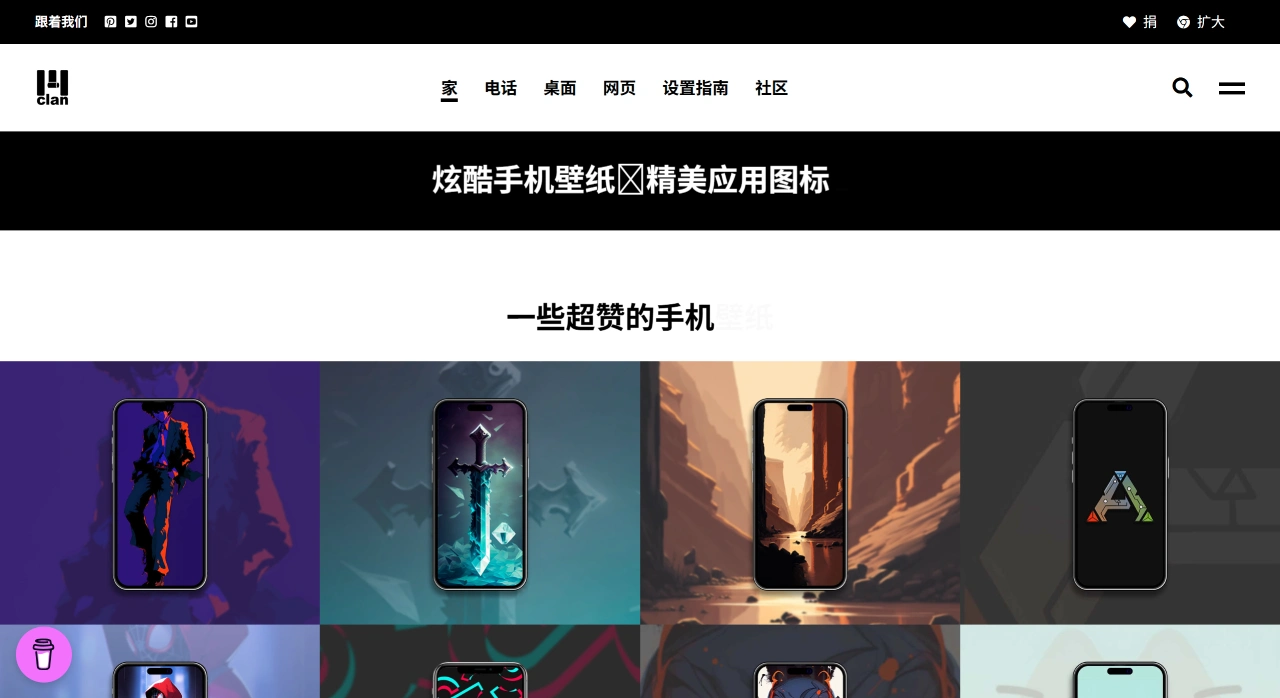
Wallpapers-Clan is a platform offering free personalization resources such as mobile wallpapers, app icons, folder icons, and avatars. Its content leans toward trendy, cartoon, gaming, and brand-collaboration styles,主打 "cool, fun, and free" — you can download and use everything without spending a dime. Both the website and the Chrome extension are ad-free, allowing direct downloads, making it a great fit for quickly customizing your phone's appearance.
Wallpapers-Clan Features
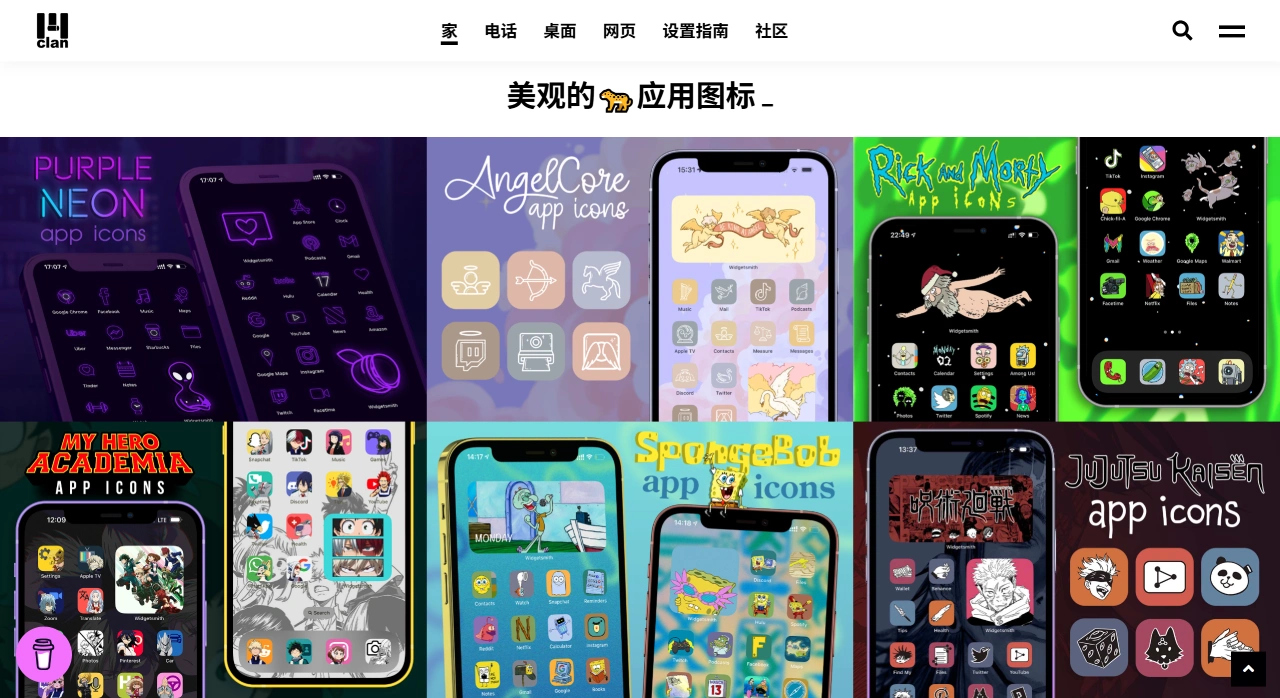
Plenty of free resources: Includes a complete set of visual materials such as mobile wallpapers, app icons, folder icons, IG highlight covers, and PFPs (avatars) — all free with no hidden charges.
Diverse styles and frequent updates: Covers themes like aesthetic, anime, gaming, movies, streetwear, and seasonal limited editions. The official site updates weekly, so there's always something new.
No ads, no sign-up: Both the website and Chrome extension are free of ads and pop-ups. You can download directly without registering.
Multi-platform support: Works on iPhone, Android, and iPad; the Chrome extension turns your new tab page into a dynamic wallpaper showcase and also supports Windows/macOS/Linux.
High resolution and dynamic: Offers 4K/HD-level clarity; the browser extension automatically changes the background every time you open a new tab, so it never feels monotonous.
Wallpapers-Clan Use Cases
Deep phone customization: Want to switch your wallpaper, app icons, folder icons, and highlight covers to a unified theme? Download the matching set directly from Wallpapers-Clan to quickly build a cohesive home screen style.
Browser personalization: After installing the Chrome extension, every new tab automatically displays a curated high-definition image — perfect for students, designers, anime fans, or gaming enthusiasts.
Social media avatar/cover supply: The site's "Cool PFPs" and "IG Highlight Icons" sections make it easy to find small icons or avatars suitable for Discord, TikTok, and Instagram — no manual cropping needed.
Holiday/event temporary makeovers: Limited-edition icon packs are released for occasions like Halloween and Christmas, allowing users to switch temporarily and revert to regular sets afterward, keeping things fresh.
How to Use Wallpapers-Clan
Downloading Mobile Wallpapers/Icons (No Sign-up Required)
Open the Wallpapers-Clan official website, select a category from the top menu (Wallpapers/ App Icons / Folder Icons / Highlight Icons / PFPs), find a set you like, click "Download," and long-press to save to your photo album. Set the wallpaper as your lock screen or home screen in your system's "Photos" app; for icons, pair them with "Shortcuts (iOS)" or "Theme Store/Icon Pack tools (Android)" to replace.
Installing the Chrome New Tab Extension
Go to the Chrome Web Store and search for "Wallpapers Clan – Dynamic New Tab Wallpapers", or download the CRX offline package directly. Click "Add to Chrome" and grant the "Replace new tab page" permission. Once installed, every ⌘T/Ctrl+T will randomly display a high-quality wallpaper; to pin a specific image, you can manually select one or upload a local image in the extension settings. To uninstall, remove it from "Extensions" in the Chrome menu to restore the default new tab page.
Tips
Use as a set: First download a full icon set from the "App Icons" section, then find a background with a matching color scheme in the "Wallpapers" section for a more unified home screen style.
Holiday reminder: Search for "Halloween / Christmas" keywords on the site about a week before the holiday to grab limited icons early and avoid 404 errors during peak times.
Mix and match: Use random images from the browser extension for inspiration. When you spot a color scheme you like, search for matching icons on the mobile site to achieve a cross-device "desktop-to-mobile" cohesive look.