
 Script Planner Assistant▸
 AI Apps
 AI News
DropMagic AI: Build High-Converting Shopify Stores Fast
DropMagic AI: Build High-Converting Shopify Stores FastIntroduction
What is DropMagic ai?
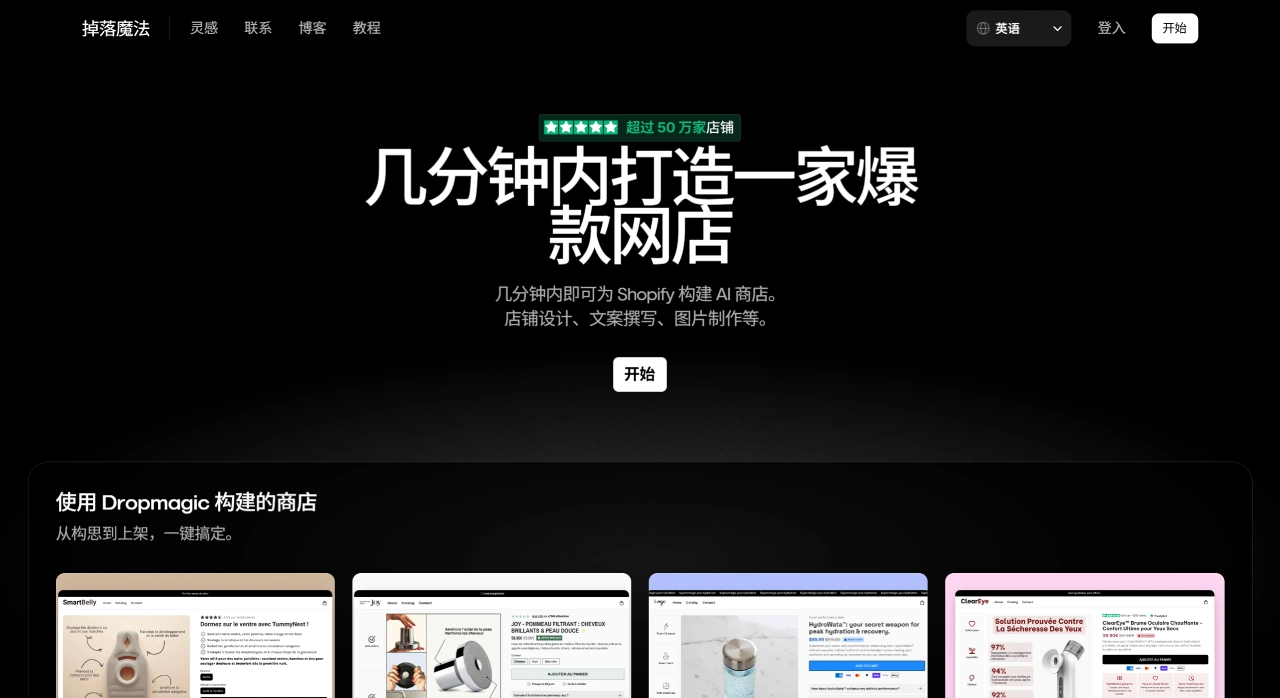
DropMagic AI is an AI tool that can quickly create high-converting Shopify stores. It can turn any product link into a high-converting branded store in minutes. No design or coding skills are required, the operation is simple, and you can quickly turn a product into a complete store. The tool was built because many e-commerce sellers want to test, validate, and promote products quickly. In terms of pricing, you can start with a free trial. The free version allows unlimited store creation.
Main Features of DropMagic AI
One-Click Product Import
Copy a product link from AliExpress, Amazon, Shopify, and other platforms, paste it in, and the system will automatically pull images, prices, specifications, and other information.
Rapid Full-Store Generation
The AI completes the following in seconds:
High-converting product titles and descriptions. They are trained on 8-figure brand copywriting and include SEO keywords and psychological triggers.
Brand identity, including name, color scheme, fonts, and Logo suggestions.
Homepage and other pages, such as About Us and shipping policy.
Over 50 ready-made high-converting modules, like Hero Banners, countdown bars, and review sliders—no need to buy additional themes or plugins.
Automatic Mobile Optimization
The generated pages are mobile-friendly by default, load quickly, and don't require separate mobile adjustments.
Multilingual and Localization
It can generate copy in English, French, German, and more with one click, sounding as natural as a native speaker, making it easy to test different markets.
Direct Publishing to Shopify
Connect your Shopify account in the backend, and with one click, products, pages, and themes are transferred over—no need to upload them one by one.
Free Trial and Paid Plans
New users can create a trial store for free. The official version is billed monthly and can be canceled anytime; stores you created will no longer be available after cancellation.
Who Is DropMagic AI For
Dropshippers who want to quickly launch single-product winning-product stores
E-commerce operators who need to test multiple products and multilingual markets in batches
Small and medium sellers with no design or coding experience who want to save on outsourcing costs
Institutions or students teaching Shopify store building
How to Use DropMagic AI
Register an Account
Go to the official site dropmagic.ai to register. New users default to the free version, allowing unlimited store creation, but some advanced modules are locked.
Select a Product and Copy the Link
Go to AliExpress, Amazon, or Shopify to find the product you want to test, and copy the full link of its detail page.
Tip: Try to choose products with ratings above 4.8 stars, over 1,000 orders, and video reviews, so the AI can pull more complete images and reviews. If you're targeting multilingual markets, switch the original link to the English interface before copying, so the generated copy defaults to English.
One-Click Import
Return to DropMagic, click Create New Store, paste the link into the box, select the language, and click Import.
The system completes it in 5–10 seconds, automatically filling in the main image, specifications, price, star ratings, and FAQs.
Let AI Help You Build Your Brand
After importing, click Brand Generator, and the AI provides all at once:
Store name (editable)
Primary and secondary colors
Recommended fonts and Logo sketches
If you're not satisfied, click Regenerate to switch until the look fits your audience's taste.
Adjust Pages and Add Conversion Modules
Drag modules from the left-side module library onto the page. The free version includes 15 common modules, such as countdowns, review walls, and Trust badges.
The PRO version has 57, including advanced features like buy-one-get-one popups and inventory countdown bars.
Tip: You can right-click on review section avatars and select Replace to swap them with AI-generated realistic-looking avatars, which appear more credible. Change the Slug in the SEO tags on the right to keywords, like /portable-blender, for faster Google indexing.
Publish to Shopify
Click Connect Store in the top-right corner, log in to your Shopify account, check the boxes to sync products and pages, and click Publish.
The first sync takes about 30 seconds. Once complete, go to the Shopify backend, where you'll see all products, the homepage, and policy pages are ready—you can start running ads directly.
Frequently Asked Questions
Q: What is DropMagic AI's biggest advantage? How does it compare to traditional store-building tools?
A: The biggest advantage is AI-powered speed, with the entire process automated. Compared to traditional tools, there are three benefits: ① Speed—you can go from importing a product to publishing a store in 5 minutes, no design skills required; ② Intelligence—the AI can write multilingual copy, generate images, and automatically pull product information, saving content creation time; ③ Suitable for cross-border selling—with a great mobile experience by default, 57 high-converting modules, and one-click Dropshipping product listing.
Q: For products sold in stores built with DropMagic AI, what guarantees do buyers have? What if they're not satisfied?
A: There are three layers of guarantees: ① Trial guarantee—most products offer a risk-free trial of 30–60 days, for example, TummyNest offers a 30-day trial and Joy Showerhead offers a 60-day trial; ② Shipping guarantee—many products ship quickly for free; ③ Refund guarantee—full refund if you're not satisfied during the trial, with no other conditions.
How to handle it: Contact the store's customer service directly to request a refund; the platform promises a refund if you're not satisfied.
Q: What's the difference between DropMagic AI's free version and the PRO version? How should a regular entrepreneur choose?
A: The difference is in value-added features and scalability support. The free version only supports basic store building, allowing unlimited store creation and access to 57 modules, but lacks advanced features like AI copywriting and AI images. The PRO version costs $79 per month, offering unlimited AI creation, free custom domains, and one-click product import, suitable for scaling up.
How to choose: ① If you're just starting to test products and explore the market, start with the free version; ② If you want to expand into multilingual markets, improve conversion rates, or plan to list products in bulk (e.g., Dropshipping), upgrade to the PRO version for higher efficiency.












