
 Script Planner Assistant▸
 AI Apps
 AI News

RemoveHandwriting: AI Tool to Remove Handwritten Content
RemoveHandwriting: AI Tool to Remove Handwritten ContentIntroduction
What is RemoveHandWriting?
RemoveHandWriting is a tool that can remove handwritten content. It helps users clear out handwritten notes, annotations, and markings from images and PDFs while preserving the original look and layout of the document as much as possible. It supports uploads in JPG, PNG, and PDF formats.
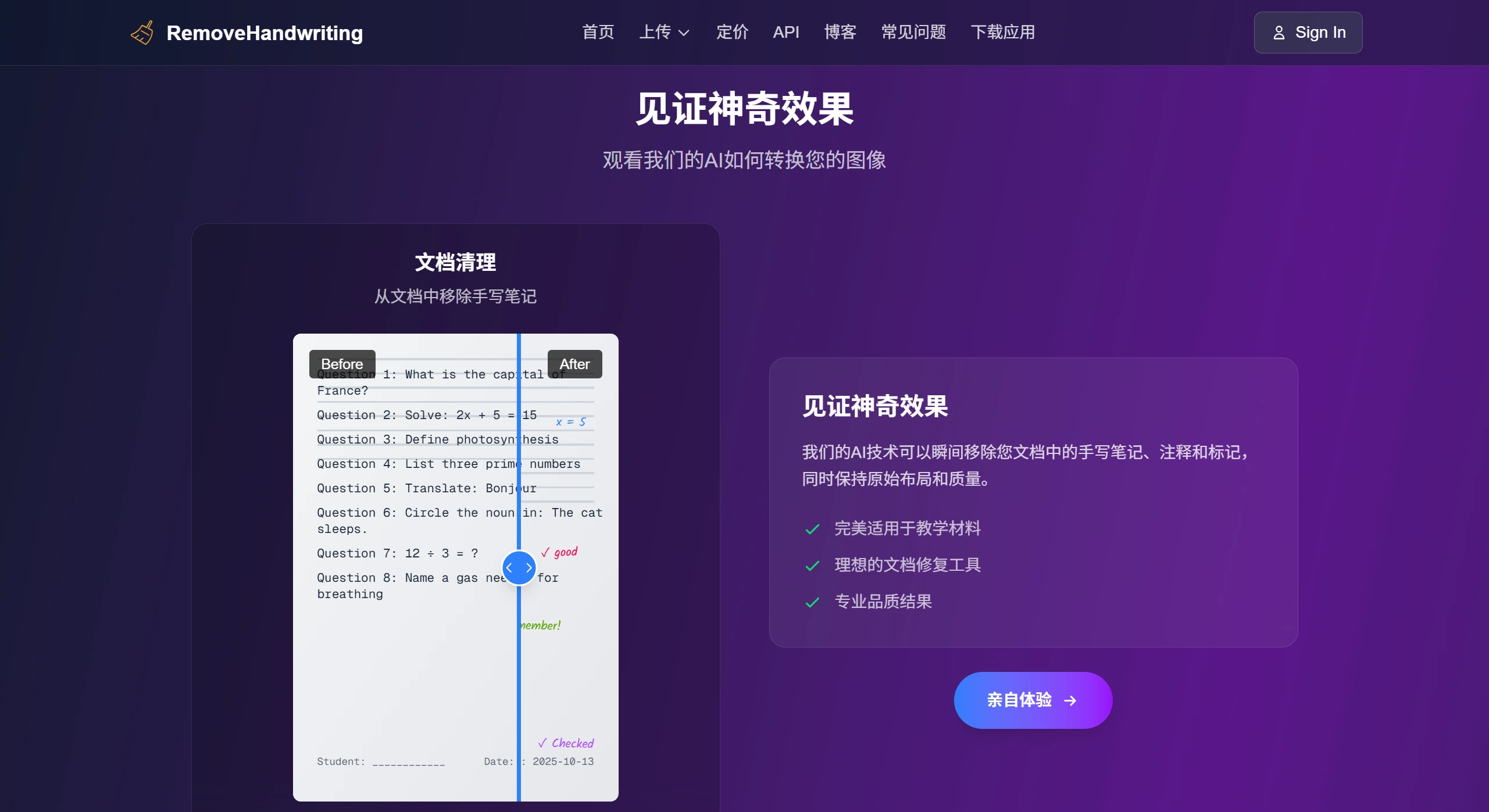
Key Features of RemoveHandWriting
Remove handwriting: Can erase handwritten notes, annotations, proofreading marks, highlighter strokes, and more, while keeping printed text, tables, and images intact.
Shape correction: Automatically straightens crooked, curled, or folded documents, restoring their original appearance.
Clean up impurities: Removes shadows, smudges, fingers blocking the view, bleed-through from the back, moiré patterns, and other visual distractions.
Document enhancement: Makes unclear, too dark, or too bright documents easier to read, and can automatically trim excess borders.
Format support: Works with JPG, PNG, JPEG images and PDFs. PDFs can be uploaded individually, with specific pages selected and exported as new PDFs.
Main Benefits of RemoveHandWriting
Fast: Typically processes an image in about 7 seconds, with very few failures.
Accurate: Over 95% accuracy in removing handwriting, fully automated with no manual work needed.
Secure: Encrypted uploads, privacy protected according to regulations, data deleted after use and never used to train models.
Easy to use: Runs right in the browser, no software installation required, and very simple to learn.
Suitable for many scenarios: Great for schools, businesses, document management, and other use cases to meet different needs.
Complete restoration: Beyond just removing handwriting, it also fixes curled pages, smudges, and shadows in one go.
Batch processing: Supports handling large volumes via API, ideal for teams or organizations with heavy usage.
Use Cases for RemoveHandWriting
Remove handwriting or annotations: Clean up notes, proofreading marks, and highlighter strokes to create clean versions for sharing or printing.
Fix folded or damaged documents: Straighten, flatten, and clean up creased, torn, or aged files to restore them as closely as possible.
Clarify blurry documents: Make unclear, shadowy, or overly bright scans easier to read, so all text becomes visible.
Processing Steps of RemoveHandWriting
First, it detects the document's edges and layout, then clears out messy backgrounds, shadows, and noise. After that, it straightens crooked or curled issues, and finally removes handwriting marks while keeping the printed text intact.
Subscription and Pricing
Monthly, quarterly, and yearly subscriptions are available for unlimited image processing. New users get 3 free credits upon registration, with 1 credit used per image processed. Referring a friend earns you 10 credits. Paid subscriptions come with a 7-day money-back guarantee, though refunds are limited to a maximum of 2 times.
Frequently Asked Questions
What are RemoveHandWriting's main strengths? How is it different from regular handwriting removal tools?
RemoveHandWriting uses AI to restore documents end-to-end. It not only accurately removes handwriting but also fixes crooked pages, curling, smudges, and shadows all at once. Most regular tools can only remove handwriting, while this one also offers dedicated PDF handling, batch processing via API, stronger data security with immediate deletion, 7-second results with no manual effort, and suitability for schools, businesses, and other scenarios.
How should individuals and businesses choose a plan? How do I get free credits?
For occasional personal use, such as students or office workers, credits are a good fit. Registration gives you 3, and each friend you refer who registers earns you another 10. For businesses or frequent users, like schools or teams processing large volumes of documents monthly, subscriptions are better. Monthly, quarterly, or yearly plans offer unlimited use without credits, with reasonable pricing and batch API support. Ways to get free credits: first, register an account; second, share your referral link, and when friends register and use the service, you'll earn credits.
Is data secure when handling sensitive documents like contracts or internal records with RemoveHandWriting?
Yes, guaranteed. First, data is deleted after use and never stored on servers long-term. Second, data is never used to train models. Third, uploads are encrypted and comply with relevant privacy regulations. Fourth, business users can request a data processing agreement that clarifies security responsibilities. So sensitive documents can be used with confidence.














