
 Script Planner Assistant▸
 AI Apps
 AI News
FliiipBook: A Simple Web-Based GIF Animation Tool
FliiipBook: A Simple Web-Based GIF Animation ToolIntroduction
What is FliiipBook?
FliiipBook is a simple GIF animation creation tool that can be used on the web. It's best used on a desktop computer or tablet. You can use it to create 24-frame animations, which is roughly equivalent to a 2-second looping animation.
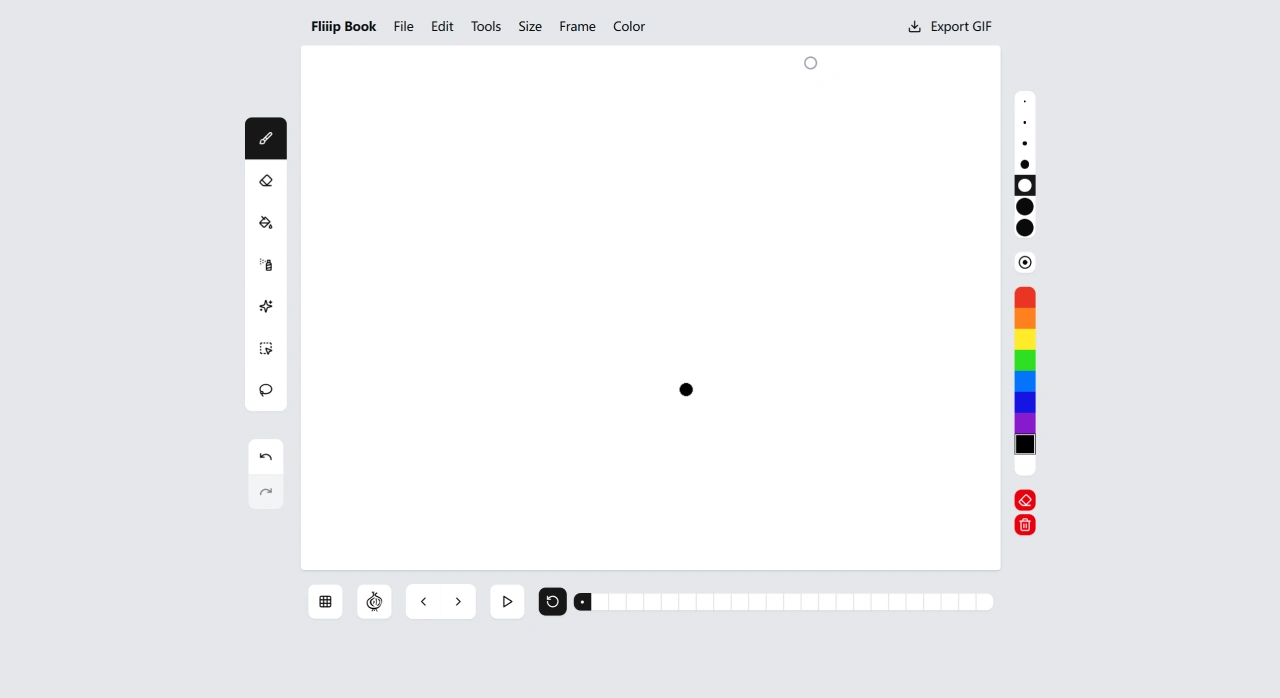
FliiipBook offers a wide range of tools, such as brush sizes ranging from 1 pixel to 50 pixels, as well as pencil, paint bucket, airbrush, and a special feature called Spray-Fill™. You can also use the onion skin preview feature, which lets you see the previous and next frames while drawing, helping you ensure better coherence and smoothness in your motion. It also has undo and redo functions, so you don't have to worry about making mistakes. You can add textures to your animation to give it a more realistic feel. The timeline navigation makes it easy to manage your 24-frame animation. Plus, it has keyboard shortcuts that work for both right-handed and left-handed users, making your workflow smoother. When you're done, you can export your GIF with one click, and each file will have a unique name, making it easy to share online.
FliiipBook Main Features and Highlights
Frame-by-Frame Drawing and Timeline: You can edit your animation frame by frame, with 24 frames by default, giving you great control over the motion and pacing of your animation.
Onion Skin: This feature lets you see the previous and next frames while drawing, helping you create more fluid motion.
Brushes and Tools: There are multiple brush sizes available, and you can also spray and fill colors.
Keyboard Shortcuts and Undo/Redo: You can use keyboard shortcuts to quickly switch and edit, improving your efficiency.
Texture and Detail: You can add textures to your animation to give it more visual depth.
One-Click GIF Export: You can easily export your animation for easy distribution.
Cross-Platform and No Installation Required: All you need is a modern browser to use it on any computer with internet access, making it very convenient.
How to Get Started with FliiipBook
Open the FliiipBook website and create a new project.
Choose a brush size, then draw your animation frame by frame on the timeline. If needed, you can turn on the onion skin feature to help you refine your motion.
If you want to add some texture to your animation, you can apply textures. Using keyboard shortcuts can make your work more efficient.
When you've finished your animation, simply export it as a GIF, and you can share it on social media or use it on your website.
FliiipBook Use Cases
Learning the basics of animation and breaking down motion
Creating social media content, motion effects for product pages, tutorial examples
Quickly producing lightweight GIF drafts and validating animation pacing
Frequently Asked Questions
What are the limitations of FliiipBook? You can only use 24 frames to create your animation, which is roughly a 2-second animation. Brush sizes range from 1 pixel to 50 pixels.
What features does FliiipBook have to help me create more precisely and efficiently? The onion skin preview feature helps you see the previous and next frames to ensure smooth motion. Keyboard shortcuts can boost your efficiency, and these shortcuts are suitable for both right-handed and left-handed users. There are also undo/redo functions and timeline navigation to make your creative experience smoother.
How do I export my animation? You can export your animation as a GIF with one click, and each file will have a unique name, making it easy to share your work online.















