
 Script Planner Assistant▸
 AI Apps
 AI News

AdpexAI: All-in-One Generative AI Tool Platform
AdpexAI: All-in-One Generative AI Tool PlatformIntroduction
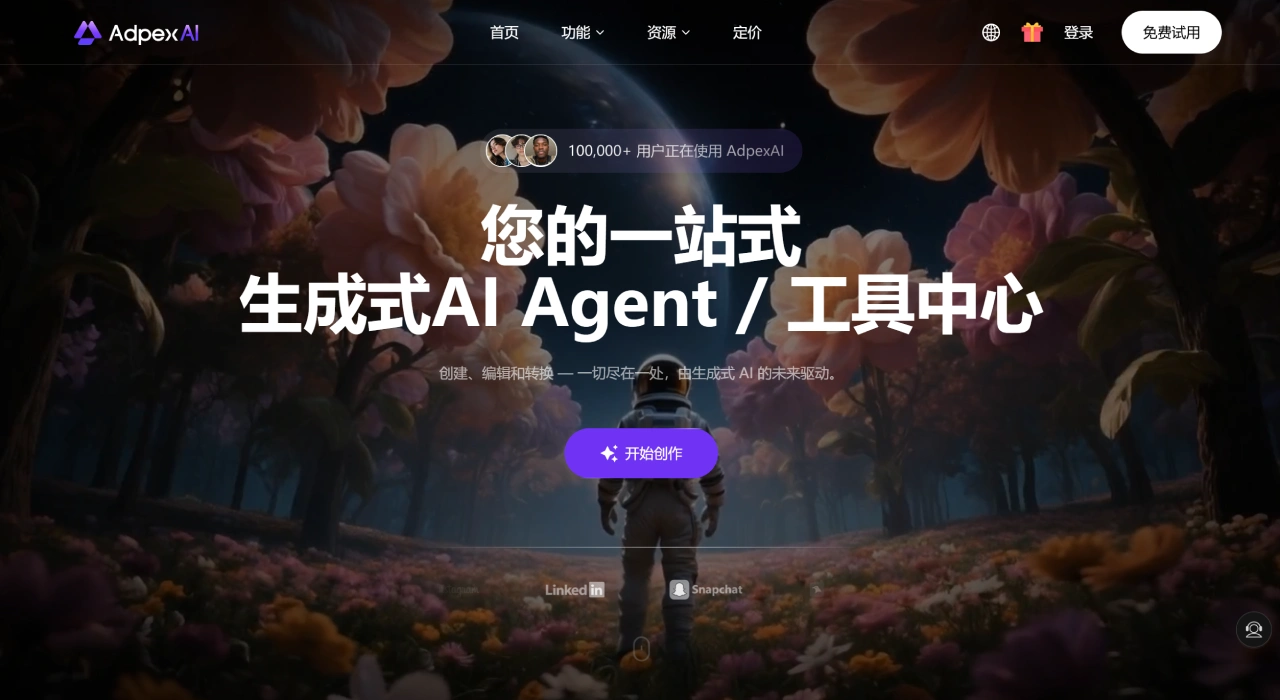
AdpexAI is an all-in-one generative online AI tools platform. There's no need to install any software—just open your browser and start using it. It handles image and video editing, AI chat, and code generation, making it suitable for creators, developers, marketers, and many other types of users.
AdpexAI Features
Images
Multi-face or cross-gender face swap: swap at least two faces at once in a single image or video clip, with automatic alignment of facial features, skin tone, and lighting.
Artistic stylization: over a dozen filters including Ghibli, Disney, dark gothic, and anime, with adjustable intensity and up to 4K output.
HD upscaling and quality restoration: 4x or 8x upscaling to remove noise and blur while preserving hair strands and text details.
Background removal or replacement: one-click matting, exportable as a transparent PNG or replaceable with a custom background.
AI outfit swap or undress: digitally undress static photos or change colors and silhouettes, intended only for legal fashion or e-commerce previews.
Video
Video face swap: swap multiple faces simultaneously, supports MP4 and GIF, with synced expressions and head movements.
AI effects: Kiss Effect, muscle transformation, 3D figurine, dancing avatar, squeeze deformation, and more—great for creating shareable Reels or TikTok content.
Video HD enhancement: upscale 1080p to 4K, frame-by-frame compression noise removal, ideal for interviews and product promos.
Watermark or subtitle removal: AI-powered detection and removal with no blurry residue left behind.
Code Generation
Just describe what you want in plain language and get complete, runnable code. Supports Python, JavaScript, Three.js, mini-games, and more. Preview and download directly in the browser.
Multi-Model AI Chat
Switch between GPT-4o, Claude 3.5, Gemini 1.5, Qwen Max, and others in the same window—the system picks the best model for your task.
AdpexAI Application Scenarios
Short video and social media: use multi-face swap with squeeze effects to quickly create funny Reels—usually under 3 minutes per video.
E-commerce or model replacement: showcase the same outfit on models of different skin tones or genders without reshoots, saving up to 80% on production costs.
Ad creative previews: use face swap and stylization to quickly produce several storyboard versions before the actual shoot, reducing communication time.
Film and education: directors use face swap to temporarily swap actors for camera testing; teachers use the tech to "resurrect" historical figures for micro-lessons.
Developers and students: ask for a Pac-Man game and get complete HTML5 code in 30 seconds, playable directly in the browser.
How to Use AdpexAI
Go to adpexai.com and choose the feature you want from the top, such as Face Swap, Photo Enhancer, or Code Agent.
Upload your media. Images support JPG, PNG, WEBP up to 10 MB; videos support MP4 and GIF up to 30 seconds (free plan); for code, just type your request.
Adjust parameters (optional). For face swap, pick the target face and adjust blend strength, skin tone matching, and edge feathering; for stylization, use the slider to control intensity and preview on a small image first; for code, choose the language, framework, and runtime platform.
Click generate, wait 10–60 seconds, and the preview will appear on the right. Go back and tweak if you're not satisfied.
Download or save to your workspace for easy batch export and comparison later.
Pricing and Limits
Free plan: daily credits limit, SD output, no watermark, source files not saved.
Basic subscription: about $4.99/month with 350 credits, HD video output, multi-face swap, and no ads.
Commercial license: requires a separate Commercial License, billed by usage; cannot be used for content that infringes on portraits or is misleading.
Tips for Use
For multi-face swap, upload the target image first, then add source faces one by one following the system-assigned numbers to avoid confusion.
For video face swap, use frontal shots with even lighting. If the subject turns too quickly or is more than half occluded, use keyframe compensation to fix it.
Stylization intensity between 60% and 80% usually yields good results. To keep the original look while adding a comic touch, add a light sharpening pass.
After code is generated, keep chatting to refine—e.g., ask to convert the game into a two-player version, and the model will update based on prior context.
Uploaded files are automatically deleted after 24 hours. For sensitive projects, enable Privacy Mode, which requires login to access.
Questions and Answers
Q: What is AdpexAI? How does it help with AI video editing?
A: AdpexAI is an AI platform for video generation, editing, and conversion. With features like face swap, voiceover, and subtitle/watermark removal, you can create videos faster without editing skills. Whether you need an AI video editor or text-to-video, it has you covered.
Q: How do I use it to remove watermarks or subtitles from videos?
A: Use AdpexAI's AI watermark remover and subtitle remover. Select the area, and the AI will erase the text or logo while reconstructing the background for a natural look. Just upload the video and mark the location.
Q: Can AdpexAI generate videos from text?
A: Yes. Its text-to-video capability turns scripts or ideas into videos using animation, virtual avatars, and voice synthesis. Great for marketing, training, or short stories—fast and creative.
Q: What is the AI face swap tool? How accurate is it?
A: Its face swap tool naturally swaps faces in videos or images using deep learning for high accuracy. You can make memes, personalized content, or entertainment videos. It supports photo-to-video and video-to-video face swap, and is a commonly used face swap tool online.
Q: Are there video features like Kiss Effect or muscle transformation?
A: Yes. It offers AI kiss videos, muscle generation, flying effects, and more, turning ordinary photos or short clips into cinematic results. If you're looking for romantic video or fitness transformation tools, it gets it done quickly.
Q: Is AdpexAI safe? Is it compliant with privacy regulations?
A: Yes, it's safe. It complies with GDPR and CCPA, and uploaded files are processed on encrypted servers without arbitrary storage. When using face swap or subtitle removal, your content remains private and secure.
Q: Can a beginner with no video editing experience use it?
A: Yes. AdpexAI has a simple interface, automates many tasks, and offers templates, so you can produce decent videos in minutes. Subtitle removal and virtual avatar creation follow step-by-step workflows that are easy to follow.
Q: Does AdpexAI offer any free trial features?
A: Yes. Many tools are available for free trial or limited-time use, such as logo removal, face swap animation, and background removal. You can try them out before deciding to upgrade, no upfront payment required.
Related Articles:















