
 Script Planner Assistant▸
 AI Apps
 AI News

Huasheng AI: Bilibili's AIGC One-Stop Editing Tool for Video Creators
Huasheng AI: Bilibili's AIGC One-Stop Editing Tool for Video CreatorsIntroduction
Peanut AI is an all-in-one AIGC video editing tool made by Bilibili, mainly aimed at UP creators, MCNs, podcasters, and short-video creators, allowing "zero-editing" video production. It can quickly generate videos from text or audio in two ways: text-to-video, or uploading audio to create podcast-style videos. This tool is tightly integrated with Bilibili's content ecosystem and is suitable for creating different types of content such as history, entertainment, and business/finance.
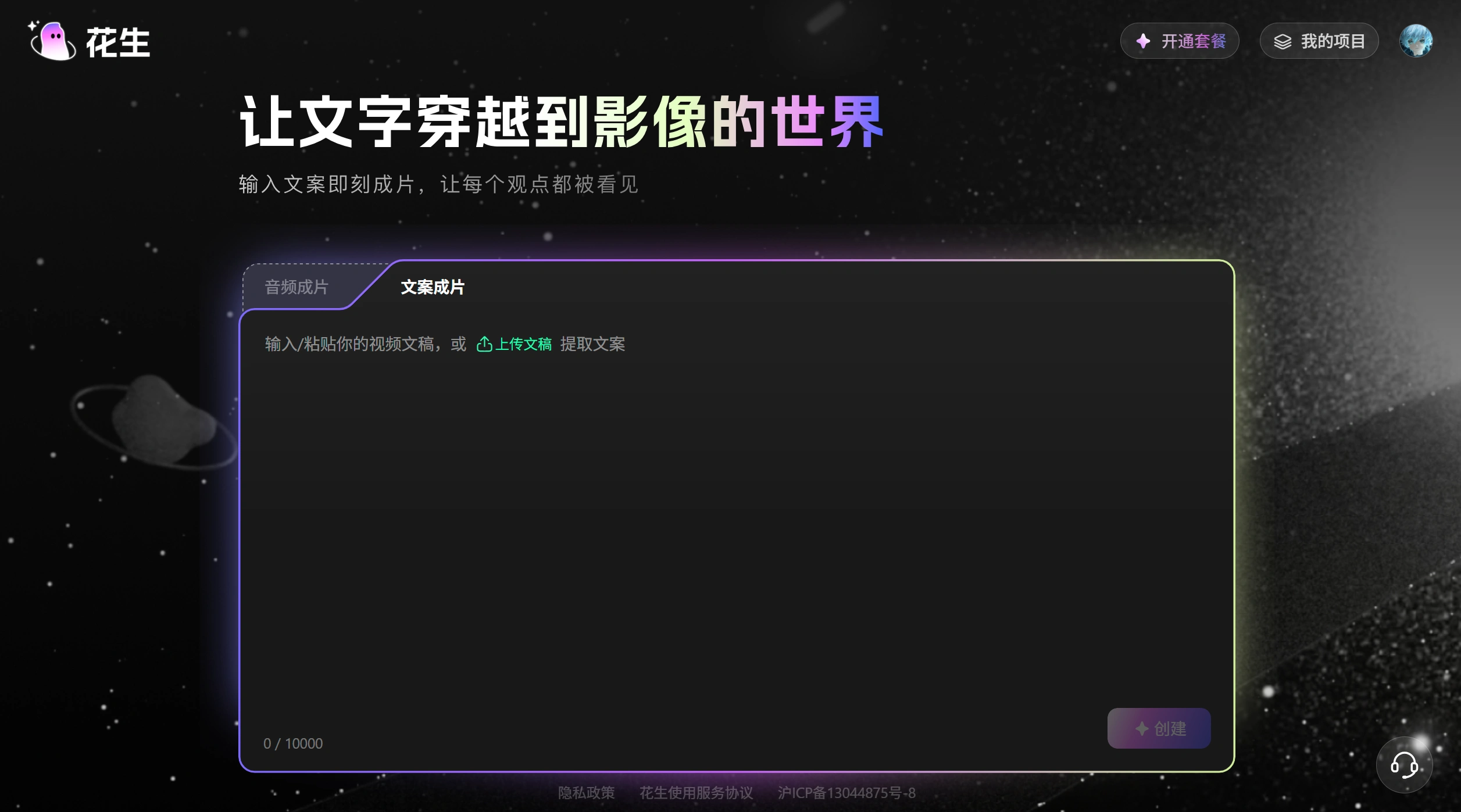
Peanut AI Main Features
Generation Methods
Text Generation: Enter or upload text, and it will automatically break it into shots and add matching materials. You can also change the style, template, and background yourself.
Audio Generation: Upload spoken audio, and it will add subtitles and templates to quickly produce a podcast-style video.
Voiceover
Public Voices: Offers around 40 narration styles.
Voice Cloning: Upload about 10 seconds of your own recording, and it can create a very similar voice, making it easy to build a personal style.
Editing and Export
You can edit the cover, subtitles, voice, materials, and more. You can also export it to Bilibili's "Bijian" editor for further fine-tuning.
Paid users can export HD videos without watermarks, access a larger material library, upload voiceover audio, perform voice cloning, and complete editing in one go.
How to Use Peanut AI: Step by Step
Prepare your content: Write or paste in your script, or upload a voiceover audio file.
Choose a method: Select Text Generation (automatic shot breakdown with matching materials) or Audio Generation (with subtitles and templates).
Generate and refine: Once the video is generated, adjust the cover, subtitles, voice, materials, and other elements.
Export and publish: Export as a video file, or import directly into "Bijian" for further edits before publishing on Bilibili.
Peanut AI Pricing and Target Users
Pricing: Try it out a few times for free; payment is required after that. Bilibili UP creators get a discount, with a yearly subscription at 188 yuan.
Target Users: UP creators who want to produce videos quickly, podcasters, creators of knowledge-sharing and educational content, as well as businesses and brands making promotional videos.
Peanut AI Pros and Cons
Pros: Tightly integrated with Bilibili, making it easy to publish content, receive incentives, and use tools. Supports voice cloning and templates, making video creation easier and faster.
Cons: How realistic the voice sounds, how accurately materials are matched, and how consistent the output quality is — all of these still need further observation. Currently, many companies are building similar tools, such as ByteDance's Jimeng, Kuaishou's Kling, and Alibaba's Zaodian. Peanut AI needs to keep working hard to surpass them in terms of material library, video generation speed, and editing experience.
Related News:












