
 Script Planner Assistant▸
 AI Apps
 AI News

Habitica: A Free Habit-Building and Productivity Tool
Habitica: A Free Habit-Building and Productivity ToolIntroduction
Habitica is a free habit-building and productivity tool that lets you manage habits, daily goals, and to-dos through a mobile app or the web. It uses gamification to encourage people to change their lives—for example, completing tasks lets you level up, earn equipment, raise pets, learn skills, fight dungeon bosses, and earn gold that can be exchanged for in-game items or self-defined rewards. It's useful for health and fitness as well as study and work, and you can team up with others to battle monsters. There are now more than 4 million users, task lists can be edited freely, and you can use it anytime.
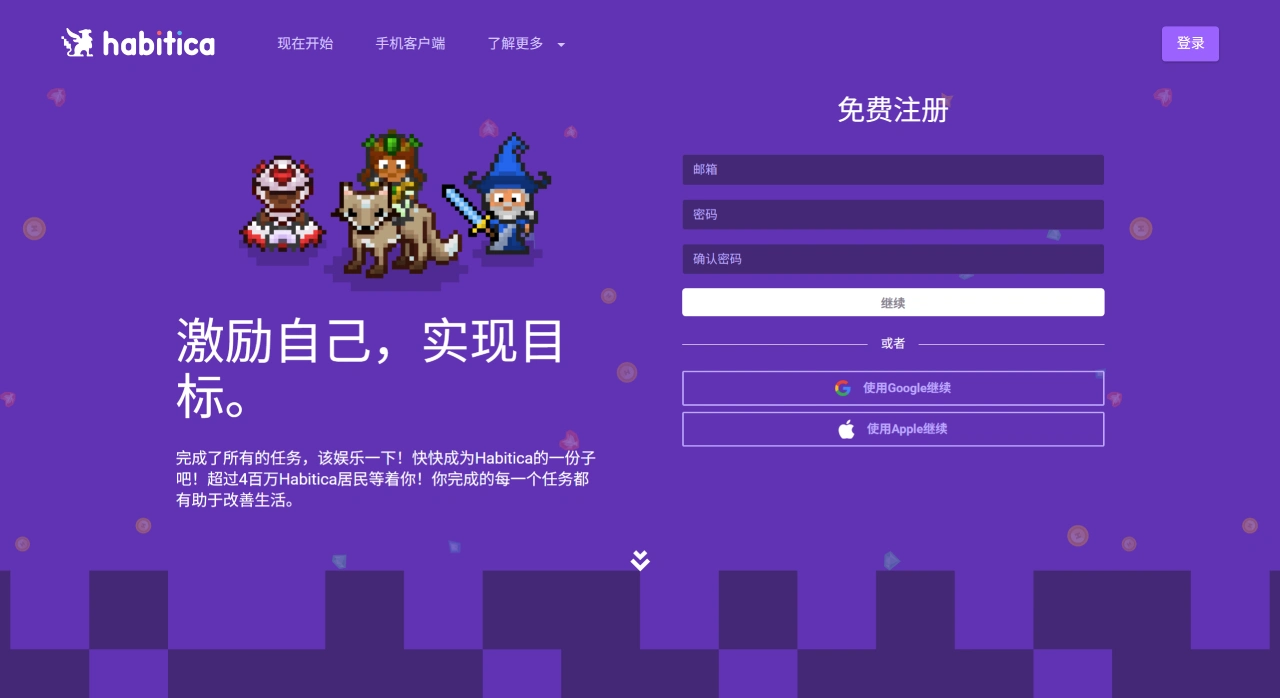
Habitica Main Features
Task management: It can manage habits (such as flossing at night or drinking water), dailies, and to-do lists. You can handle everything through the mobile app or the web, and a quick tap on your phone records it instantly. Task lists can be edited freely and customized to your own goals, such as creating, self-care, or chasing your dreams.
Gamified motivation: Completing tasks levels up your character and unlocks equipment, pets, skills, and dungeons.
Social interaction: Completing tasks earns gold, which can be exchanged for in-game items or self-defined rewards, such as watching an episode of a show you like. You can also team up with other users to battle monsters. The community is very active, and members offer each other advice and help complete tasks.
Habitica Common Use Cases
Health and fitness: It can make things like flossing and going to the gym feel less annoying, making it easier to stay consistent.
School and work: Great for preparing reports and tackling difficult tasks, with the ability to track progress.
Personal goals: It can support creativity, self-care, and achieving all kinds of things you want to do.
How to Use Habitica
Basic Operations
Start by signing up and logging in. You can register on the official website or through the mobile app, or log in directly with another account—data syncs across all platforms. When creating a character, you can change its name and appearance. Before level 10 you're a Warrior; afterwards you can switch to Mage, Healer, or Rogue, and later change again using items.
Setting Tasks
Habits
Good for things you want to do or avoid long-term, without a fixed schedule—for example, taking vitamins or flossing (positive habits to do more of), smoking or being on your phone (negative habits to do less of). You can also set habits that have both options, like drinking water versus soda.
When creating one, mark it as positive (tap +) or negative (tap -), and add tags to categorize it. There's no need to set a time—you can record it multiple times throughout the day. Completing a positive habit earns gold and experience, and the task turns blue; triggering a negative habit causes HP loss and the task turns red; not doing it for a long time gradually returns it to yellow. You can also pick a difficulty from easy to hard; the default is easy. The harder it is, the greater the reward and penalty. You can see the click count, and the reset time can be customized.
Dailies
Good for things that repeat at fixed times, such as washing dishes, watering plants, or exercising 30 minutes every day. You can set them to repeat daily, several times a week, or several times a month.
Set the repeat schedule and enable reminders. If you need a break, click "Pause Damage" in your settings so that missing a task won't cost HP, or set its repeat schedule to "every 0 days" to stop a task. Completing it gives rewards and the task turns blue; missing it costs HP and the task turns red, with higher difficulty yielding greater rewards. The redder it is, the longer it's been since you completed it, and the reward gets bigger once you do.
To-Dos
Good for one-off things, such as meeting up with someone, organizing a closet, writing a paper, or doing homework.
You can set a due date—it only reminds you, no HP loss—and break it into a checklist. On the web version, you can add many at once by pressing Shift plus Enter to move to a new line, and you can also copy them from chat to create them. You can view them by "Active," "Scheduled," and "Completed," with scheduled ones sorted by due date. Completing one gives experience, gold, and mana, and may crit, with the task turning gray and moving to "Completed." Not finishing it doesn't cost HP, but over time it turns red, and its value peaks around a month later to prevent procrastinating.
The Gameplay Part
Earn experience from completing tasks to level up. Leveling up restores full HP and mana, and lets you allocate attribute points such as Strength, Intelligence, etc. After level 10 you can use professional skills, available differently by class—for example, Rogues can dodge damage, Warriors can reduce damage taken.
Gold earned can buy potions (25 gold restores 15 HP), pet eggs, and equipment, or you can set your own rewards, like saving up 1,000 gold to go to the movies.
You can team up to fight bosses—completing tasks deals damage to the Boss, and winning drops items, while teammates not completing their tasks cause the whole party to lose HP. You can join guilds to chat and share tasks; on mobile you can switch to the shared task column or copy them to your own list.
Practical Tips
If you're afraid of losing HP, pause difficult dailies, use class skills to reduce penalties, or change the task schedule to cancel repeats.
If you run out of HP, buy a potion; leveling up also restores it. Losing all HP causes you to drop a level, lose gold and equipment, and you have to redo tasks to recover.
You can change the interface theme and task priority; regularly export data for backup, and if you delete by accident you can check history to restore it.
Habitica FAQ
Q: What does Habitica mainly use to motivate people? What rewards can it offer?
A: It mainly uses in-game rewards and punishments, letting your character grow as you complete tasks. There are two types of rewards. First, in-game ones, such as leveling up, getting equipment, pets, skills, and dungeons. Second, real-life ones—using gold to exchange for in-game items or self-defined rewards, like watching a show you enjoy.
Q: Where can I use it? How does it work? Can it meet personal needs?
A: It can be used for health and fitness, school and work, as well as personal things like creating and self-care. You can use the mobile app or the web to operate it, and a quick tap on your phone records it anytime. It can meet personal needs because task lists can be edited freely and customized to your own goals.
Q: It's free—what stands out about its social features and user base?
A: You can team up with people to fight monsters, the community is very active, and members offer advice and help complete tasks. With over 4 million users and a mature community, it's easy to find companionship and motivation there.















