
 Script Planner Assistant▸
 AI Apps
 AI News

Photiu AI: Free Online Background Remover
Photiu AI: Free Online Background RemoverIntroduction
What is Photiu ai?
Photiu AI is a free online background remover tool that requires no sign-up. It supports formats such as JPG, JPEG, PNG, and WEBP, and uses AI technology to remove backgrounds in just 1 second. It can generate transparent backgrounds or replace them with image or color backgrounds, with output resolutions ranging from HD to 4K. You can also manually fine-tune the details, and it works on both mobile devices and computers. You can upload as many images as you want, and high-resolution images can be downloaded for free.
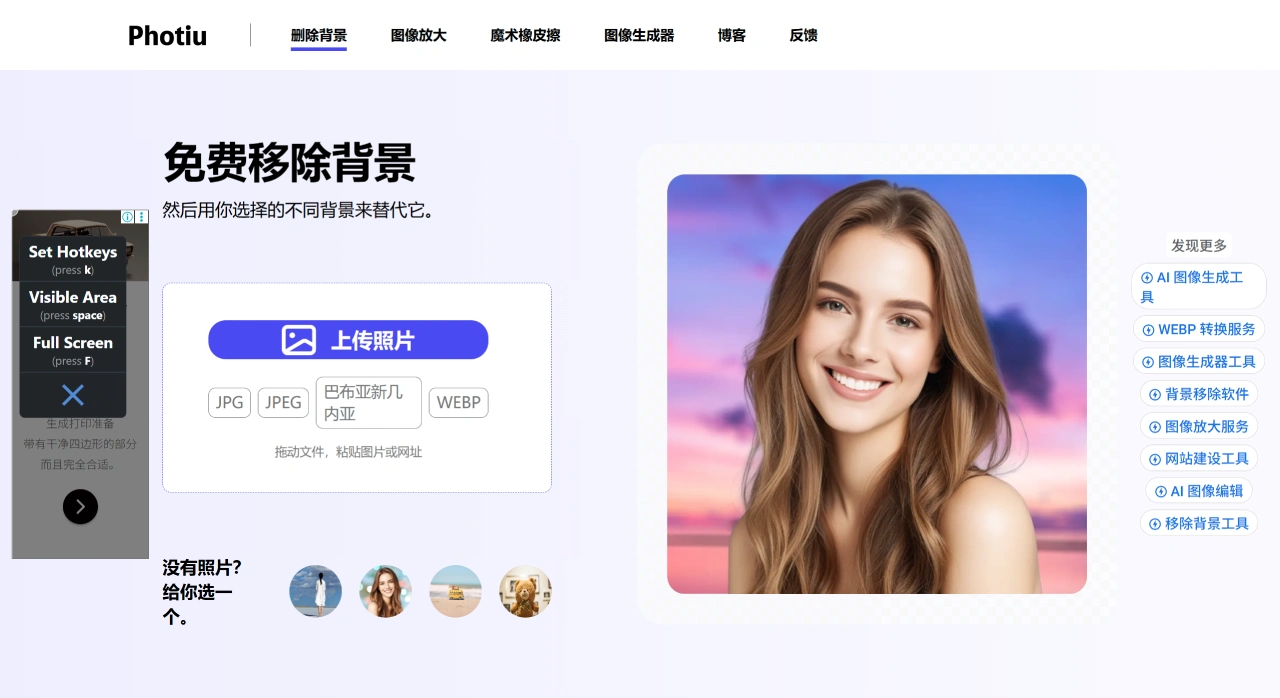
Photiu AI Features
Background removal: AI does it automatically, very quickly, saving time. It can produce transparent backgrounds or remove white backgrounds. After the AI processes the image, you can also make manual adjustments with two options—"Erase" and "Restore"—allowing more precise cutouts even for complex images.
Change background: You can choose from the background templates provided in the tool, or upload your own image as a background. You can also directly change the background color.
Output and formats: Supports resolutions from HD to 4K without quality loss. Supports JPG, JPEG, PNG, and WEBP, with no compatibility issues. No limit on the number of images you can upload—you can process as many as you like.
Photiu AI Highlights
Basic features can be used without sign-up; high-resolution images can be downloaded for free; fully online operation with no software installation required; supports common formats (such as JPG and PNG).
What is Photiu AI Used For?
Creating e-commerce product images (white or transparent background); optimizing images for social media; restoring old photos and upscaling images; quickly removing unwanted elements like watermarks and passersby.
How to Use Photiu AI
Upload image: Three methods. Click the "Upload Photo" button in the middle of the official site to select an image from your phone or computer; drag and drop the image directly into the area labeled "Drag and drop your photo here" to upload automatically; if you don't have an image, click "No photo? Pick one for you" to use a sample image provided by the tool.
AI background removal: Once the image is uploaded, the tool uses AI to automatically remove the background very quickly, with no settings to adjust. A transparent background is displayed by default, allowing you to directly see how well the cutout was done. If you're not satisfied (for example, uneven edges, over-removal, or under-removal), you can make manual adjustments: click "Erase" to brush over areas you want to remove further; if the subject was accidentally removed, click "Restore" and brush over the areas you want to bring back.
Change background: Once the background is removed, you can change it to a new one. Option 1: Change to an image background—find the "Image background" entry, then either choose a template from the tool or click "Upload your own" to upload your own image. You can move, zoom in, or zoom out the cutout subject to adjust its position and size within the background. Option 2: Change to a solid color background—find "Color background", select a preset color from the color palette, or enter a color code (if supported), and click to apply.
Preview and download: After changing the background, check the overall look, and if everything looks good, click "Download Free" to download. Free downloads are in HD high resolution, which is sufficient for everyday use. If you want 4K or the best quality, follow the prompts to pay a small fee to download. No sign-up is required to download—the file saves directly to your phone or computer, with no extra hassle.
Frequently Asked Questions
Q: What are the main advantages of Photiu AI, and who is it suitable for?
A: The advantages are no sign-up required, free to use, simple operation, fast processing (AI background removal in 1 second), high quality (HD to 4K), works on any device, and no limit on image uploads. It's suitable for beginners, general users, and anyone who needs to quickly remove backgrounds (such as e-commerce sellers and content creators), as it produces decent cutouts without needing professional photo editing skills.
Q: When using Photiu AI, are there any limits or supported options for formats, resolution, and downloads?
A: It supports common formats such as JPG, JPEG, PNG, and WEBP, with no compatibility issues. Resolutions range from HD to 4K, without quality loss. You can download an unlimited number of high-resolution background-removed images for free; only the absolute highest resolution requires a small fee, and no sign-up is needed to download.
Q: What can I do if Photiu AI's automatic background removal doesn't work well, or when processing images like logos?
A: There are solutions. First, you can make manual adjustments using "Erase" and "Restore" to modify the AI's results. Second, it can handle background removal for logos, but since logos have distinctive shapes, the AI output may vary. In such cases, you can use the built-in brush tools to make a few strokes and get a good cutout—no need to look for another tool.
Related Information:














