
 Script Planner Assistant▸
 AI Apps
 AI News

Autodraft AI: Create 2D Animations, Cartoon Stories, and Explainer Videos With Zero Learning Curve
Autodraft AI: Create 2D Animations, Cartoon Stories, and Explainer Videos With Zero Learning CurveIntroduction
Autodraft ai is a full-featured AI animation platform designed for content creators, educators, marketers, and animation enthusiasts. Its mission is to let anyone easily produce 2D animations, cartoon stories, explainer videos, and even voiceovers and background music right in the browser — no expensive software or hand-drawing skills required.
In short, you only need to provide text, sketches, or reference images, and Autodraft can automatically generate characters, scenes, motions, lip sync, voiceovers, and high-definition finished videos within minutes.
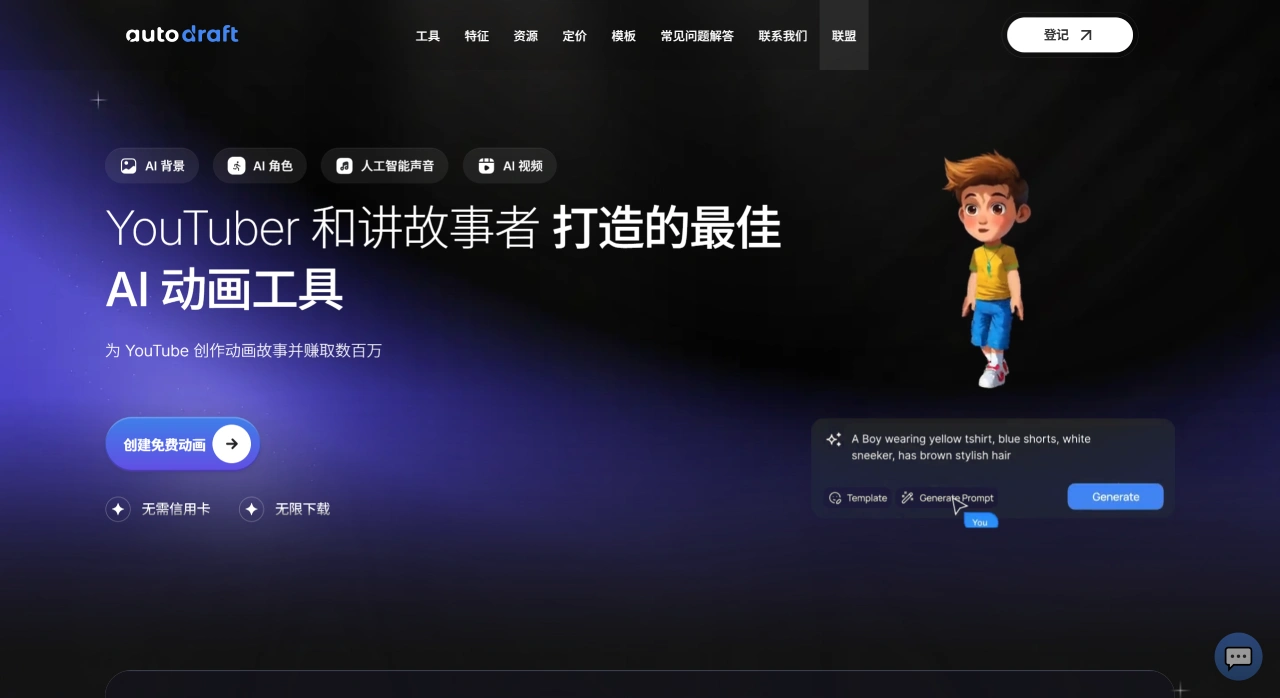
Autodraft AI Key Features:
Image generation: Supports text-to-image, sketch-to-image, storyboard-to-image, flat-coloring & detail enhancement, and image stylization.
Animation & video: Includes animation creation tools (characters, scenes, keyframes, and timeline), AI video compositing, and AI voiceover with multiple voices and adjustable speaking speed.
Character & style consistency: Offers over 100 style templates to keep characters consistent across different shots and episodes.
Editing & post-production: Supports effects, chroma keying, layer management, super-resolution, and other professional tools.
Ease of use: Provides beginner tutorials while also supporting advanced controls, suitable for users of different skill levels.
Common Use Cases for Autodraft AI:
YouTube animations / explainers / music videos: Type in text to generate characters and scenes, add AI voiceover and background music, and quickly export a complete video.
Comics & webcomics: Maintain consistent character appearance and quickly create storyboards and stylized pages.
Educational content: Rapidly generate course-related visual assets and short animations.
Marketing & social media: Produce multiple versions of creative animated ads to speed up content iteration.
Freelancers & small teams: Complete character design, background drawing, and animation compositing at a lower cost.
These scenarios cover the needs of everyone from individuals to small teams — efficient while still ensuring quality.
How to Use Autodraft AI:
Visit the official website, register, and log in to your account.
Select a project type (such as image, animation, storyboard, etc.).
Enter text descriptions, upload sketches or storyboards, or import a script; customize characters, backgrounds, and voiceover as needed.
Use the timeline and keyframes to edit the animation, and add transitions, effects, and subtitles.
Preview and export, with support for viewing and collaboration on desktop and mobile devices.
The workflow is simple and intuitive, ideal for beginners, while also offering advanced controls for experienced users to fine-tune.
Free and Paid Plans:
Free version: Sign up to receive 20 credits, allowing you to try out character, background, and voiceover features. Most basic functions are available for free.
Base plan: $10 per month, includes 1,000 credits, supports 4K downloads, and meets most individual needs.
Pro/Enterprise plan: Starting at $35 per month, provides more credits, team collaboration features, private style training, and API access.
FAQ:
What is Autodraft AI?
It is an AI tool focused on comic, webcomic, and animation creation. It can assist in generating visual content via AI and supports consistency in characters and styles.
Is Autodraft AI free?
The official site does not state that it is completely free, but offers a basic plan ($10/month, 1,000 credits) and a professional plan ($35/month, 4,000 credits). Some basic features can be tried for free, but advanced features generally require payment.
How is Autodraft AI different from other AI tools?
The main differences are:
It allows training of dedicated character models to ensure consistent character appearance and style.
It supports the full creative pipeline — comics, animation, voiceover, backgrounds, and more — rather than being limited to a single function.
It is compatible with multiple devices, including phones, tablets, and computers.
It provides advanced editing features such as AI voiceover, background generation, and image-to-video, making it more suitable for professional creators.














