
 Script Planner Assistant▸
 AI Apps
 AI News

TOOLFK: A Free All-in-One Online Toolbox
TOOLFK: A Free All-in-One Online ToolboxIntroduction
TOOLFK Online Tool Box is a full-featured, easy-to-use free online platform that requires no registration or download—just open it in your browser and start using. It covers major categories such as AI creation, image processing, document conversion, programming development, query and calculation, and encoding conversion, offering hundreds of tools. It supports features like no watermarks, batch processing, and fast generation, meeting the diverse needs of users ranging from creative design, office tasks, to programming development.
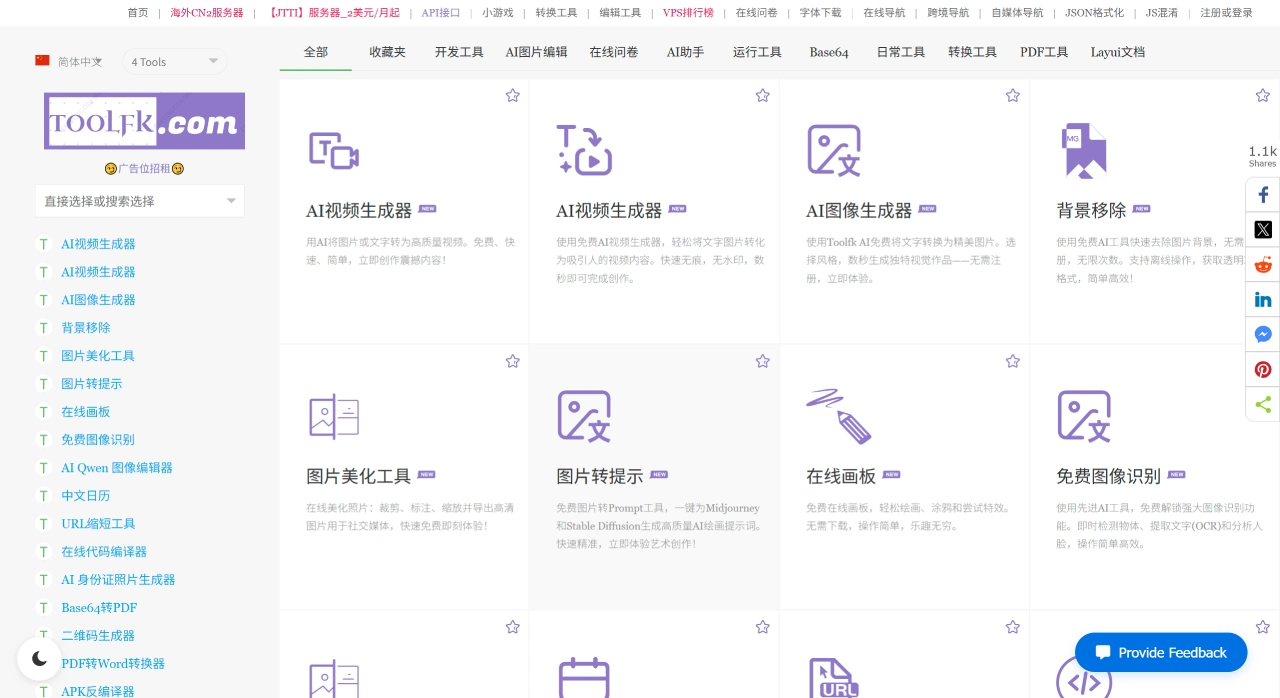
TOOLFK Key Advantages
Low barrier to use: No account registration or software download required—operate directly in your browser.
Completely free: All tools are free to use with no usage limits.
High efficiency: Many tools deliver results quickly, support batch processing, and some tools can even work offline.
High-quality output: Generated files have no watermarks, images are in high-definition format, delivering professional-grade results.
TOOLFK Tool Categories and Features
AI Creation Tools
AI Video Generation: Converts text or images into high-quality videos with no watermarks, completed in seconds.
AI Image Generation: Some tools generate images quickly (e.g., Turbo Image Generator outputs in 1 second), accurately converting text to images (e.g., Flux), and maintaining consistent character styles (e.g., Seedream).
AI Text Creation: Generates classical poems, acrostic poems, spring couplets, rhyming poems, and original articles, boosting creative efficiency.
AI Style Conversion: Transforms photos into cartoon, anime, sketch, oil painting, pixel art, Barbie filter, or Studio Ghibli style in 3 seconds—no drawing skills required.
Image Processing Tools
Basic Functions: Remove image backgrounds (output as transparent PNG), crop, annotate, resize, and lossless compression (reduces file size by 90% without quality loss).
Advanced Functions: Extract text from images (OCR), use online PS (similar to the professional software Photopea), add watermarks to images (copyright protection), and convert images into the Midjourney prompts you need.
Format Conversion: Supports SVG to PNG/JPEG/WEBP conversion, as well as bidirectional conversion between images and Base64 format.
Document Conversion Tools (Office Essentials)
Supports bidirectional conversion between PDF and formats like Word, Excel, and PPT. Batch processing is supported, and formatting is preserved after conversion. Some PDF tools can also remove or encrypt passwords and perform Base64 encoding conversion—no software installation required.
Programming Development Tools
Online Compiler: Supports 20+ programming languages including Python3, Java, C, C++, Go, and PHP. Features a professional-like interface with syntax highlighting.
Code Protection: Obfuscates and encrypts code in PHP, JS, Java, Python, etc., to prevent decompilation or leakage.
Development Assistance: Includes SQL Designer (generates database scripts), regular expression tester, JSON/XML editor, and HTTP simulator.
Query and Calculation Tools
Life Queries: Look up the Chinese almanac (Huangli), fuel prices (93#, 96#, 98# gasoline and diesel), calculate personal income tax based on the latest 2020 tax rates, and find baby names inspired by Tang poetry.
Identity Verification: Verify the authenticity of ID cards and Mainland Travel Permits for Hong Kong, Macau, and Taiwan residents, and query bank card BIN information.
Technical Queries: Look up IP address locations, check DNS records, scan open ports on websites, and detect whether domains load normally on WeChat and QQ.
Calculation Tools: Perform Bazi (Eight Characters) chart layout, convert between bases 2-64, calculate in scientific notation, and convert units like bits, KB, MB, etc.
Encoding and Encryption Tools
Base64 Conversion: Supports bidirectional conversion between Base64 and formats such as text, images, audio, video, PDF, hexadecimal, and ASCII—fast conversion speed.
Text Encryption: Securely encrypt and decrypt text using algorithms like MD5, SHA1, SHA256, AES, and DES.
Other Encoding: Translate Morse code, shorten or encode URLs, and convert .htaccess rules to Nginx configuration.
Featured Entertainment Tools
Style Experience: Play classic retro PS2 games directly in your browser, apply Barbie filters, and generate images in Pixar or Studio Ghibli animation styles.
Creative Interaction: Play puzzles, draw on the online canvas, create SpongeBob memes, and generate Q-version characters, figurines, or dolls.
TOOLFK How to Use
After opening the TOOLFK official website, find the tool you need through the top search box or the left-side categories. Paste or upload content as prompted on the page, click "Execute," and you'll get results instantly. You can also copy or download the generated files with one click.
Pricing Information
Most tools are free forever. Only a few advanced features (such as batch OCR or processing large files) require logging into an account or paying on demand.
Frequently Asked Questions
Core Advantages and Use Cases: The core advantages are being free, requiring no registration or download, comprehensive features, and high efficiency. It applies to three major scenarios: creative production, office processing, and programming development.
Efficient Features of Image Processing and Document Conversion: Image processing supports lossless compression, fast style conversion, watermark-free output, offline background removal, and online PS-level professional editing features. Document conversion supports bidirectional conversion between PDF and multiple formats, batch processing with original formatting preserved. PDF tools can also remove or encrypt passwords and perform Base64 encoding conversion—no software installation required.
AI Creation Tools Breakdown and Highlights: Divided into four major directions: AI Video Generation, AI Image Generation, AI Text Creation, and AI Style Conversion. The highlights are that some tools generate results quickly with excellent quality, and they can be used without any drawing or design background.













