
 Script Planner Assistant▸
 AI Apps
 AI News

Cartoonize AI: Turn Photos into Cartoon-Style Images
Cartoonize AI: Turn Photos into Cartoon-Style ImagesIntroduction
Cartoonize ai is a tool specifically designed to turn photos into cartoon images. It can quickly transform real-life photos, pet photos, and full-body shots into high-definition cartoons, anime, or avatars in a wide variety of styles. Just upload the picture and click once to convert it—your facial features are preserved and the style looks clean. It's perfect for making avatars, posting on social media, or building a brand image. You can try the main features without signing up, there are plenty of style options, and the generation is fast. Individual creators, designers, short-video makers, and frequent social media posters can all use it.
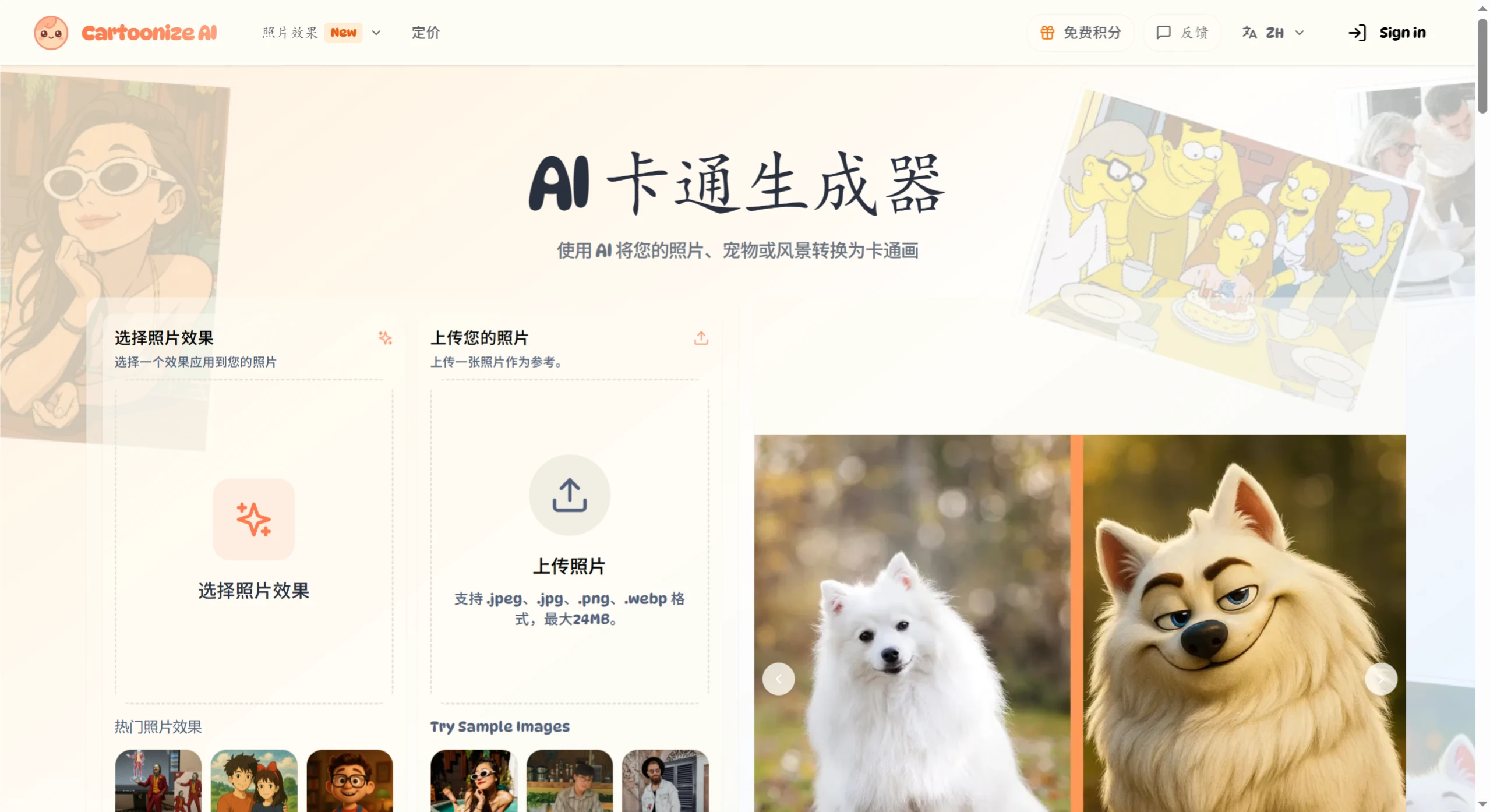
Cartoonize AI Main Features
Many styles: It can handle portraits, landscapes, pet photos, and more. Styles include classic anime, Pixar 3D, 90s cartoon, comic storyboard, pixel art, etc. For example, you can turn a pet photo into a superhero cartoon, or transform a landscape photo into a fantasy anime background.
Adjustable effects: Besides using preset styles, you can write text describing what you want, such as colors and mood. You can also adjust the strength of the conversion to create more subtle or more exaggerated cartoon looks.
Fast and clear output: Common styles finish in 15–30 seconds, while complex ones take at most 60 seconds. The output images go up to 4K high-definition, suitable for commercial purposes like marketing and product showcases. You can also convert several images at once to save time.
How to Use Cartoonize AI
Upload an image: Pick a clear, well-lit photo from your phone or computer. JPEG, PNG, and WEBP formats are supported, up to 24MB and a maximum resolution of 4096×4096.
Write a prompt (optional): Enter text describing the style, colors, etc. you want.
Adjust settings: Change the aspect ratio, number of images, and other options to control how closely the output matches the original.
Generate and download: Click generate and pick your favorite from the results to download.
Where Cartoonize AI Can Be Used
Make cartoon avatars from your own photos
Turn travel photos into artistic scenes
Make cartoon images of pets, turning them into fun characters
Create professional marketing materials and social media content
Pricing and Permissions
Free account: Limited uses per month, with only basic styles available.
Premium subscription: Basic premium plans start at $6.99 per month, giving you more uses, faster generation, access to exclusive premium styles, and commercial usage rights for the output.
Pros and Cons
Pros:
Easy to use with no skills required, and produces results very quickly;
A wide variety of styles suitable for both personal and commercial use;
Works entirely in the browser with no software to install—just visit the Cartoonize AI official website.
Cons:
The quality of the conversion depends heavily on the original image. Blurry or too-dark photos may yield poor results;
Some appealing premium styles are only available with a premium account;
Not suitable for producing professional illustrations that require very fine detail.
Common Questions and Tips
Privacy: Some platforms state that they don't store your images after processing—for example, Cartoonize emphasizes privacy. Others say uploaded images are automatically deleted after 24 hours, like Image to Cartoon. If you're using client or sensitive photos, try to pick one that supports offline use or has a clear data policy, and be sure to review the privacy policy and data handling documentation.
Image quality: The free version often limits resolution and adds a watermark. If you need large prints, choose a paid or desktop version that supports high-definition output.
Devices and platforms: The Cartoonize desktop version is Windows only. Mac users can use the online version or set up an open-source alternative themselves.
Stability of results: Complex backgrounds, unclear images, scenes with many people, or small objects may produce rough edges and uneven color blocks. It's best to crop or clean up the image before using.














