
 Script Planner Assistant▸
 AI Apps
 AI News
Geometry Dash Lite
Geometry Dash LiteIntroduction
Geometry Dash Lite, a rhythm-based platform jumping game, is the free simplified version of Geometry Dash made by Swedish developer RobTop Games, launched on August 13, 2013 alongside the full version. Gameplay: a square moves forward on its own, and the player taps the screen or keyboard to jump, dodging obstacles like spikes and pits, restarting from the beginning if you hit a wall. The controls are very simple, but the levels move at a fast pace, with the music's beats perfectly synced to the obstacles—it's a real test of reflexes and route memorization, which is why it's easy to pick up but hard to master.
The Lite version now has 10 to 15 official levels, with the exact number varying slightly across platforms. Each level features dedicated electronic music and colorful backgrounds, plus a Practice mode where you can place checkpoints anywhere to repeatedly grind the tough sections. Clearing levels unlocks new icons and colors so you can customize the square's appearance. Some levels also feature special mechanics like the ship and gravity flip. However, the Lite version does not include a level editor, and you can't play user-made levels—it's basically a trial pack for the full version.
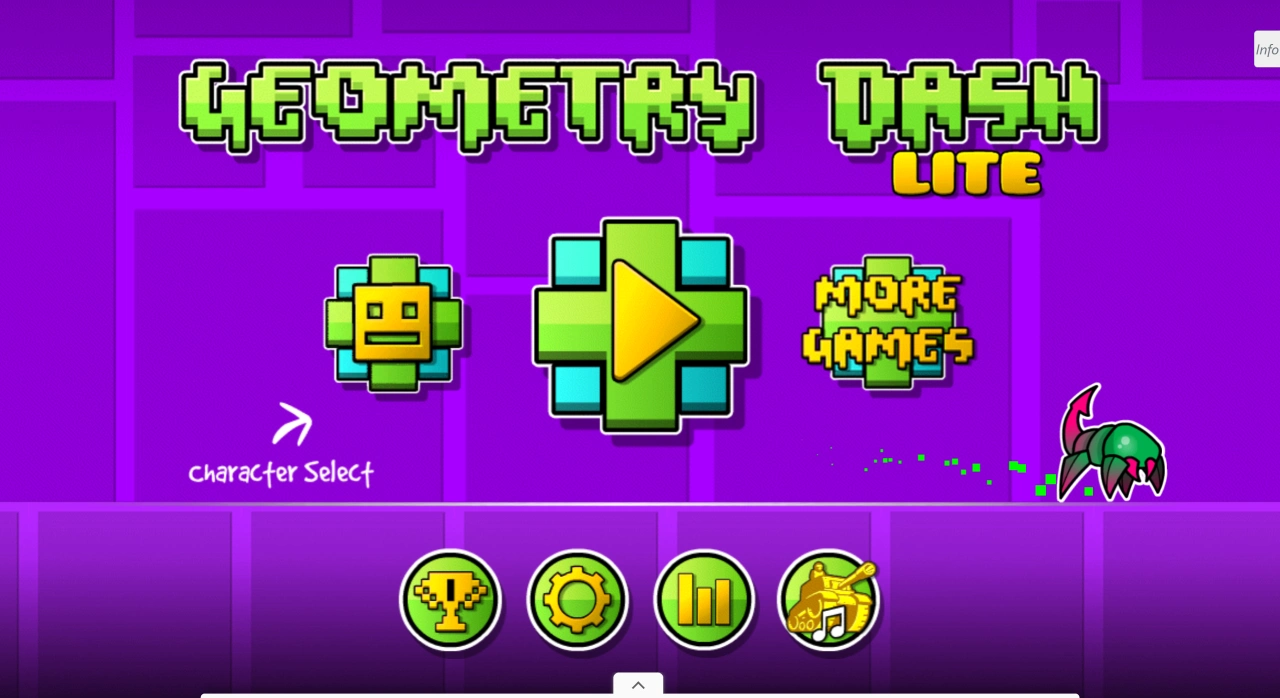
Geometry Dash Lite Main Features
Rhythm-action platforming: controlled with a single key, featuring several gameplay modes (such as the cube, ship, ball, UFO, wave, robot, spider, and swing copter).
Levels & Modes: the Lite version has 16 official levels and a Practice mode to help you master them.
Customization & Progression: unlock icons and colors to change your character's look.
Limitations: no level editor and no online levels, with fewer official levels than the full version.
Upgrade Path: you can play Lite for free, or buy the full version officially for more levels, music, achievements, and the editor.
Geometry Dash Lite Basic Gameplay
Objective
Control the small square (or other shapes) as it moves forward on its own, jumping in time with the electronic music to avoid obstacles like spikes, pits, and saw blades, and reach the end. Crashing into an obstacle shatters you, forcing a restart from the beginning or your most recent checkpoint.
Controls
Just one key—
Mobile/tablet: tap anywhere on the screen.
PC: left mouse click, spacebar, or the up arrow key.
Holding the key keeps you jumping/flying; releasing lets you fall. Different shapes require different inputs:
Cube: tap to jump, hold for continuous small jumps.
Ship: hold to rise, release to descend.
Ball: tap to flip gravity between the floor and ceiling.
Wave: tap to change flying direction (rotate 45°).
Rhythm Sense
Obstacles, jump pads, speed portals, and gravity portals are all synced to the music's beat. Listen to the beat, watch the colors, and tap along with the rhythm to make fewer mistakes. Beginners can turn off speaker audio and use headphones for clearer sound.
Practice Mode
From the main menu tap "Play", choose a level, then tap "Practice" in the bottom right to enter. Tap the flag icon to place a green checkpoint anywhere; dying respawns you at the flag. Practice mode doesn't count toward completion records, but it helps you learn tough sections and memorize routes. If a segment is especially hard, keep placing flags, die, and place again until you've got it down.
Official Completion
Enter through "Normal Mode" for the same level—no flags allowed mid-run. You must reach 100% without dying once to count as a clear. Clearing unlocks:
New icons/colors (to customize the small cube on the main menu);
The next level (10 to 15 levels in Lite, unlocked one by one);
Achievement coins (some levels have 3 hidden coins; collecting them unlocks things like ship trails).
Improvement Tips
Memorize the route in segments: divide the whole level into 4 to 8 bar sections based on the music, practice each section separately, then string them together.
Slow-tempo simulation: in Practice mode, when you hit a fast section, first close your eyes and listen to the song, tapping your finger on the table in rhythm to memorize the beat before actually playing.
Look ahead: keep your eyes focused on the right quarter of the screen, spotting the next obstacle about half a second early, and pressing about half a beat ahead.
Adjust your device: mobile players should turn touch sensitivity to the maximum and remove thick screen protectors to reduce input lag; PC players should disable input methods and Windows Game Mode to prevent stuttering.
Geometry Dash Lite Version Limitations
No level editor, can't download user-made levels, and only 10+ official levels are playable. The shop, daily levels, leaderboards, and other features are also missing. If you want to create your own levels or play tons of community-made ones, you'll need to buy the full version (available on Steam, Google Play, and the App Store).
Geometry Dash Lite: Get the Hang of It in 30 Minutes
Install/open Geometry Dash Lite, tap "Play", and choose the first level "Stereo Madness". Don't rush to clear it on the first try—enter Practice mode, drop flags along the way, die a few times while walking the full course to get familiar with the music's beat. Switch back to Normal mode and aim for a no-death 100% clear. If you don't make it, go back to Practice mode and try again—most players clear it for the first time within 10 to 20 attempts. After clearing, open the second level "Back on Track" and use the same Practice → Normal rhythm. After each clear, go to the main menu to swap your icon—a small ritual that keeps the motivation going.
In short: listen to the rhythm, look ahead, drop plenty of flags, and don't rush. The more you die in Geometry Dash Lite, the better you get, and eventually you'll clear all the official levels. Have fun, and aim for that 100% soon!















