
 Script Planner Assistant▸
 AI Apps
 AI News

SuperDirector: AI-Powered Batch Video Editing & Creative Production Platform
SuperDirector: AI-Powered Batch Video Editing & Creative Production PlatformIntroduction
Super Editor (超级编导) is an AI-powered intelligent batch editing and creative production platform designed for short video creators and enterprises, focusing on efficient, batch, and intelligent production of video content. It can generate multiple short video scripts with a single click, covering product promotion, storytelling, talking-head videos, and more, greatly improving content planning efficiency.
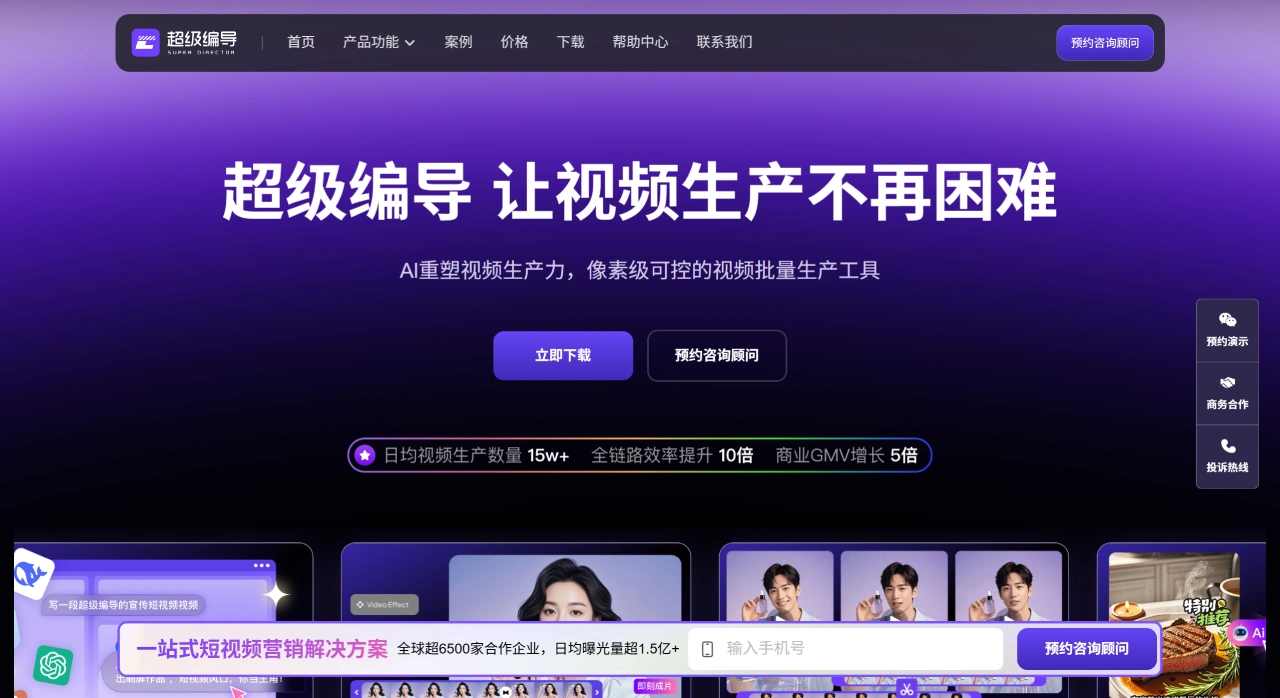
Core Features and Highlights of Super Editor
AI Script & Creative Generation: Generate multiple short video scripts with one click, covering product promotion, storytelling, talking-head videos, and more, significantly improving content planning efficiency.
Batch Editing and Mixed Clips: Batch processing and combination of video, audio, subtitles, effects, etc., supporting operations such as copy, cut, mirror, speed change, subtitle recognition, and stylized text.
AI Asset Library and Digital Human: Enterprise-grade asset management with support for digital human cloning (including appearance and voice), useful for building corporate IPs or virtual streamers.
Multi-platform Matrix Distribution: One-click distribution of videos to platforms such as Douyin, Kuaishou, Xiaohongshu, WeChat Video Channel, with support for POI, group-buy links, etc., ideal for local lifestyle and e-commerce带货 scenarios.
Team Collaboration and Review System: Supports collaborative editing, review, annotation, and project management, suitable for enterprise content production workflows.
Use Cases of Super Editor
Well-known home furnishing company: Leveraging AI scripts, asset libraries, and batch mixed clipping, content creation efficiency improved by 550%, inquiry volume increased by 400%, and GMV grew by 169%.
Chain beauty salons: A 10-person team built the brand matrix, boosting brand exposure by 1000% and quarterly revenue growth by 336%.
Cross-border e-commerce and local merchants: Through digital humans, batch editing, and matrix distribution, 1000 videos can be produced per day, with ROI consistently above 3.
Quick Start Tutorial for Super Editor (Get Started in 3 Steps)
Upload Materials: Drag filmed videos or images into the "Material Library". Mobile phone scan upload is supported and completed in 30 seconds.
One-Click Video Generation: Click "Batch Editing", select a template (e-commerce, talking-head, group-buy), check "De-duplication", "Add Subtitles", "Dubbing", and input the number of videos to generate (e.g., 30). After about 2 minutes, videos will be auto-generated and queued up.
Publish: Click "Matrix Distribution", select accounts on Douyin, Xiaohongshu, etc., and schedule or publish immediately. Check play counts in the "Data Center" the next day; hit content can be reused directly.
Tips
No script? First use "AI Script" and enter one product selling point to instantly get 10 copyscripts.
Don't want to appear on camera? Spend 3 minutes filming a green-screen video and let the "Digital Human" deliver the talking-head.
Who Should Use Super Editor
Short video operations teams, local lifestyle service providers, e-commerce带货 merchants, brand owners and chain enterprises, and cross-border outbound teams.
Key Questions
Q: What core technologies or features does the Super Editor platform rely on to improve short video editing efficiency?
Super Editor improves editing efficiency primarily from three directions. First, AI technology empowerment — for example, AI one-click video generation requires no script or editing skills; just upload materials to generate videos. AI intelligent splitting can auto-segment scenes and perform frame-level adjustments. Intelligent video de-duplication allows custom second-level slicing with a duplication rate within 30%, eliminating manual trimming. Second, batch operation features — such as batch mixed-clip preview and batch video export, eliminating the need to process materials one by one and saving time. Third, convenient tools — such as a visual editing timeline enabling frame- and second-level all-in-one processing; intelligent subtitle removal, voiceover narration in 70+ voice tones, and compatibility with Jianying (CapCut) — finished projects can be imported for secondary editing — simplifying the entire workflow from material processing to final output.
Q: For local lifestyle service providers and short video带货 merchants, what differentiated solutions does Super Editor offer respectively?
The solution differences for these two user types mainly lie in addressing their core needs. Local lifestyle service providers focus on store promotion and customer acquisition/裂变; the platform provides "centralized authorization management for massive matrix accounts + one-click creative distribution", combined with offline store promotion features that drive customer acquisition through city-wide 裂变, helping chain stores and influencer group-leaders quickly expand local influence and grow business. Short video带货 merchants focus on full-funnel带货 conversion; the platform provides full-process support covering "script - shooting - editing - 裂变 - publishing - data feedback", and adds features like script insight-driven iterative hit-creative brainstorming, intelligent recommendation of quality materials, and compliance checking for content distribution, solving every step from content production to traffic conversion, and unleashing content productivity.
Q: In team collaboration scenarios, how does Super Editor ensure efficient collaboration and asset security across multiple members and projects?
The platform ensures collaboration efficiency and asset security through two mechanisms: permission control and cloud storage. On permissions, project usage rights for team members can be flexibly configured, allowing project sharing or isolation to prevent cross-project interference. Different permissions such as editing, viewing, and management can also be freely assigned based on member roles (e.g., editor, reviewer, administrator), clarifying responsibilities and preventing misoperations. For enterprise assets, all editing projects, materials, and finished videos are uniformly stored in the cloud, supporting cross-device and cross-member access regardless of location or device; cloud storage avoids the risk of loss or damage from local storage, and through permission control, only authorized members can access them, ensuring security of the enterprise's core creative assets and enabling transparent management and efficient collaboration across multiple members and projects.











