
 Script Planner Assistant▸
 AI Apps
 AI News

Linnk AI – AI Research Assistant for Researchers and Professionals
Linnk AI – AI Research Assistant for Researchers and ProfessionalsIntroduction
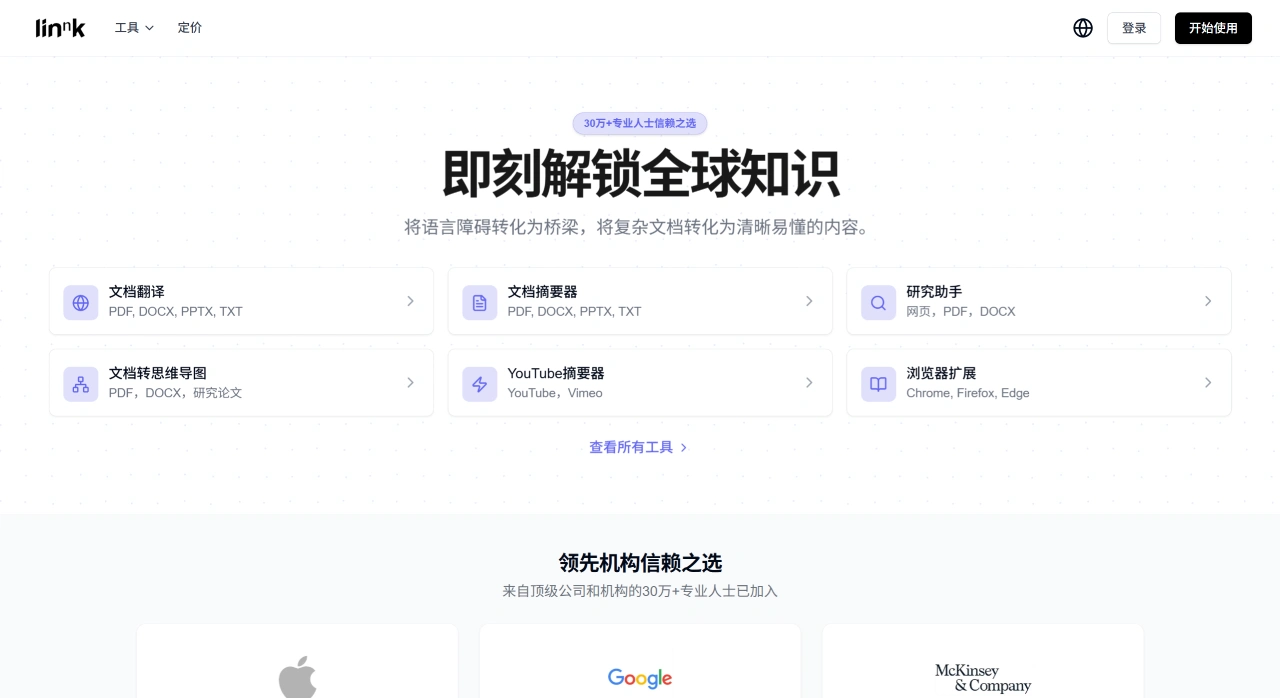
Linnk ai is a tool designed for researchers and professionals. It can quickly summarize content from web pages, PDFs, and various documents, provide accurate translations, extract key points, and support conversational analysis. It primarily works as a Chrome browser extension, supporting very long documents and multiple languages. It offers features such as a web sidebar, content highlighting, and cross-language reading, helping you quickly find key conclusions and evidence from information-rich materials.
Key Features of Linnk AI
Quick Summarization of Key Points: Rapidly identifies core concepts and key conclusions in web pages or papers, organizing them into structured summaries.
Sidebar and Highlighting: Automatically extracts and saves key points, and highlights critical information in the original text, saving reading time.
Conversational Analysis: You can ask questions about document or web content, and generate reading summaries, key point lists, cited excerpts, and more based on your needs.
Cross-Language Reading and Translation: Understands and translates content in multiple languages, making it easier for non-native speakers to read.
Multi-Format Long Document Support: Handles very long documents and common formats such as PDF, ppt, Word, and TXT, suitable for academic and professional materials.
Content Filtering and Organization: Filters out low-quality content and supports saving and searching past research records for easy retrieval and reuse.
Use Cases of Linnk AI
Academic Research: Quickly organizes the problems, methods, conclusions, and evidence in literature, and identifies key sections that can be cited.
Professional Information Work: In data-heavy fields such as policy, finance, and consulting, it extracts key points, data, and citations, reducing the time spent on reading and writing preparation.
Study and Exam Preparation: Creates layered summaries of textbooks, lecture notes, and long articles, explains terminology, and improves comprehension and memorization.
Cross-Language Reading: Allows you to quickly understand foreign-language technical documents, reports, and web content in your native language.
Common Uses of Linnk AI
Smart Summarization: With a single click, generate key points from PDFs, Word, PPTs, web pages, and even YouTube videos. Adjust the length of key points and support summaries in multiple languages.
Precise Translation: Translates over 100 languages while preserving original formatting and technical terminology. Supports side-by-side comparison and paragraph-linked viewing.
OCR Recognition: Handwritten notes, historical documents, and meeting records can be turned into editable text by uploading photos. Supports mixed Chinese and English layouts.
Knowledge Visualization: Automatically converts documents into interactive mind maps, allowing you to quickly grasp the framework and content relationships.
Web Plugin: Available for Chrome, Firefox, and Edge browsers. While browsing, select text to summarize, translate, or ask questions, organizing content as you read.
Citations and Archiving: Generate references in APA, MLA, and other formats with one click. The backend automatically builds a knowledge base for later retrieval and review.
Who Linnk AI Is For
Researchers and PhD Students: Read literature across languages, create reviews, and organize citations.
Students: Quickly understand textbooks, PPTs, and classroom videos.
International Business, Consulting, and Legal Professionals: Translate multilingual contracts and reports while ensuring consistent terminology.
Content Creators: Turn long reports and white papers into mind maps or short video scripts.
Teachers and Online Learners: Use the YouTube summarization feature to distill key points from lectures.
Linnk AI Pricing:
| Plan | Monthly | Annual (approx.) | Core Quota |
|---|---|---|---|
| Free | 0 | 0 | Usage/page limits, restricted previews |
| Essential | $15 | $7.4 | 5 file translations, 50 pages, 20 MB |
| Professional | $20 | $9.9 | 20 translations, 100 pages, 100 MB |
| Premium | $50 | $19.9-24.9 | 30 translations, 300 pages, 300 MB, full-feature API |
- All files are encrypted during upload and automatically deleted after processing; offline use, multi-user collaborative editing, and mobile apps are not currently supported.
- OCR accuracy decreases on low-resolution scans or cursive handwriting; 300 dpi or above with clear text is recommended.
How to Use Linnk AI
First, sign up for Linnk AI.
Upload a file or paste a URL.
Select an operation such as "Summarize," "Translate," "OCR," or "Mind Map," and results are generated quickly, with online viewing, questioning, and downloading supported.
For web scenarios, simply select text on a web page and click the pop-up window. The sidebar will immediately display the summary or translation.
If you frequently need to find key points across multiple languages, formats, and long materials, Linnk is like having translation, summarization, OCR, and mind mapping bundled into an instant tool within your browser, starting at $15 per month. Try it for free first, then decide whether to upgrade.















