
 Script Planner Assistant▸
 AI Apps
 AI News

Luobi AI Writing – AI Novel & Web Fiction Short Story Writer
Luobi AI Writing – AI Novel & Web Fiction Short Story WriterIntroduction
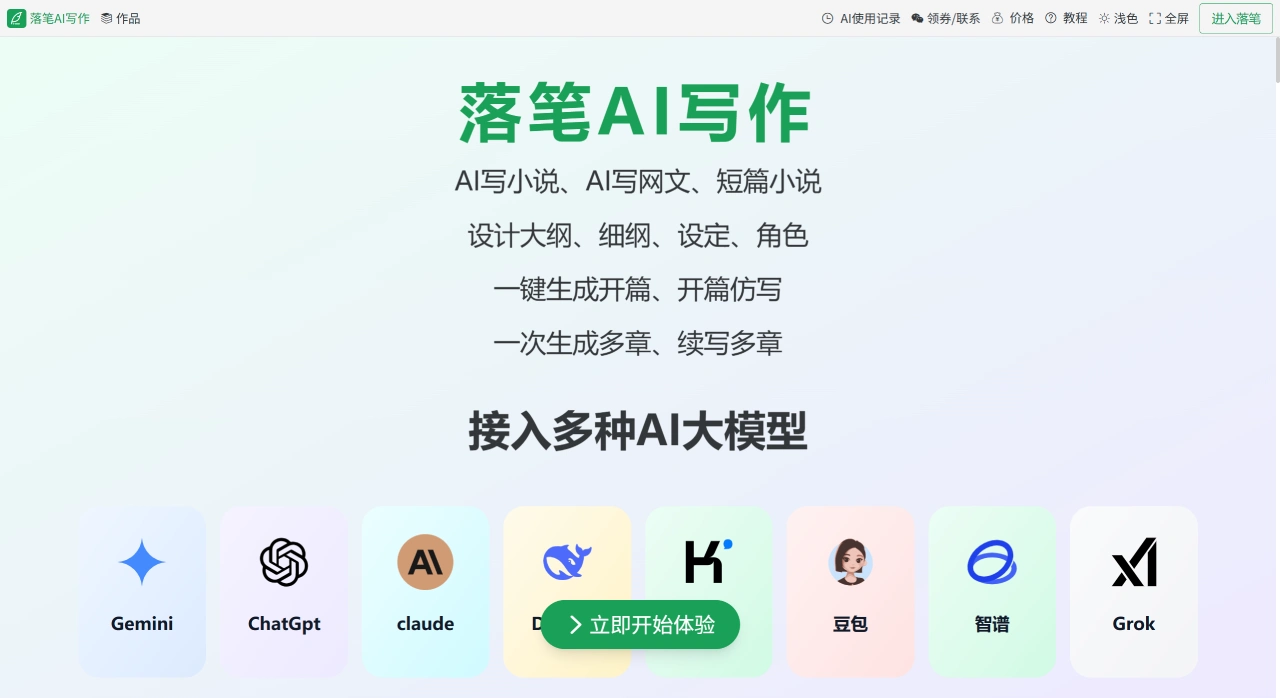
Luopina aiwriting is an AI novel writing assistance tool designed specifically for story creators. Its biggest feature is integrating the entire workflow of "finding inspiration → outlining → writing chapters → optimizing content" into a single interface, eliminating the need to switch back and forth between mind maps, documents, and various AI chat windows.
Luopina ai writing Main Features
1. Outline Design and Editing
Display Options: Luopina AI Writing offers table or list modes, allowing you to clearly see the relationships between plot points, scenes, and characters.
Editing Functions: Plot, characters, and outline content can be freely rearranged or modified, and you can directly generate an outline for an entire book.
Examples: It can generate related outlines for classic stories like "Water Margin," such as "Shi Jin Flees Huayin County at Night," "Lu Da Pummels the Buddhist Monk," as well as original outlines, such as a 14-chapter story about a cycle of civilization featuring "The Heart-Erobing Bamboo Slip Arrives" and "Hongmeng Academy Pursuit."
2. Content Generation and Optimization
Core Capabilities: Use AI to generate chapter content, continue writing, expand, polish, or refine descriptions. You can directly click "Generate This Chapter's Plot" or "Add Plot" to operate.
Auxiliary Functions: You can name chapters, and view, modify, or delete content at any time, with a maximum of 500 characters per chapter.
3. Character and Setting Creation
Setting Generation: Luopina AI Writing can generate story backgrounds, key props (such as "Heart-Erobing Bamboo Slip" and "Creation Golden Book"), character personalities, and other settings. It also supports importing your own previously written settings.
Association Capabilities: Setting content can be directly linked to characters, and can be intuitively edited in list mode.
Character Management: You can create lists of multiple characters (such as Song Jiang, Lin Chong, and Wu Yong from "Water Margin"), and associate these characters with specific plots (such as Lu Zhishen's "Meeting Old Man Jin" and "Causing Trouble in the Market While Drunk").
4. AI Book Breakdown
After uploading novel files in TXT or DOCX format, Luopina AI Writing's AI can automatically extract chapter structure, character relationships, and conflict points, generating a visualized skeleton outline, making it easy to reverse-engineer the writing structure of popular works.
5. Switch Between Multiple Models Anytime
Luopina AI Writing's backend integrates commonly used AI models such as Gemini, ChatGPT, Claude, DeepSeek, Kimi, and Doubao. You can choose DeepSeek for xianxia themes, or switch to Kimi for simple text polishing, without needing to register for additional accounts.
Pros and Cons of Luopina AI Writing
Pros:
Covers the entire workflow from finding inspiration to optimizing content, providing more stable writing structure and efficiency;
Supports switching between different AI models, including free models, allowing you to balance cost and effectiveness yourself;
Character and setting association features, along with AI review, can reduce the hassle of maintaining long serialized works.
Cons and Suggestions:
When writing long-form works, plot direction, character development, and thematic depth still need to be controlled by the author. AI-generated content may lack sufficient emotional nuance or cultural context;
It is recommended to personally review and revise key plots and endings to ensure consistent overall style and logical coherence.
How to Use Luopina AI Writing
Open the official website in your browser and register an account using your email;
Create a new "Work," select a type (novel/screenplay/web novel), and fill in the work name;
Go to the "Outline" page, click "AI Generate Outline," enter a topic (such as "Cyberpunk Revenge"), and you'll get a node-based outline skeleton in 10 seconds;
Select any node, click "Write This Chapter," set the word count and style, and AI will generate the main text;
While writing, use the "Character" and "Worldview" panels on the left to add information at any time. Once done, click "Consistency Check" and make fine adjustments based on the prompts;
When stuck, use "Continue Writing" or "Expand" to find inspiration. After finishing, use "Polish" to optimize, and finally export in DOCX or PDF format.
What Scenarios is Luopina AI Writing Suitable For?
Breaking Down Classic IPs: For example, breaking down "Water Margin" to generate plot chains like "Lu Da Pummels the Buddhist Monk → Government Issues Warrant for Lu Da → Lu Da Meets an Old Friend," and associating corresponding characters;
Original Story Creation: For example, writing the story of "fishing village boy Yun Xiang," generating a 14-chapter outline featuring "The Heart-Erobing Bamboo Slip Arrives" and "Premonitions of Hongmeng Academy's Finale," and designing core settings like "Creation Golden Book";
Emotional Story Writing: For example, writing the story of "software engineer Li Yun," generating nuanced scene details through plot nodes like "Daily Sweetness → Car Accident Tragedy → Funeral Sorrow" (such as "morning sunlight piercing through beige curtains" and "the scent of magnolia soap").
Who is Luopina AI Writing Suitable For?
Web novel/novice novelists: Use "Continue Writing" or "Expand" directly when stuck;
Long-form/ensemble cast authors: Rely on structured outlines and character binding to reduce contradictions;
Screenwriters/scriptwriters: Screenplay mode can output dialogue format with one click, and also supports automatic scene title completion;
Writing Teaching: Teachers can use the "Book Breakdown" feature to deconstruct classics into case study materials.
FAQ
Q: What creative stages can Luopina AI Writing help with? What problems does it solve?
A: It covers the entire workflow from finding inspiration, designing outlines, creating characters/settings, writing chapters, to book breakdown analysis. It mainly solves three problems: First, when lacking inspiration, AI can generate prompts to spark ideas; Second, when the framework is chaotic, use table/list mode to visualize outlines, associating plots and characters to avoid logical breaks; Third, when efficiency is low, it supports chapter continuation, expansion, and polishing, and can break down external documents into materials, reducing repetitive labor.
Q: What flexible functions does Luopina AI Writing's outline design offer? What scenarios is it suitable for?
A: Core features include: ① Supports both table and list views, clearly displaying the relationships between plots, scenes, and characters; ② Plot, characters, and outline content can be freely adjusted, and you can directly generate an outline for an entire book; ③ Plots obtained from book breakdown can be added to the outline (added at the end or replacing existing content). Suitable for classic IP adaptations (such as breaking down "Water Margin"), long-form original framework construction (such as designing a 14-chapter civilization cycle story), or multi-character ensemble stories (such as associating plots with characters like Song Jiang and Lin Chong).
Q: What advantages do Luopina AI Writing's AI models and file processing offer? Can they meet personalized requirements?
A: There are two advantages: ① A wide selection of AI models, integrating 8 mainstream models such as Gemini and ChatGPT, which can adapt to different styles (for example, DeepSeek-V3 is suitable for testing chapters, Doubao is suitable for daily writing); ② Flexible file processing, supporting TXT and DOCX format book breakdowns, with customizable analysis of how many chapters (such as selecting 5 chapters, 10 chapters, or all). In terms of personalization, you can choose suitable AI models based on content type (such as xianxia or emotional scripts), adjust display settings like font size and line spacing, import external settings, save dedicated templates, and adapt to different writing preferences such as "nuanced descriptions" or "fast-paced plots."
Related Information:















