
 Script Planner Assistant▸
 AI Apps
 AI News
Lingguang App: Ant Group's Full-Modal AI Assistant
Lingguang App: Ant Group's Full-Modal AI AssistantIntroduction
灵光APP is a full-modality ai assistant launched by Ant Group. It can understand and generate language, images, voice, and data, and supports full-modality information output including 3D, audio, charts, animations, and maps. On mobile, you can ask questions in natural language and generate an editable, interactive, shareable mini-app in about 30 seconds.
灵光 is the industry's first product to generate multimodal content output based on full code. It has launched three major features at the outset — 灵光 Chat, 灵光 Flash App, and 灵光 Insight — supporting full-modality information presentation including 3D, audio and video, charts, animations, and maps. It is now available for download on both Android and Apple app stores. Currently, these three core features have been released simultaneously on both app stores, and both individual users and developers can use them for free.
灵光APP Download Address:https://sj.qq.com/appdetail/com.antgroup.leopard.android
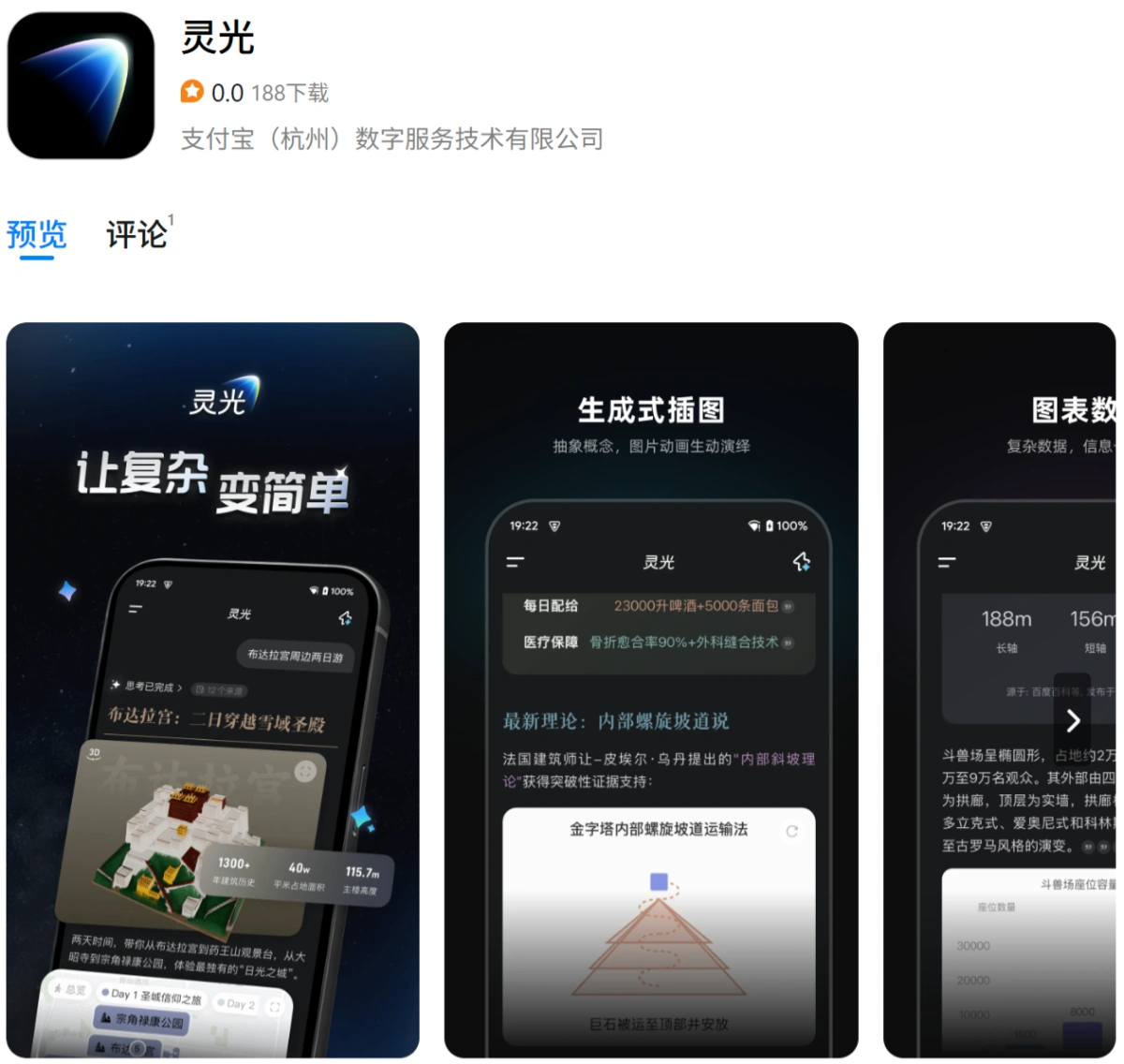
Core Features of 灵光
灵光 Chat: Unlike traditional text-based Q&A, it delivers structured answers and lets you generate 3D models, interactive maps, audio/video, charts, and animations with one click, helping you quickly understand knowledge.
灵光 Flash App: Just say one sentence, and within 30 seconds to 1 minute, you can generate a ready-to-use, editable, shareable mini-app — such as a timer, a soft-boiled egg timer, or a car maintenance cost calculator — enabling anyone to create personalized applications without writing code.
灵光 Insight: Gives your phone "real-time vision" capability. After you take a photo or upload an image, it can instantly recognize objects and scenes, and supports extended Q&A in the form of "What is this - Why - How to use it." In addition, you can also edit images or generate videos with a single sentence, completing multimodal creation tasks such as text-to-image, image-to-image, and text-to-video.
Use Cases of 灵光
Learning and Research: It can distill knowledge points and deliver structured explanations, supported by 3D models and interactive charts to make abstract concepts more intuitive.
Daily Life Efficiency: Generate practical mini-tools just by speaking, such as fitness plans, travel itineraries, recipe recommendations, fortune-drawing/decision helpers, etc. You can also adjust and share them based on your own needs.
Travel and Sightseeing: Open "Insight" and point it at a building or exhibit, and it will recognize and explain things in real time, providing background knowledge and route suggestions.
Content Creation and Office Work: It can produce integrated output of text, images, audio, and video, supporting voice reading, quick chart review, document key-point summaries, etc., to improve the efficiency of expression and reporting.
How to Use 灵光
Currently, "灵光" is available only as a mobile app. You can get started in three steps:
Download and Install: Search for "灵光" on the Android or iOS app store, then download and install it for free. 灵光APP Download Address: https://sj.qq.com/appdetail/com.antgroup.leopard.android.
Speak or Type Directly on the Home Page: After opening the app, you will see a chat box. Just like sending a WeChat message, type or speak your request — you can try it out first even without registering.
Use the Three Core Features as Needed
灵光 Chat: Ask knowledge-based questions, and it will answer with structured content such as text and images, 3D, charts, and maps.
灵光 Flash App: Enter a sentence like "I want a XX tool," and in about 30 seconds, a ready-to-use mini-app will be generated — such as a timer, calculator, travel planner, etc. After generation, you can save it with one click, edit it further, or share it.
灵光 Insight: Tap the camera icon, take a photo or use the real-time viewfinder, then ask "What is this" or "How to do it." It will answer while looking, and can also edit images or generate short videos with one sentence.
There is no learning curve to using 灵光, and no coding is required — the entire experience is operated through natural language, and you'll get the hang of it after trying it once.
In addition, 灵光 also integrates general capabilities such as AI Search, AI Writing, AI Translation, AI Voice, financial report quick-reading, and photo-based homework Q&A, covering office, learning, and everyday life scenarios. Ant Group treats it as a strategic AGI (General Artificial Intelligence) product, led by CTO He Zhengyu, with the goal of letting users "handle complex needs with one sentence" and enabling ordinary users to enjoy the productivity boost brought by AI programming.












