Script Planner Assistant▸
 AI Apps
 AI News

JOJO Newspapers: Read Vintage Newspapers & Magazines Online
JOJO Newspapers: Read Vintage Newspapers & Magazines OnlineIntroduction
What is JOJO Kanbao
JOJO Kanbao is a website where you can read old newspapers and magazines online. It includes resources such as People's Daily, Reference News, Red Flag, and China Pictorial, covering the period from the founding of the People's Republic up to the present day. The site was put together by a reader in their spare time, using publicly available data found online. It's well suited for looking up historical materials or finding information. Website: https://reader.jojokanbao.cn/.
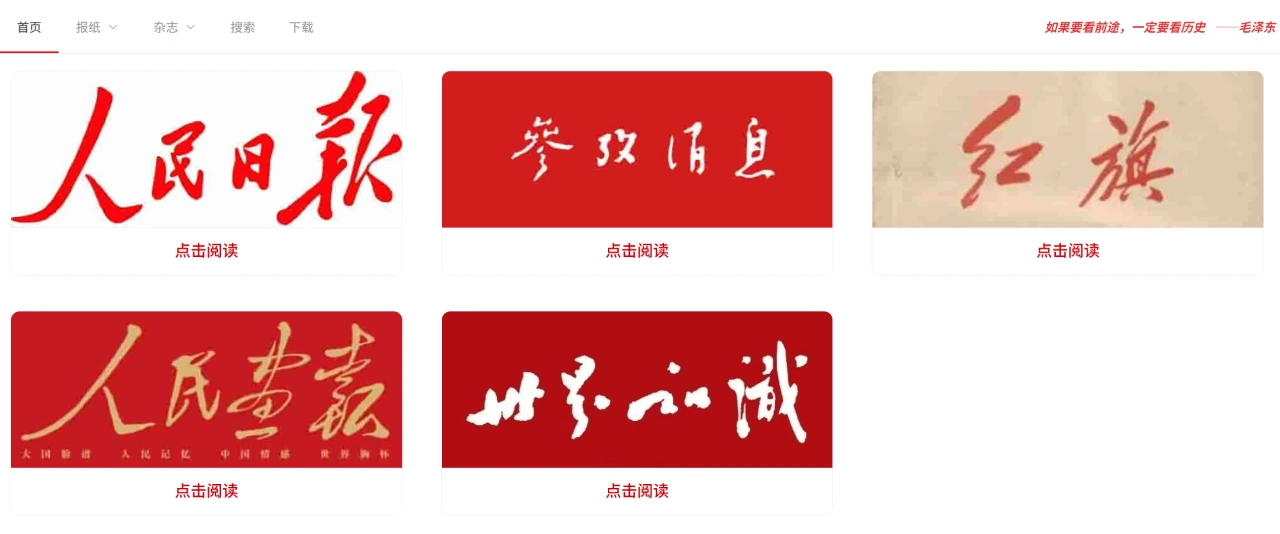
What content does JOJO Kanbao have
The main resources on JOJO Kanbao are People's Daily, Reference News, Red Flag, and China Pictorial.
In terms of time coverage, most issues since the founding of the country are available. Among them, People's Daily issues from 1946 to 2022 are all viewable and can be searched by date.
On the page, newspapers are displayed as images, which can be zoomed in directly. To save them, just right-click and save the image; there's usually no watermark.
However, some magazines (such as China Pictorial) may be missing a few individual issues.
How to use JOJO Kanbao
First, open the JOJO Kanbao website: https://reader.jojokanbao.cn/.
Select the newspaper you want to read (for example, People's Daily).
After entering, browse by year, month, and date, and choose the specific day's edition.
After clicking on an edition, you can zoom in to view it. To save it, right-click the image to save it, or copy the image directly in the browser.
If the page loads slowly, it might be because the images are very large. Wait a moment or try again at another time.
Possible issues you may run into
Can't open or loads slowly: refresh the page, or switch networks. Avoid using it during peak hours, as the newspaper images are quite large and the first load may be slow.
Some issues are missing: for publications like China Pictorial, it's normal for a few issues to be unavailable. You can check adjacent dates, or look for other resources instead.
Can't copy or save: since they are image files, use the browser's right-click "save image as" feature, or use a screenshot tool to capture them. There's generally no watermark.
Things to note when using it
It's suitable for looking up historical materials, old news articles, or old photographs. When using them officially, be sure to note the date, edition, and source.
If you want to do in-depth research, it's best to cross-check against authoritative databases or the physical old newspapers to ensure the information is accurate.