
 Script Planner Assistant▸
 AI Apps
 AI News
CodeCombat: Learn Coding and AI Through the Power of Play
CodeCombat: Learn Coding and AI Through the Power of PlayIntroduction
CodeCombat is an online programming learning platform that teaches coding and AI through the power of play. Using gamification, it helps learners aged 9 and up master core syntax in Python, JavaScript, Lua, and other languages, as well as computational thinking, by completing level-based challenges.
CodeCombat Key Features
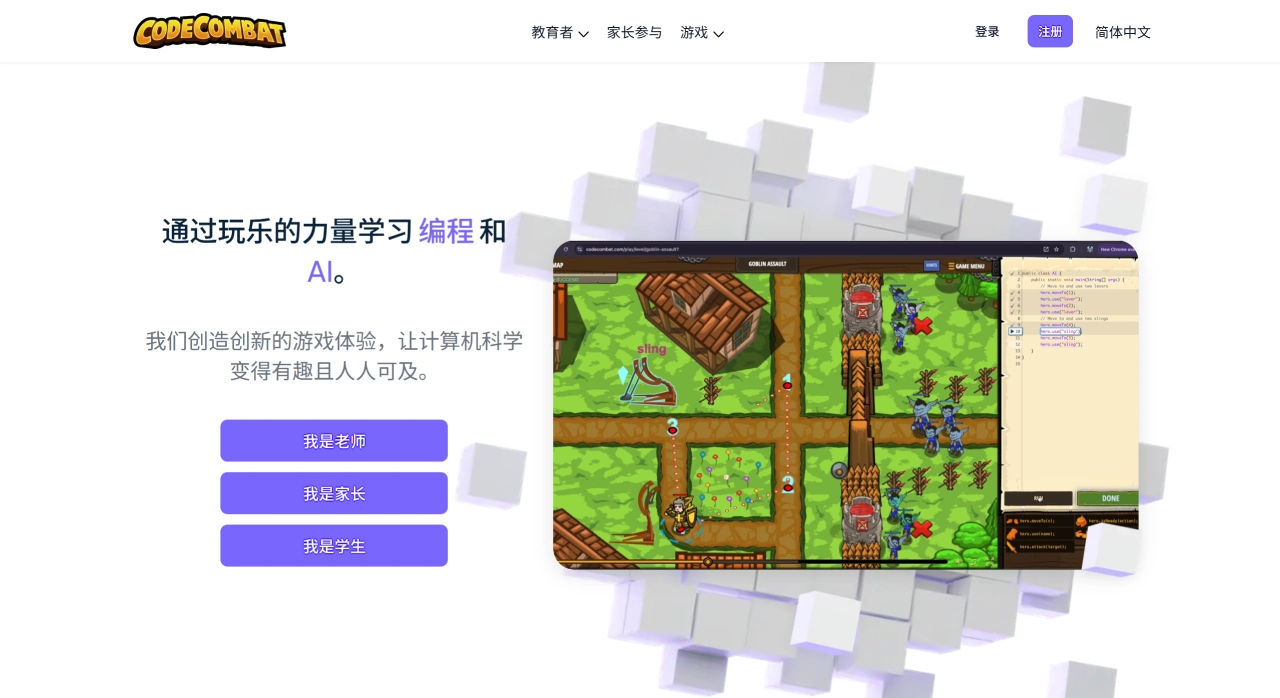
Real programming environment: Within a browser-embedded IDE, students directly type code in Python, JavaScript, Lua, and other languages to control their characters in real time. No block-based drag-and-drop is required, providing the same experience as professional development.
Progressive level system: With over 400 official levels and a wealth of community-created custom levels, the platform covers a complete learning path including variables, loops, conditionals, functions, algorithms, and object-oriented programming. Each concept comes with both a "practice" and a "challenge" difficulty level.
Instant visual feedback: As soon as code is written, the game scene on the right renders immediately. If there is an error, the character stops and an error message pops up, making debugging much easier.
One-switch multi-language support: Within the same level, you can switch at any time between Python, JavaScript, C++, Java, and Lua, making it easy to compare syntax differences across languages.
Teacher dashboard: Enables class management, progress heatmap viewing, code submission history, and one-click grade sheet export. It supports single sign-on with LMS platforms (Schoology, Google Classroom).
Level editor and open-source ecosystem: Open-sourced under the MIT license, teachers can create their own storylines, maps, and quests, and share them with the community. Over 100,000 teachers worldwide have contributed localized content.
HackStack generative AI expansion (new): Built-in interfaces for ChatGPT-4, Claude, and more. By inputting natural language, users can generate complete projects such as web crawlers, web pages, and game demos, achieving a full process from level challenges to creativity to publishing.
CodeCombat Use Cases
K-12 in-school classrooms: As a primary platform for information technology and interdisciplinary STEM courses, teachers use "level challenge tasks" instead of traditional handouts, increasing students' classroom completion rates by an average of 38%.
Clubs and school team selection: Using multiplayer collaborative levels and the global arena, schools can quickly form "coding teams" to participate in the CodeQuest global esports programming competition.
Home study and parent-child learning: With over 110 free levels, even beginners can complete a learning path from "introduction" to "exam preparation." Parents can use a Clan code to check their child's daily code volume and achievements.
Training institutions and summer camps: Training institutions use teacher accounts to batch open classes, completing a "Python basics + algorithmic thinking" graduation project in 7 days. The platform also integrates knowledge point mapping for the domestic Electronic Society's grade examination.
Corporate youth science outreach: Tech companies deploy intranet mirrors during open days, allowing employees' children to experience "writing code to control robots," enhancing the company's science outreach image.
How to Use CodeCombat
Registration and identity selection: Visit the link, click "Sign Up" in the top right corner, choose "Student" or "Teacher," and complete email verification. Domestic users can also use the "Koda World" mirror site without needing a VPN.
Select language and character: Upon first login, the system will prompt you to select a programming language (Python 3 is recommended), then choose a hero (different heroes are only visually different), and enter the first level of "Dungeon Island."
Level progression: Start by looking at the mission objectives on the right (e.g., "Move to the gem and pick it up"), then enter code in the code area on the left as instructed, such as hero.moveRight(), and click "Run." If the character doesn't achieve the goal, the Terminal below will report a Syntax or Runtime error. Modify the code and run it again until you achieve a three-star completion.
Teacher creates a class (optional): In the Teacher Dashboard, click "Create a New Class" to generate a 6-digit Clan invitation code. Students enter this code on their end to join. Teachers can see each student's level distribution, code submission time, and accuracy rate in real time.
Advancement and creation: After completing 80 levels, you can unlock the "Level Editor," allowing you to create your own maps and publish them to the community. Advanced players can start AI battles in the "Arena," using code to implement automated combat strategies.
Subscription and avoiding pitfalls: Free levels are sufficient for learning basic syntax from elementary to middle school. If you want to unlock all 400+ levels, video tutorials, and new heroes every month, you can choose a family monthly subscription of 68 yuan, or an annual school subscription (teacher accounts are free).
In short, CodeCombat turns "writing real code" into an RPG game. It makes classrooms more engaging and allows self-learners with zero basics to clear 30 levels over a weekend and write their first runnable Python script.












