Script Planner Assistant▸
 AI Apps
 AI News
Zhimeihua: Windows Visual Customization Community & Asset Platform
Zhimeihua: Windows Visual Customization Community & Asset PlatformIntroduction
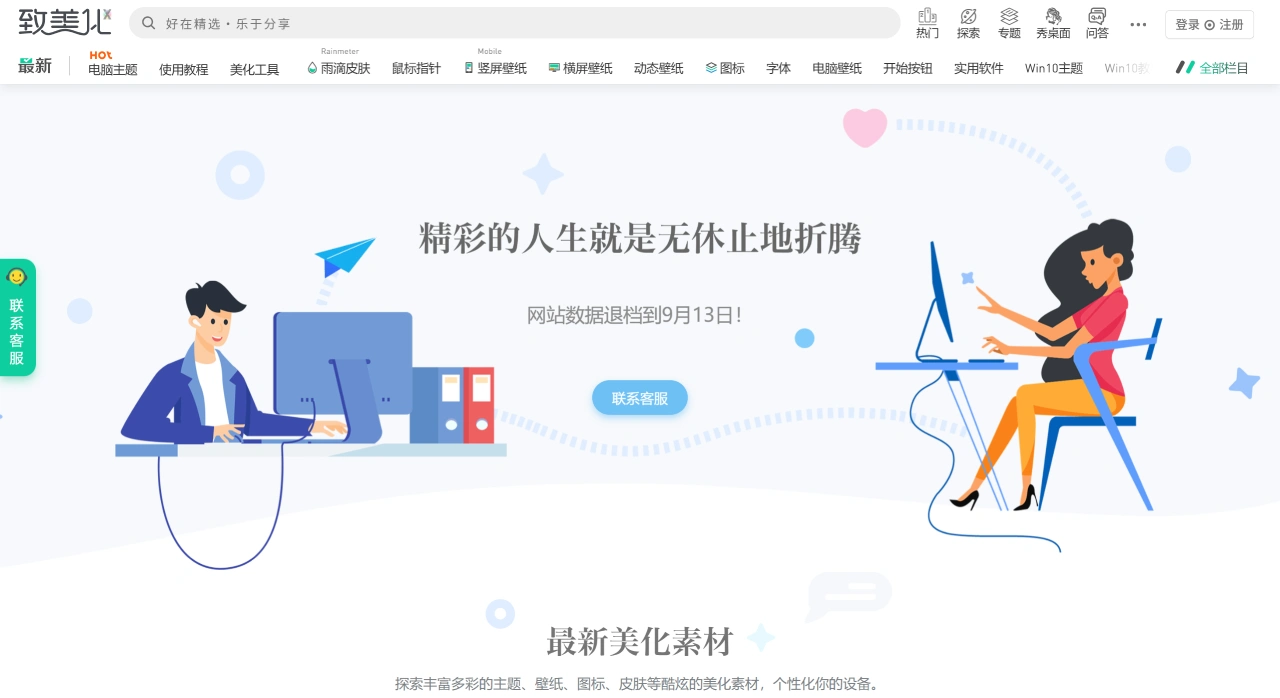
ZhuTiHua (Beautify) is a visual customization community and resource download platform built for Windows users. It focuses on sharing resources such as computer themes, wallpapers, icons, mouse cursors, and skins, and also provides detailed tutorials and tools. Whether you are a beginner or an experienced user, you can use these resources to personalize your system. The platform has more than 500,000 active users, and the resources and tutorials it offers cover multiple Windows versions from Win7 to Win11.
Core Resources and Features of ZhuTiHua
Themes and Wallpapers: Complete Windows theme packs and HD wallpapers are available in a wide variety of styles, such as minimalist, sci-fi, and aesthetic, catering to different desktop style preferences.
Icons and Mouse Cursors: System icons and cursor styles can be replaced to create a more unified visual style.
Skins and Gadgets: For example, Rainmeter-style desktop component skins that can enrich the interactive experience of your desktop.
Tutorials and Tools: Installation guides are provided, along with illustrated and video demonstrations and supporting tools, lowering the barrier to getting started.
Community Interaction: Users can share their own work, exchange ideas, and gain personalized inspiration and solutions within the community.
Quick Start Guide for ZhuTiHua
Visit the Official Site: Access the ZhuTiHua official site at https://zhutix.com/.
Pick Your Resources: Find computer themes or the category you need in the site's navigation, and select suitable resources, such as theme packs, wallpaper packs, icon packs, cursor packs, and more.
Prepare for Download: Downloaded files are usually compressed archives and need to be extracted first; if it is an installer, you can run it directly.
Install and Deploy: Follow the installation tutorial or video on the site to complete the installation. For installing a theme, for example, you generally need to download the theme and the iPack installer and follow the steps in the tutorial. Sometimes a computer restart is required for the changes to take effect.
Fine-Tune and Optimize: After installation, you can make fine adjustments in the system's personalization settings, such as adjusting colors, fonts, lock screen, sounds, and more, to match the overall style.
Key Questions
Q: What are the core customization tools and most frequently used tutorials for Win11 users on the ZhuTiHua platform? Which of these tools has the highest number of downloads?
Core Customization Tools: These include StartAllBack 3.9.7 (which enhances File Explorer, the Start Menu, the taskbar, and more), MicaForEveryone 1.3.1.2 (for setting transparent mica effects), Lively Wallpaper 2.1.0.8 (which provides dynamic wallpapers), RainWallpaper 2.7.1.188 (which enables dynamic wallpaper DIY), and RetroBar 1.19 (which presents a classic taskbar appearance).
Most Frequently Used Tutorials: These include fixing the issue of the Win11 File Explorer address bar disappearing (usually caused by StartAllBack), customizing the Start Menu style (using StartAllBack), removing "Gallery" and "Home" from the navigation pane, and removing the "Open in Terminal" option from the right-click context menu.
Tool with the Highest Downloads: It is UltraUxThemePatcher 4.4.4, with 5,430,913 downloads. Its function is to patch the Windows system theme service, making it a foundational tool for installing third-party themes, which is why it sees very high demand.
Q: What common characteristics do the mouse cursor resources offered by ZhuTiHua share? What are the main differences in design style and parameters between the various cursor series?
Common Characteristics: Most mouse cursor resources support HiDPI (i.e., they adapt to high-resolution displays to avoid blurriness), and many are part of a series developed by the same author (such as dpcdpc11). In terms of style, they tend toward minimalism and modernity. Some also offer 4-5 color options and can adapt to both dark and light system modes.
Differences Between Series:
SIMPLIFY GLASSY: Its core style is "glass texture," with 5 colors, focusing on a translucent visual effect suitable for users who seek a refined feel.
SIMPLIFY CIRCLE: Built around a "dot" design, with only 4 colors, an even more minimalist style suitable for users who prefer a clean interface.
SIMPLIFY LEAF: Adopts a "leaf" design, available only in black, white, and green, with a style closer to nature and a softer visual feel.
Lightech RE Cursor: Does not specify a number of colors; its core feature is "deep adaptation to dark mode," ideal for users who primarily use a dark system interface.
Red Laser Cursor: Does not have HiDPI annotation; it uses a "laser" visual effect for a more tech-inspired style. No multiple color options are offered, only the red version.
Q: What unified standards do ZhuTiHua's dynamic wallpaper resources follow in terms of format, resolution, and content style? Compared with static wallpapers, what are the advantages and potential limitations of dynamic wallpapers?
Unified Standards:
Format: All are in MP4 format, offering strong compatibility and enabling direct recognition by dynamic wallpaper tools (such as Lively Wallpaper).
Resolution: Uniformly 3840×2160 (4K resolution), which adapts to mainstream computer screens and ensures HD display.
Content Style: Centered on anime IPs (such as Spider-Man, Naruto, Vagabond) and racing, with a style skewing toward youthfulness and entertainment, appealing to fans.
Advantages: Compared with static wallpapers, dynamic wallpapers offer a "dynamic visual effect," making the desktop more vivid. Some dynamic wallpapers also come with sound effects (requires tool support), providing a stronger sense of immersion.
Potential Limitations:
File Size: They are relatively large, generally 13.7MB to 17.4MB, taking up more storage space than static wallpapers (taking a static wallpaper with a resolution of 5120×2880 as an example, its file size is usually less than 10MB).
Resource Consumption: They rely on dynamic wallpaper software to run, consuming a certain amount of CPU and memory resources. Low-spec computers may experience lag.
Content Style: The content style is relatively narrow, mainly anime and racing, covering fewer scenarios than static wallpapers (static wallpapers include styles such as minimalist, cyberpunk, natural florals, and more).