
 Script Planner Assistant▸
 AI Apps
 AI News

Viw AI: Generate Images and Videos with Top AI Models in One Place
Viw AI: Generate Images and Videos with Top AI Models in One PlaceIntroduction
What is Viw ai?
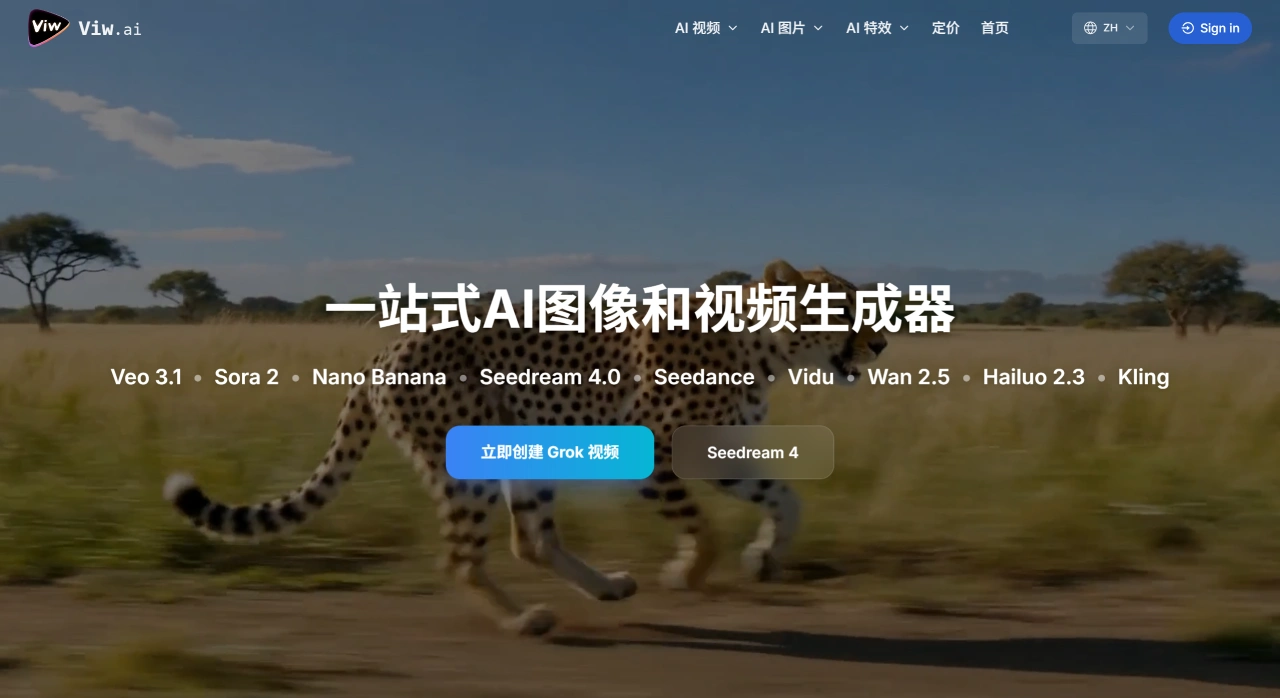
Viw AI is a tool platform that can directly generate images and videos. It integrates more than 8 mainstream AI models, including OpenAI's Sora 2, Google's Veo 3.1, ByteDance's Seedance/Seedream 4.0, Kuaishou Kling 2.5, and Black Forest Labs' Flux series. All you need to do is enter a text description or upload an image, and you can quickly generate high-definition images or videos. Generation is very fast—videos can be produced in as little as 30 seconds, while images are usually done in just a few seconds.
The content generated by Viw AI can be used commercially, with no watermark and no copyright worries. Even if you have zero technical background, you can get started easily. Currently, more than 10,000 creators are using it, with a total of over 50,000 videos generated and a user satisfaction rate of 99%.
What can Viw AI be used for?
Running short-video accounts: for example, use the "Grok Video" template to automatically turn a high-upvote Zhihu answer into a 30-second vertical video, allowing you to post 10 updates per day.
Promoting novels: first use Seedream 4 to generate character images, then use the Kling model to produce a 10-second mini short drama, and post it on Douyin Story Sessions.
E-commerce product images: a clothing store owner uploads 20 photos of the same dress, trains a custom model, then enters a description, and the model can "shoot" the model in 5 different scenes as video-style buyer reviews.
Ad previews: ad agencies upload storyboard sketches, use Sora 2 to generate 1080P sample footage to confirm the shot effect with the client before actual filming, saving 30% of the cost.
How to use Viw AI?
Step 1: Log in
The website is directly accessible from mainland China networks and supports one-click login via WeChat, Google, or GitHub.
Step 2: Choose a model
There are three tabs at the top of the page—"Video," "Image," and "Toolbox." After clicking in, the left side shows the model list and the right side shows the parameter settings panel. Each model displays the "current number of people in queue" on the right (for example, Sora 2 usually has 30-50 people waiting, while Nano-Banana almost never has a queue).
Step 3: Enter the description
Just type in Chinese and the system will automatically optimize the prompt for you (this works especially well for Veo and Sora, but Chinese models may over-optimize—you can turn this feature off manually). You can also upload a first-frame image, last-frame image, or reference character image (supported by some models).
Step 4: Adjust parameters (optional)
Duration: 5 seconds, 10 seconds, 20 seconds (the maximum length supported varies by model—Sora 2 supports up to 30 seconds, Kling 1.5 supports up to 60 seconds).
Resolution: 960×540, 1280×720, 1920×1080, 2K (2K resolution on some models requires a Pro membership).
Frame rate: 24, 30, 60 fps.
Style: Realistic, cartoon, hybrid, or upload your own samples to train a custom style (requires 10-20 images and takes 15 minutes).
Seed value: the default is -1. If you want to generate the exact same result, you can lock this value.
Step 5: Wait for generation
Generation time varies by model: Nano-Banana takes about 30-60 seconds, Veo 3.1 needs 3-6 minutes, Sora 2 needs 8-15 minutes, Kling needs 5-10 minutes. You can close the page and the system will notify you via WeChat or email when generation is complete.
Step 6: Download and copyright
Videos generated by Viw AI come with a watermark by default (in the bottom-right corner, 3% opacity). A Pro membership removes the watermark. Officially, all generated content can be used commercially, but the terms also state that if your prompt uses someone else's IP (such as a celebrity photo), you are responsible for it yourself.
How is Viw AI priced?
Free version: 5 credits given within 7 days of registration. Only low-definition videos (around 540P) can be generated. Generation history is kept for only 3 days, videos come with a watermark, and commercial use is limited (cannot be resold or redistributed).
Basic version ($9.9/month, original price $14.9): 250 credits per month. Can generate 1080P HD videos, videos are saved for 36 months, generation results will not appear in the public gallery, queue speed is 3-5 times faster than the free version, watermarks can be removed and commercial use is allowed, plus it supports the "fixed character" feature (upload one face, and all subsequent videos will feature the same person).
Pro version ($23.9/month, original price $34.9): 750 credits per month, with the same other benefits as the Basic version but more credits. Suitable for MCN agencies producing 10-15 10-second vertical videos per week.
Flagship version ($51.9/month, original price $74.9): 2400 credits per month. Can generate 3 videos simultaneously (other plans can only generate 1). Officially, generation speed is 30% faster, and it includes 5 "style training" opportunities per month (upload 20-50 images to train a custom style, only applicable to image models).
Frequently Asked Questions
Q: Compared with platforms that only offer one model (e.g., only Sora or Veo), what are the advantages of Viw AI?
A: Mainly three points:
Multiple models to fit different scenarios: no need to jump between platforms—use more than 8 mainstream models in one place. Choose Sora for ultra-realism, Kling for fast output, or Chinese models for cost savings. It's very flexible.
No commercial restrictions: all content generated by any model can be used commercially, with no watermark (some single-model platforms either restrict commercial use or force a watermark).
Pay-per-use is more cost-effective: no monthly fee, pay only for what you use. Credits are refunded if generation fails, so the cost of trial and error is low.
Q: As a beginner, how should I choose to generate a 10-second, 1080p realistic-style video?
A: We recommend using OpenAI's Sora 2. It offers ultra-realistic style with very accurate physics, which fits your needs perfectly. Specific steps:
Open the platform and click "Create" to start creating;
Enter a text description (e.g., "A girl in the sunlight, hair blowing in the wind, with a beach in the background"), no need to upload an image;
Select the Sora 2 model, set the duration to 10 seconds, the resolution to 1080p, then submit for generation.
If you don't know how to write the description, you can check out the Sora 2 example templates on the platform, or watch the video tutorials to learn how to write prompts.
Q: I want to generate a 4K commercial promotional image. Which model is suitable? Can the output be directly printed on packaging?
A: ByteDance's Seedream 4.0 is the most suitable. It is the only model on the platform that can generate 4K resolution (3840×2160 pixels) images, and it can also edit images (e.g., change text, adjust colors). Generation takes only 2 seconds and costs just 3 credits—fast and affordable. Commercial use is fully allowed—the platform explicitly states that all generated content can be used commercially, and 4K resolution is sharp enough to meet the 300dpi standard required for regular packaging printing on common packaging sizes.
Who is Viw AI for? Who is it not for?
Suitable for:
Short-video MCN agencies, e-commerce sellers, and ad companies that need to produce content quickly and test creative ideas;
Ordinary users without professional equipment (e.g., GPUs) who don't want to deal with complex software (e.g., ComfyUI);
Creators who want to compare the results of different models.
Not suitable for:
Long-video teams that need fine editing and multi-track compositing;
Enterprises with very strict copyright and privacy requirements;
Users who want to self-host locally and pursue the lowest cost.
In short, Viw AI is like a "model supermarket"—you don't have to figure out how to set up tools, configure resources, or write complex prompts yourself. You can directly use today's hottest AI models to generate images and videos.












