
 Script Planner Assistant▸
 AI Apps
 AI News

isPDF: A Website Offering Free Online PDF Processing Tools
isPDF: A Website Offering Free Online PDF Processing ToolsIntroduction
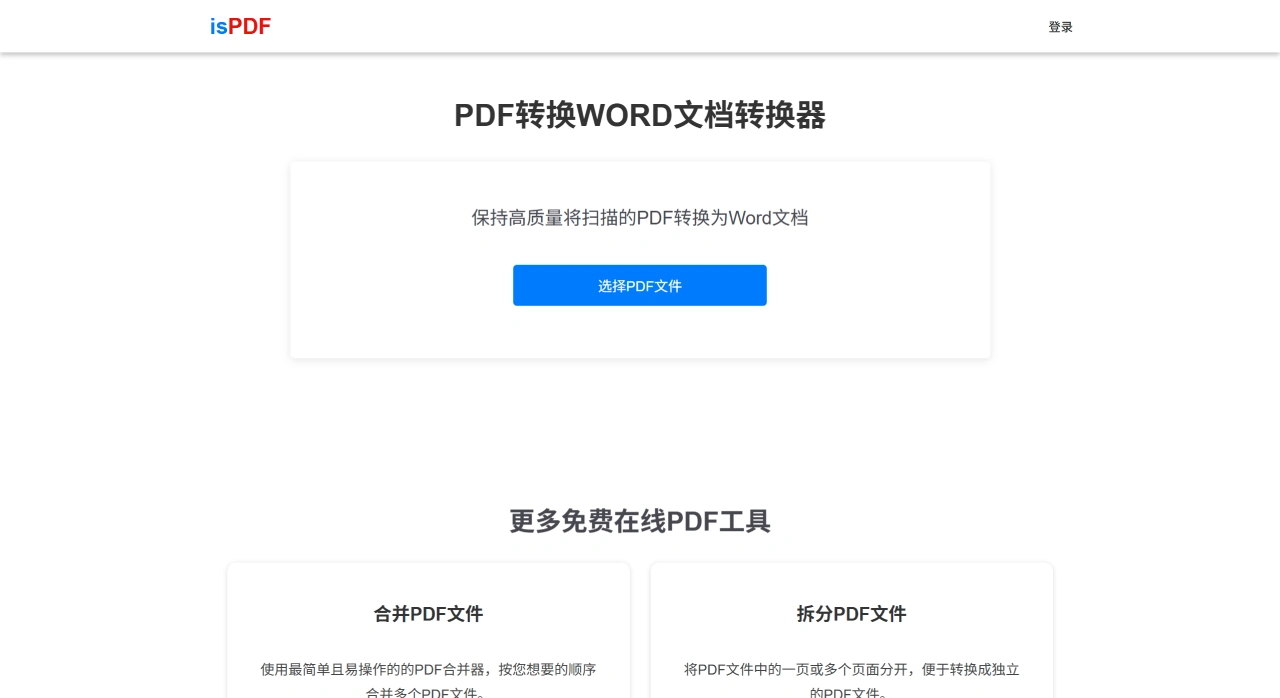
isPDF is a platform that allows you to process PDFs online for free. Its main function is converting PDFs to Word. Even scanned PDFs can be recognized and converted using OCR technology. The conversion is fast and does a great job of preserving the original layout, and it works on any device. Beyond that, it can also merge, split, compress, extract pages from, and remove pages from PDFs. The platform takes user file security very seriously, using TLS encryption during file transfer and automatically deleting files from the server after processing. On the platform, users can see all the free PDF processing tools, so basically any PDF processing need can be met.
isPDF Core Features
PDF to Word
Free to use: Convert PDF files into editable Word documents.
Fast: Conversion completes in just seconds.
Great layout preservation: The fonts, layout, and formatting of the original file are retained after conversion.
Recognizes scanned files: Supports scanned PDFs, using OCR technology to recognize text and convert it to Word.
Cross-platform compatibility: Works on Windows, Mac, Linux, iOS, and Android devices.
Other PDF Tools
Merge PDFs: Combine multiple PDF files in a specified order.
Split PDFs: Split one PDF into multiple separate files.
Compress PDFs: Reduce file size while maintaining clarity.
Extract Pages: Extract specified pages from a PDF to create a new file.
Delete Pages: Remove unwanted pages and save as a new PDF.
View All Tools: The site offers a complete collection of free PDF tools.
Privacy and Security
All file transfers use TLS encryption, and files are automatically deleted from the server after processing is complete, ensuring user privacy.
How to Use isPDF
Visit the website: Go to isPDF.com to access the official site.
Upload a file: On the homepage, click the "Select PDF File" button, find and choose the PDF file you want to process in the pop-up window, then click "OK" or "Open", and the file will start uploading.
Wait for processing: Once uploaded, the platform automatically processes the file. Processing time varies by task—PDF to Word takes just seconds, while more complex tasks like merging or splitting may take longer. Please be patient.
Download the result: Once processing is complete, a "Download" button will appear on the page. Click it to save the processed file (such as the converted Word document) to your device. You can also choose a specific folder for easy access later.
Frequently Asked Questions
Is PDF to Word free?
It is free to use—the service is completely free with no hidden charges.
Can scanned PDFs be converted to Word?
Yes, the platform offers professional OCR functionality that accurately recognizes text in scanned PDFs and converts them into editable Word documents.
Is the layout preserved after conversion?
Yes, it is preserved. The converted Word document fully retains the original PDF's font styles, page layout, and formatting settings, and is essentially consistent with the original file.
How is the compatibility and operational efficiency?
This feature has great compatibility, supporting Mac, Windows, and Linux desktop systems as well as iOS and Android mobile systems, covering the devices used by most users. Operational efficiency is high—conversion takes only seconds, the steps are simple, and there are no extra settings required. You can download directly after conversion, so both desktop and mobile users can quickly complete the conversion.
How is the conversion quality for scanned PDFs?
For scanned PDFs containing images or special layouts, isPDF accurately converts them into editable Word documents while ensuring content and formatting are fully preserved. It is equipped with professional OCR functionality that precisely recognizes text, images, and special layout information (such as tables, formulas, paragraph spacing, etc.). During conversion, it not only makes the text editable but also preserves the original file's font styles, image positions, and overall page layout. The resulting Word document is essentially consistent with the original scanned PDF in both content and formatting.













