Script Planner Assistant▸
 AI Apps
 AI News

ClonBrowser: Anti-Detect Browser for Multi-Account Isolation and Automation
ClonBrowser: Anti-Detect Browser for Multi-Account Isolation and AutomationIntroduction
ClonBrowser is a desktop and web-based fingerprint browser focused on multi-account isolation, anti-fingerprinting, and automation. It's commonly used for social media, e-commerce, Web3, and other scenarios that require batch registration or logging into multiple accounts simultaneously. Below is a direct overview of its core features, how to use it, common use cases, and pricing, to help you quickly decide whether it fits your needs and how to get started.
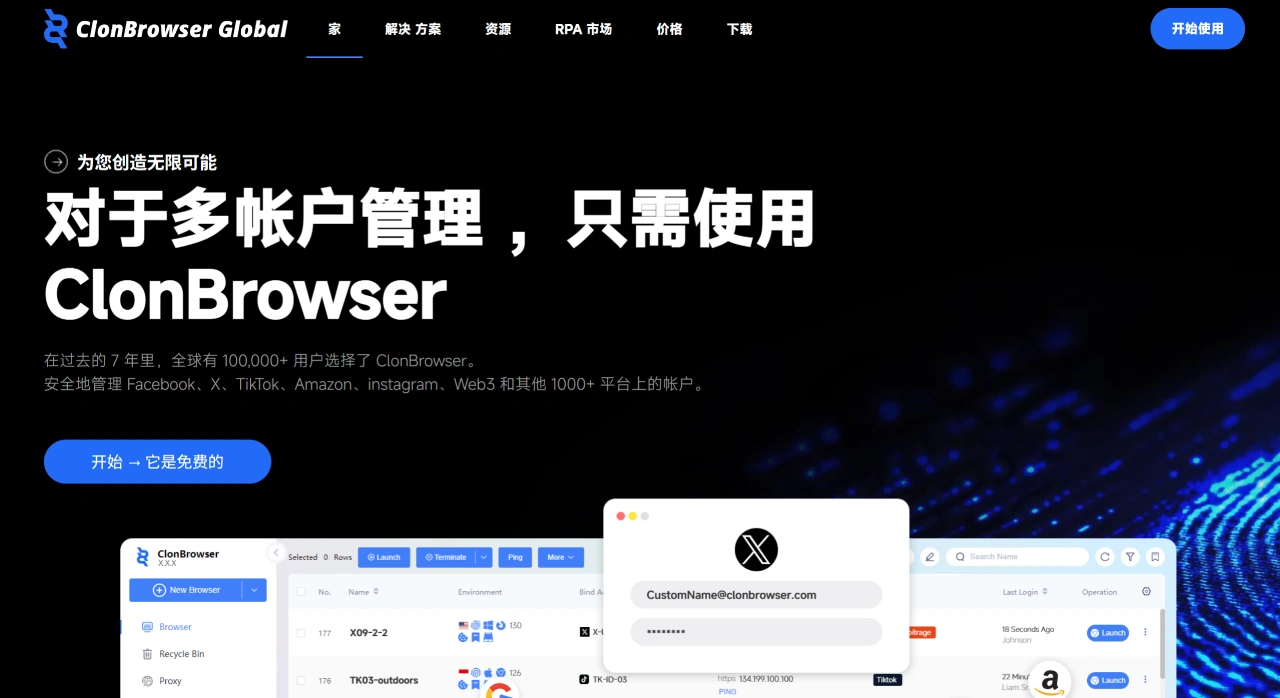
ClonBrowser Core Features
Complete Isolation: Each browser profile's cookies, local storage, cache, plugins, fonts, GPU fingerprint, etc. are all independent—essentially like "a virtual machine running only one account"—with no interference between them.
Dual Engine Support: Both Chromium and Firefox engines are available for switching, which can match different websites' risk control strategies and improve the rate of passing detection.
Proxy-Friendly: Supports HTTP(S), SOCKS5, SSH, local shared proxies, and more. You can enter details directly when creating a new profile or batch import them. The official site also has built-in quick-purchase entries for providers like IPRockets.
No-Code RPA: Built-in "Window Sync + Flow Recording" features can automatically handle repetitive operations like form filling, clicking, and slider puzzles. A Local API is also exposed for script calls.
Team Collaboration: Admins can assign roles, set permissions, sync profiles encrypted in the cloud, and the platform also supports operation logs and audit records.
Web Version Available: No client installation required—you can create, edit, and launch browser environments online, which is great for temporary or light usage needs.
ClonBrowser Download and Installation (Windows Example)
Open the official site link, click "Download" at the top, and select your system version.
Double-click the installer, choose the installation directory, and the login window will pop up automatically once installation is complete.
On first use, click "Register Now", enter your email and password, then activate your account after receiving the 6-digit verification code.
If using the web version, simply click "Login" in the top-right corner to enter the operation interface—no software download needed.
How to Get Started with ClonBrowser
Create a New Environment: Click "New Browser" on the left, enter a profile name (e.g., "Amazon - US - 001"), and select the region and operating system fingerprint.
Choose Fingerprint Mode:
Real Mode: Matches your local real machine as closely as possible—suitable for strict verification scenarios like payments and withdrawals.
Smart Mode: Randomly generates and periodically changes fingerprints—suitable for registration, scraping, and similar scenarios.
Custom Mode: Allows manual editing of 30+ parameters including UA, resolution, GPU, and fonts.
Attach a Proxy (Optional): In the same window, switch to the "Proxy" tab, click "Add", select HTTP or SOCKS5, enter the IP, port, username, and password, then click "Connection test". Save once you see a green checkmark.
One-Click Launch: Return to the list page and click "Start". A separate window will pop up—just log into your target platform inside.
Batch Operations: In the web version, you can "Export Excel" to modify profiles in bulk, then "Import" to generate dozens or even hundreds of environments at once—perfect for managing large-scale store clusters or social media matrices.
ClonBrowser Pros and Cons
Pros:
The free version already offers 100 environments, with no feature downgrades.
Dual engines combined with 30+ fingerprint settings deliver a relatively high success rate against risk control.
With local RPA and cloud batch import features, even a single person can manage thousands of accounts.
The web version serves as a handy backup—you can modify profiles without switching computers.
Cons:
The interface currently supports only Chinese and English, and some translations feel a bit unnatural.
The free version does not include proxies—you need to prepare your own IPs.
On mobile, only the web version is available, and managing multiple windows on a small screen is inconvenient.
If you're looking for a multi-account anti-fingerprint browser that "you can start using for free, and scale up to enterprise-level use," ClonBrowser is fairly feature-complete with clear pricing tiers. You can start by trying out 100 free environments, then upgrade your plan based on the number of IPs you need once you're confident it works for you. Generally, there aren't many pitfalls to worry about.
Related Articles:
BrowserBee: A Privacy-First Web Automation Chrome Extension
BotBrowser: An Open-Source Stealth Browser Tool
CUA Browser: An Open-Source Browser Automation Project Built on Browserbase and the OpenAI CUA Model
NanoBrowser: An Open-Source AI Web Automation Tool, an Operator Alternative
Browser Operator: An Integrated Browser Assistant Launched by Opera