
 Script Planner Assistant▸
 AI Apps
 AI News

Krunker.io: Free Online Multiplayer FPS Game
Krunker.io: Free Online Multiplayer FPS GameIntroduction
Krunker.io is a free online multiplayer first-person shooter game that you can play directly in your browser. The game offers a variety of gameplay options, including quick match, ranked matches, custom rooms, and spectator mode. Players can adjust their view and control settings, such as choosing the first-person perspective, locking the view, forcing the display of player names, and turning on the minimap. Additionally, players can vote to kick others in the game.
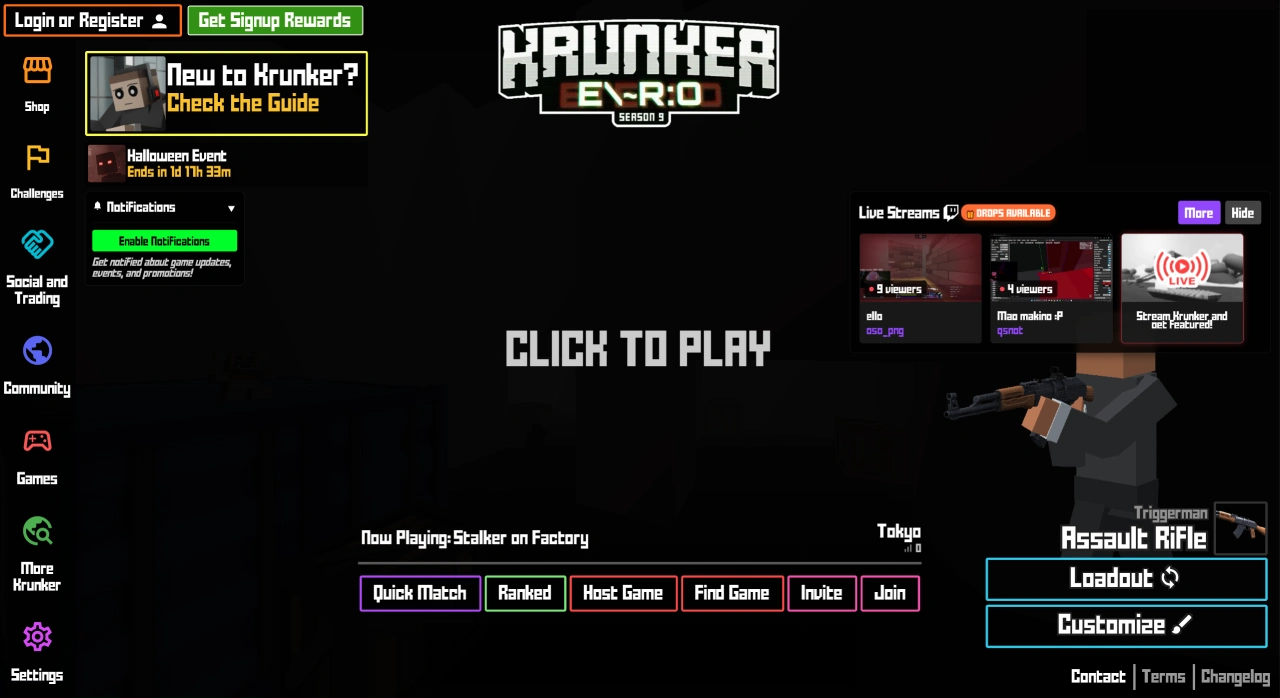
Krunker.io Game Features
Multiple Modes: Offers gameplay such as Team Deathmatch, Free-for-All, and Capture modes, allowing players to choose based on their preferences.
Weapon System: Features a rich arsenal including rifles, shotguns, sniper rifles, and more. Each weapon has different attributes and uses, allowing players to choose based on their tactics.
Character Customization: Players can change their character's appearance, such as swapping skins, outfits, and weapon skins, adding fun and personalization to the game.
Krunker.io Core Functions and Controls
Game Modes and Matchmaking
Quick Match: Join a random game with a single click, perfect for jumping into the game quickly;
Ranked Match: Competitive mode that may affect player rankings;
Create Room: Players can host their own matches and set room rules;
Find Game: Search for existing match rooms to join;
Invite to Join: Enter a specific match via an invite link or friend invitation.
In-Game Controls and Views
View Switching: Supports multiple perspectives, switch via hotkeys:
First-Person View: Press [R];
Target View: Press [H];
Free Look: Press [F];
Player/View Switching: Press number keys [1 - 9] to select the corresponding view.
Function Hotkeys:
Focus: Press [.];
Force Show Name Tags: Press [M];
Minimap Toggle: Press [-];
Vote to Kick: For players such as "Guest_1", press [1] to vote "YES", press [2] to vote "NO"; current vote progress is "0/0";
Surrender Vote: Type "/ff" in the chat box to initiate; current vote progress is "0/0".
Personalization and Auxiliary Features
Personalization Settings: Krunker.io supports "Equip Item", "Next Item", "Customize Appearance", and "Load Config", allowing players to adjust their character's look and gear combinations;
Auxiliary Feature Entries: Such as "Store", "Challenges", "Social & Trading", "Community", "More Games", "Settings", and "Exit", addressing purchasing gear, completing tasks, socializing, and more;
Real-Time Data: The page displays data such as upload speed, upload traffic, download speed, and download traffic, helping players monitor their network and device status.















