Script Planner Assistant▸
 AI Apps
 AI News

Luobo Workshop: Handwriting Simulator & Font Generator
Luobo Workshop: Handwriting Simulator & Font GeneratorIntroduction
Carrot Workshop (萝卜工坊) is an online tool that converts electronic text into a realistic handwritten style. It features a dedicated AI font creation function that intelligently mimics handwriting styles, helping you quickly complete tasks such as transcription, filling in documents, and photo composition, making printed text look as if it were handwritten.
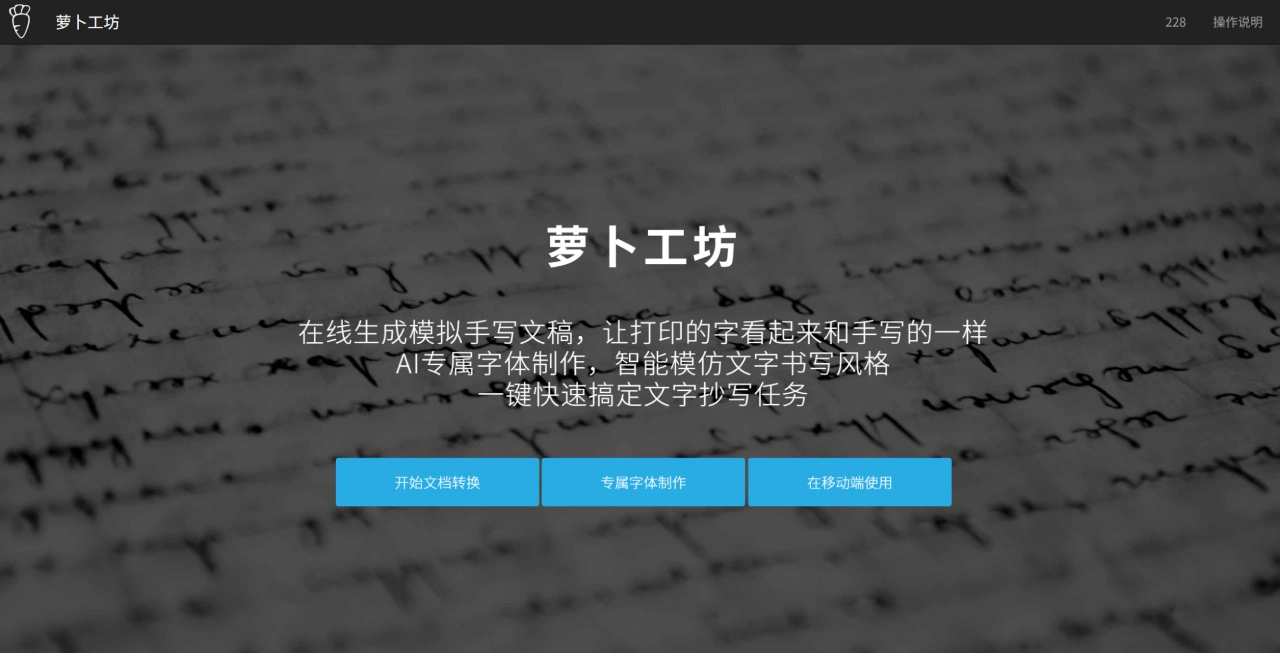
Main Features of 萝卜工坊
Multiple Paper Templates: Includes A4, B5, lined paper, report paper, loose-leaf paper, and other templates, with automatic recognition and optimization to meet different layout requirements.
Handwriting Simulation: Simulates real writing habits, with natural layout and handwriting variations, producing results close to actual handwriting.
Document/Form Filling: In complex layouts, you can freely set writing positions and layouts to quickly complete handwritten filling.
Photo Composition: Combine handwritten content onto a specified photo, with effects as if it were written and then photographed.
Custom Font Creation: Create your own personal handwriting font with one click, which can be used repeatedly in the future.
Handwriting Font Conversion: Convert electronic text into handwritten style with one click, with multiple handwriting font styles available on the platform.
Highly Customizable Settings: Adjust character spacing, line spacing, font size, etc., and even simulate jitter and ink density variations during writing.
Multi-format Output and Layout: Supports exporting as JPG images or PDF files, with automatic layout.
Background Letter Paper Templates: Built-in background templates including horizontal-lined and grid paper.
Common Use Scenarios of 萝卜工坊
Study and Office Transcription: Quickly produce notes, assignments, official documents, and other handwritten-style manuscripts, greatly saving time on repetitive transcription.
Form and Document Filling: On complex layouts such as contracts, application forms, and exam papers, layout and handwritten content can be generated as needed.
Photo Handwriting Effect: "Write" text onto a specified photo background for display, material creation, etc.
Personalized Handwriting Style: Create and reuse personal custom fonts for consistent handwriting style.
Advantages of 萝卜工坊
High Realism: Mimics real human writing habits, with free and intelligent layout; each generated handwritten manuscript is unique.
Easy to Use: Core functions like one-click generation of handwritten-style manuscripts and one-click use of preset papers are simple to operate, lowering the usage barrier.
Wide Scenario Coverage: From blank paper to professional report paper, from plain text generation to form filling, it meets the needs of daily transcription, homework completion, document processing, and other scenarios.
How to Use 萝卜工坊
Visit the official website: Go to www.beautifulcarrot.com.
Choose Paper: Select a suitable template from blank paper, lined paper, grid paper, report paper, loose-leaf paper, etc.
Adjust Parameters: Set font, font size, line spacing, column spacing, handwriting "messiness level," etc., so the parameters match your writing habits.
Import Content: Paste or upload the text or document that needs to be converted.
Generate and Export: Generate with one click for real-time preview; once satisfied, download or export as image or PDF.
Advanced Usage: Use the custom font creation function if you want a unified handwriting style; use the photo composition function if you want a photographed effect.
Frequently Asked Questions
Q: As a handwriting simulation tool, what pain points does 萝卜工坊 mainly address for users? What are the corresponding core functions?
A: The main pain point is that users spend a lot of time on meaningless transcription tasks with low efficiency. The core functions include: First, simulating multiple paper types to generate handwritten content (such as blank paper, lined paper, grid paper, GOLDEN TIMES 16K single-line report paper, etc.), allowing one-click generation of handwritten manuscripts suitable for different scenarios; second, AI custom font creation, which intelligently mimics personal writing styles for more realistic results; third, handwritten manuscript photo composition and document/form filling functions, which meet complex scenario needs and eliminate the need for manual transcription entirely.
Q: What designs has 萝卜工坊 implemented in terms of "realism" in handwriting simulation? What effects do these designs achieve?
A: The realism-focused designs mainly include three points: First, it mimics real human writing habits with a free yet intelligent layout approach; second, it adjusts manuscripts based on the user's own writing habits, generating unique content; third, the handwritten manuscript photo composition function reproduces the realistic effect of "written and then photographed," rather than being a simple text generation. These designs make handwritten manuscripts look non-mechanical, with visual effects very close to real handwriting, meeting users' demands for realism in handwriting simulation.
Q: From a usage perspective, what paper types does 萝卜工坊 support? What scenarios are the different paper types suitable for?
A: The paper types supported by 萝卜工坊 and their applicable scenarios are as follows: First, blank paper (with multiple built-in sizes), suitable for free-format scenarios, such as personal notes and notes without a fixed format; second, lined paper (with automatic recognition and optimization, and multiple presets), suitable for standardized format scenarios, such as student assignments and daily check-in records; third, grid paper (including composition paper, letter paper, supporting format conversion, and automatic grid matching), suitable for scenarios requiring alignment or formality, such as composition writing and handwritten letters; fourth, GOLDEN TIMES 16K single-line report paper, suitable for professional document scenarios, such as handwritten simulation documents of reports that need to be submitted.