
 Script Planner Assistant▸
 AI Apps
 AI News

FantasyGen: Online AI Fantasy Map Generator
FantasyGen: Online AI Fantasy Map GeneratorIntroduction
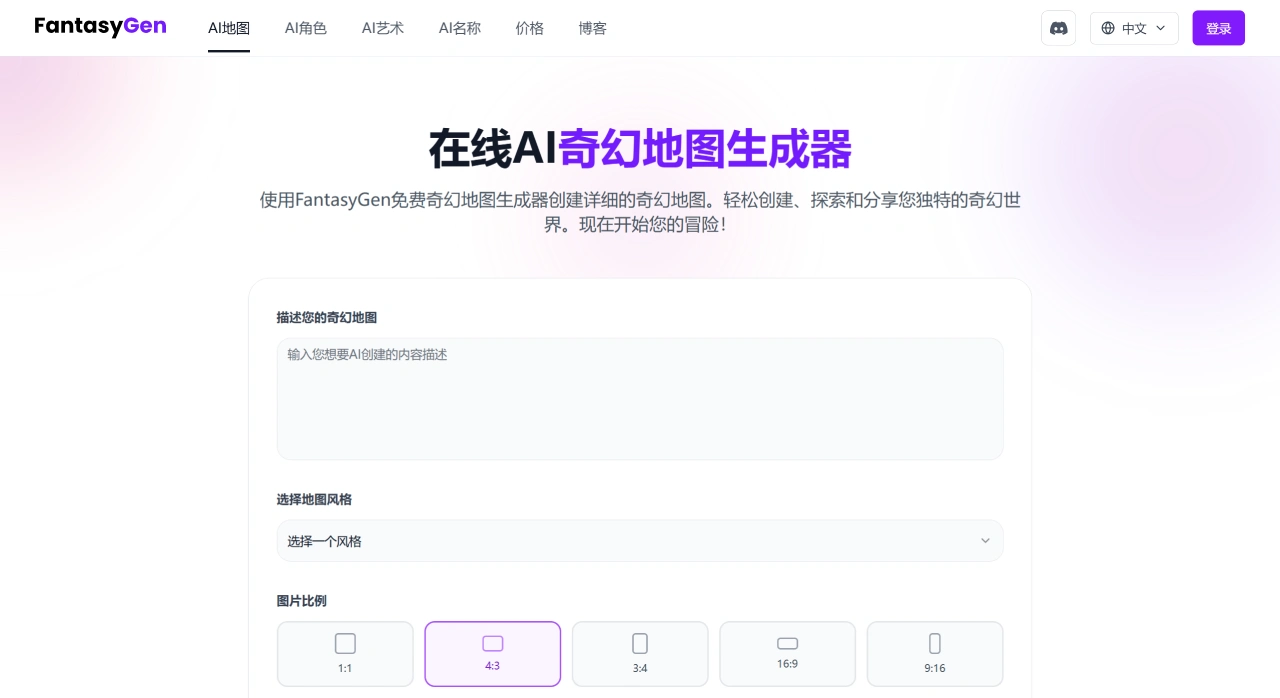
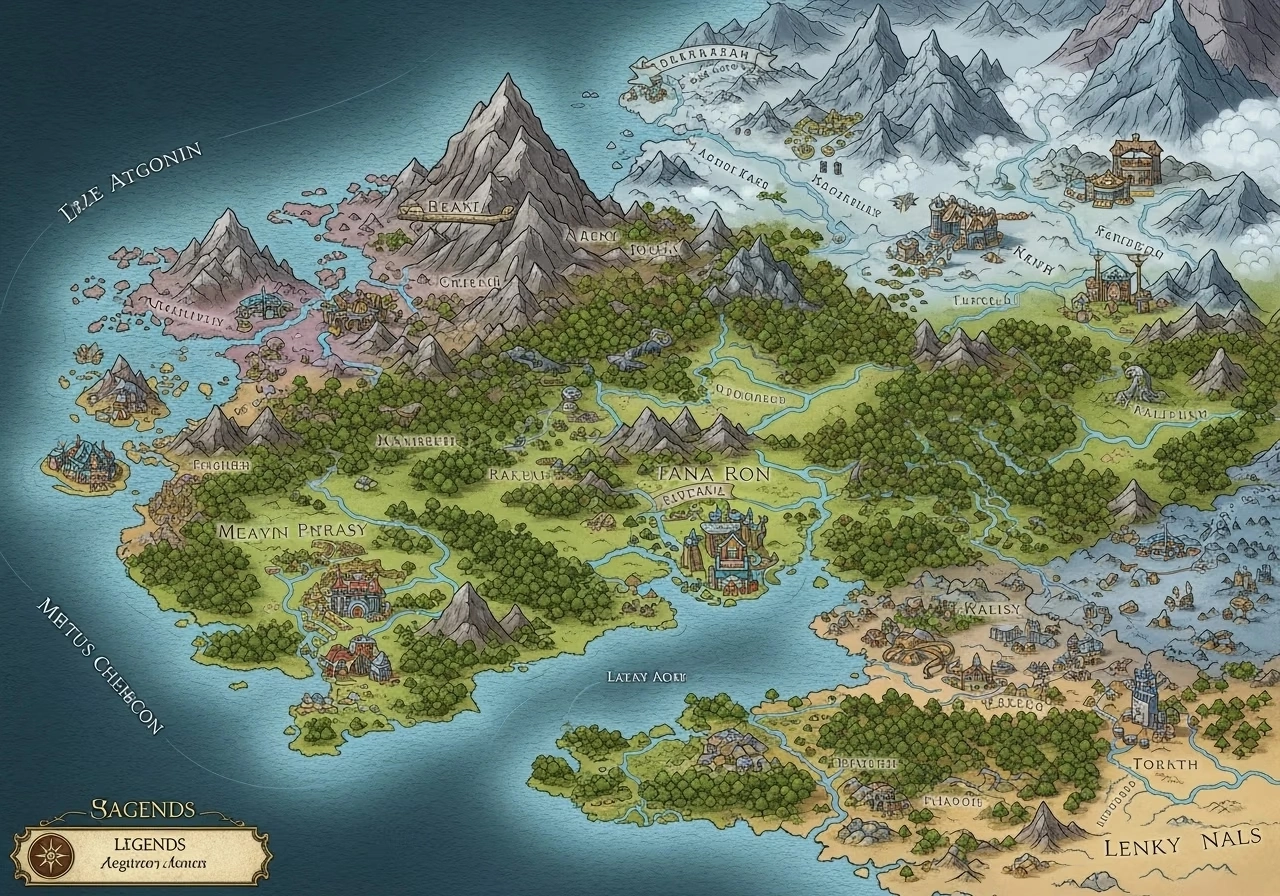
FantasyGen is a tool that can generate fantasy maps online, powered by ai. Users just need to input a description of the map, choose a style, and set the aspect ratio to quickly create a wide range of fantasy maps, including 3D imagined maps, regional maps, and D&D world maps. It is well suited for game masters, fantasy story writers, and game developers, and also offers additional features like AI fantasy art generation, fantasy name generation, and fantasy character design.
FantasyGen Features
Rich functionality: Just write a text description of the map you want, pick a style, and the AI will turn your ideas into reality, producing downloadable custom maps. You can also use it to generate fantasy art, names, and characters, and even create detailed backgrounds and appearances for those characters.
Time-saving: No need to draw slowly by hand. You can quickly produce detailed maps and creative assets, saving a lot of time compared to manual design.
Easy to use: The interface is simple and clear, and you can get things done in just three steps.
Wide range of uses: It can create many types of maps and creative assets, suitable for any genre and purpose.
High quality: The generated maps and artwork are rich in detail and visually impressive.
Inspiring: It provides a variety of different map styles to help solve your creative block.
Compatibility & Integration
Online use: Simply open the website in your browser to use it.
Easy integration: The generated maps can be downloaded and used in D&D game campaigns, novels, games, teaching materials, and more.
FantasyGen Use Cases
Gaming: Dungeon masters and game developers use it to quickly build the worlds in their games.
Writing: Fantasy story writers can use it to more easily build the worlds in their stories.
Education: Teachers can use it to create teaching materials.
FantasyGen Generation Steps
Enter a prompt: Click the "Generate" button, and in the text box clearly describe the fantasy map you want. It's best to add as many details as possible so the result better matches what you have in mind.
Choose style and aspect ratio: Pick a style you like from options like dark fantasy, medieval, sci-fi, etc., and then set the aspect ratio of the image.
Generate and download: Click the "Generate" button again, wait for the map to be created, and finally click the download icon to save the finished map.
Key Questions
Q: As an AI fantasy map generator, what is FantasyGen's core advantage? What key creative scenarios is it suited for?
FantasyGen's core advantage is that it is "AI-powered, easy to operate, and capable of producing a wide variety of map types." All you need to do is enter a description, choose a style and ratio, and follow three simple steps to quickly create detailed fantasy maps, no professional design skills required. It can also generate maps for six different scenarios, satisfying needs ranging from 3D landscapes to medieval settings. The main applicable scenarios are: ① Game masters creating dungeon and kingdom maps for tabletop RPG games; ② Fantasy writers creating easy-to-understand world reference illustrations for their novels; ③ Game developers quickly producing concept art and reference materials for game environments; ④ Teachers making geography practice maps, content creators making video background maps, and more.
Q: To use FantasyGen to generate a custom fantasy map, what specific steps need to be completed? What are the key requirements for each step?
There are three steps in total. The specific requirements and things to keep in mind are as follows:
Enter a prompt: Click the "Generate" button to begin, and in the text box describe in detail the map you want (the key is to add more details so the AI can accurately produce your desired effect — for example, "a medieval kingdom map with volcanoes, an elven forest, and a dwarven castle").
Choose style and aspect ratio: Pick a style you like from options like dark fantasy, medieval, sci-fi, etc., and set the aspect ratio (the key is to match your intended use — for example, if it's for a game interface, choose a ratio that fits the screen).
Generate and download: Click the "Generate" button again and wait for the map to be generated, then click the download icon to save it (the key is to be patient during generation, and save the file as soon as it's ready).
Q: Besides the core fantasy map generation feature, what other tools does FantasyGen offer? How can these tools help fantasy creators improve efficiency?
There are three additional tools: AI fantasy art generation, AI fantasy name generation, and AI fantasy character design. They help improve efficiency in the following ways:
AI fantasy art generation: It can directly produce artwork of mysterious creatures, magical scenes, and more, without needing to draw from scratch, saving illustration time.
AI fantasy name generation: It can automatically create character names, place names, and kingdom names that fit a fantasy setting, removing the need to rack your brain for ideas and solving the "can't think of a name" problem.
AI fantasy character design: It can provide detailed character information, background stories, and appearances, allowing you to quickly create heroes, villains, NPCs, and more. This saves the hassle of character design workflows, and is especially suited for scenarios like game development and novel writing that require many characters.















