
 Script Planner Assistant▸
 AI Apps
 AI News

PDF Patcher: A Free and Open-Source PDF Utility
PDF Patcher: A Free and Open-Source PDF UtilityIntroduction
PDFPatcher (Chinese name "PDF补丁丁") is a PDF tool developed by Chinese developer wmjordan using the .NET framework. It helps us handle PDF issues encountered in daily office work, study, and document organization.
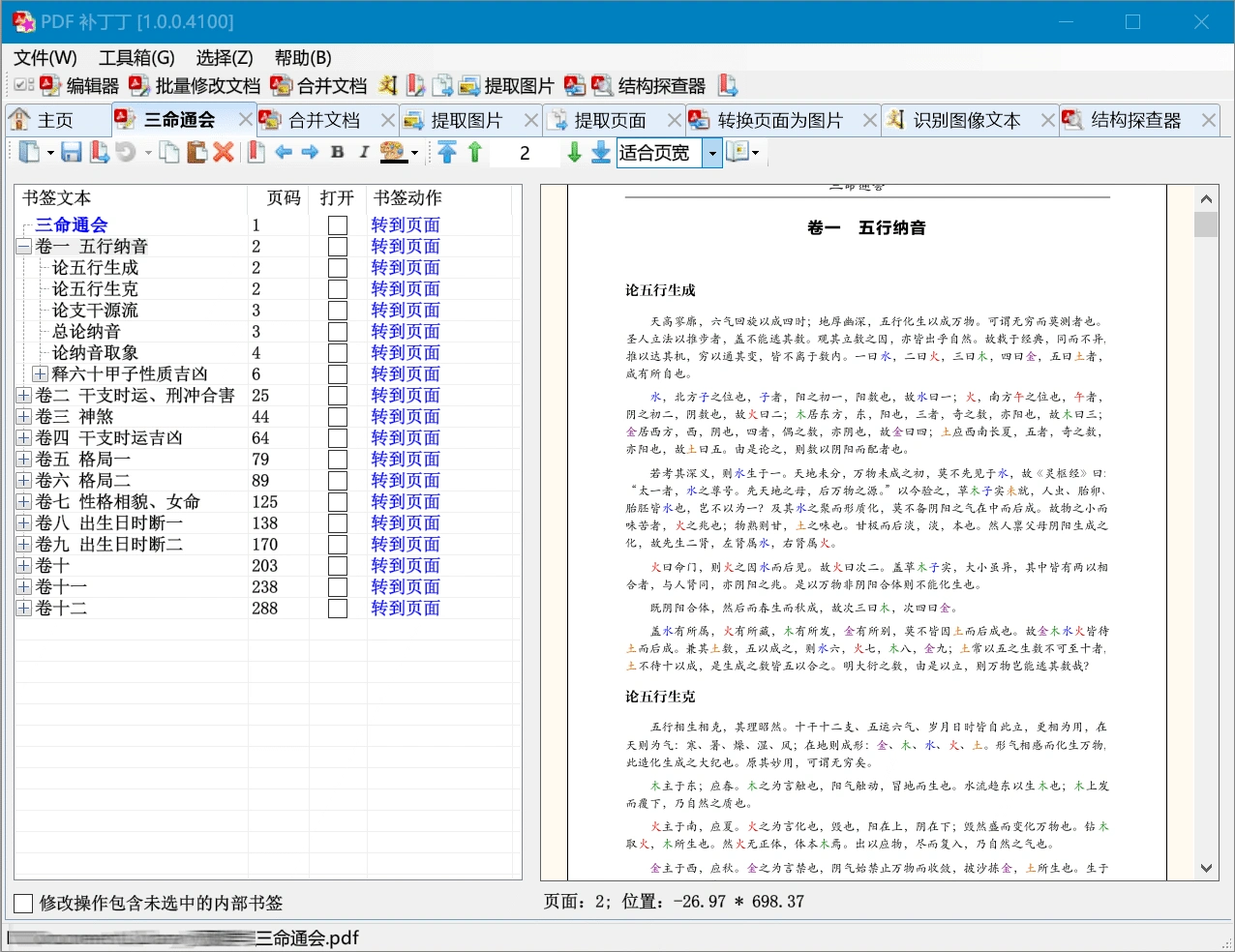
PDF补丁丁 Features
Basic Information Editing: You can modify basic information such as the title and author in a PDF, as well as adjust page size, orientation, and margins.
Page Management: Various operations can be performed on PDF pages, such as extracting certain pages, inserting new pages, deleting unwanted pages, rotating pages, cropping excess parts, rearranging order, merging multiple PDFs into one, or splitting one PDF into several.
Content Processing: It has an OCR text recognition function (requires installing a plugin) that can extract text and images from PDFs and export them as text or images. It also supports making simple annotations directly on the PDF.
Form Filling and Editing: You can fill out forms in PDFs, and some versions allow you to modify form structures, such as adding or removing input fields.
Batch Processing: Multiple PDFs can be processed at once, such as batch modifying properties, adding watermarks, and converting formats (to images or text), saving time.
Reading and Annotation: It comes with a built-in PDF reader that allows you to add text comments, highlights, underlines, and strikethroughs to PDFs, making it convenient to mark key points.
Encryption and Protection: You can set passwords for PDFs to restrict others from printing or copying, protecting document security.
Benefits of PDF补丁丁
Simple and Easy to Use: The interface is clear, functions are categorized simply, and no special learning is required, making it suitable for ordinary users to handle PDFs daily.
Free and Open Source: Completely free, with no ads or forced charges, the code is publicly available, and those who understand technology can improve it themselves.
Comprehensive Features: From modifying pages to batch processing, the daily PDF operations needed can basically be satisfied.
Continuous Updates: The developer continuously fixes issues and adds new features (such as making OCR recognition more accurate and adding new annotation types), providing a stable experience.
How to Download PDF补丁丁
You can download it from the developer's official website or GitHub. It supports Windows systems (some versions can also be used on Mac/Linux). Just download the installation package and install it directly to use. A donation prompt will appear when you open it for the first time (you can use all features without donating).
Official Website: https://www.cnblogs.com/pdfpatcher
GitHub: https://github.com/wmjordan/PDFPatcher
How to Operate PDF补丁丁
Open PDF: After opening the software, click "Open" in the "File" menu and select the PDF you want to edit.
Page Management: Click the "Page" menu to delete or extract pages. For example, when deleting pages, enter the page numbers in the settings window (such as "5", "3 - 7", "2,6,9") and click "OK".
Bookmark Editing: Drag the PDF file to the "Original PDF File" column, specify the bookmark output location, and click "Generate Bookmarks". After generation, you can drag to adjust or delete unnecessary bookmarks.
Save File: Click "Save" or "Save As" in the "File" menu, select the save location and file name to complete.
Things to Note
Some Functions Require Plugins: For example, OCR recognition requires installing an additional plugin, and the recognition effect on PDFs with complex layouts may be affected by the quality of the original file.
Complex Layout PDFs: If a PDF contains complex tables, multi-column layouts, or special fonts, direct editing may cause mess, so it is recommended to only make basic adjustments.
Not Professional Software: Compared with Adobe Acrobat, PDF补丁丁 is less powerful when handling super large PDF files or professional print layouts, and is more suitable for individual or small team daily use.













