Script Planner Assistant▸
 AI Apps
 AI News

GridType: An Experimental Online Font Design Tool
GridType: An Experimental Online Font Design ToolIntroduction
GridType is a grid-based font design tool for practicing typography. It lets you generate different types of grids, draw fonts within the grids, and then download them as font files. GridType draws its inspiration from 19th-century French letter templates, bringing "grid-based type design" into the browser. Its goal is to help designers create precise and geometrically beautiful fonts within a strict grid system. It combines the rigor of traditional type design with the flexibility of modern digital tools, providing designers with an efficient yet creative working platform.
GridType Features
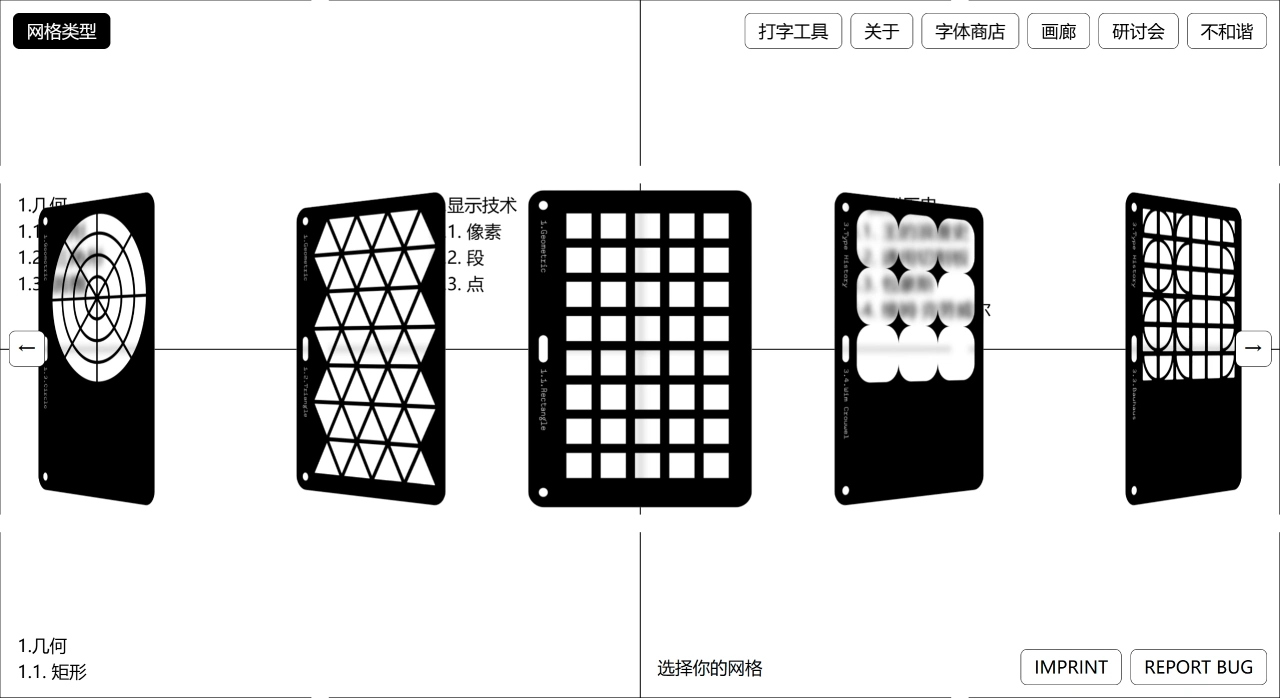
Multiple Grid Options: GridType offers 9 grid types, such as geometric grid, pixel grid, Bauhaus grid, and more.
Real-time Vector Generation: When drawing letters on the grid, font outlines are generated simultaneously on the right side, and strokes can be refined.
Export Font Files: Designed fonts can be exported in .ttf format. Once installed on your computer, they can be used directly in software like Word, Photoshop, and Figma.
Parameter Adjustment: You can adjust the number of columns, rows, or complexity of the grid to make your font more unique.
GridType Usage Steps
Visit the Website: Open the GridType official website: https://www.grid-type.com.
Select a Grid Type: The website offers 9 grid types, each with different characteristics.
Geometric Grid: For example, grids based on rectangles, triangles, or circles, suitable for drawing rule-based fonts.
Pixel Grid: Inspired by pixel display technology, suitable for designing pixel-style fonts.
Segment Grid: Inspired by segment display technology, suitable for designing segmented fonts.
Bauhaus Grid: Inspired by the Bauhaus style, suitable for fonts with a strong modern feel.
Wim Crouwel Grid: Inspired by Dutch designer Wim Crouwel, suitable for futuristic fonts.
Adjust Grid Parameters: After selecting a grid, you can adjust the number of columns, rows, or complexity to make the font style more unique. These parameters affect the density and detail of the grid.
Draw Letters: Draw letters within the grid using a mouse or touch screen. Font outlines are generated simultaneously on the right side, and strokes can be refined to help you adjust letter shapes more precisely.
Preview and Adjust: Once finished, you can preview the font effect. If unsatisfied, you can return to the grid to make modifications until you are satisfied.
Export Font Files: Once the design is complete, export it in .ttf format. Install it on your computer and use it directly in software like Word, Photoshop, and Figma.
Use the Font: After installing it on your computer, you can use the font in design software to make your designs more distinctive.
GridType Use Cases
Type Design: GridType is suitable for professional type designers, graphic designers, or anyone who wants to fine-tune fonts.
Education and Training: Through the Gallery and Workshops features, it can be used to learn type design and improve skills.
Creative Projects: Suitable for brand identity, poster design, digital art, and other creative projects, meeting different design needs.