
 Script Planner Assistant▸
 AI Apps
 AI News

DryVocal:专业干声提取,影视对白净化,单人语音分离工具_云技派
DryVocal:专业干声提取,影视对白净化,单人语音分离工具_云技派Introduction
DryVocal is a professional audio processing tool, mainly used to extract and enhance vocals from complex audio, especially suitable for obtaining clean "dry vocals" (unprocessed vocals).
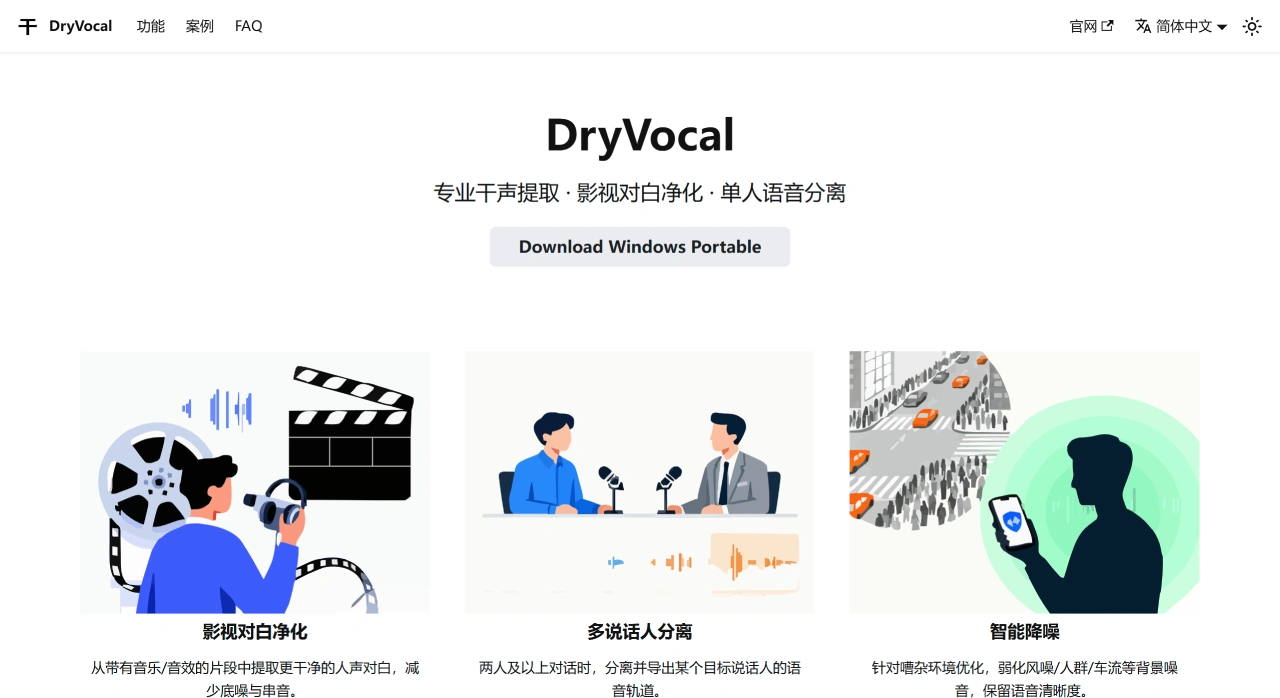
DryVocal Main Features
1. Film & TV Dialogue Cleaning
Use cases: Film, TV, and video post-production.
Main problem: The audio is mixed with vocals, background music, and sound effects.
Function: Intelligently separates vocal dialogue while:
Reducing background noise (such as hums or hiss during recording).
Minimizing interference from music and sound effects on the vocals.
Result: Produces a cleaner vocal track, convenient for remixing or direct use.
2. Multi-Speaker Separation
Use cases: Interviews, conversations, meeting recordings, and multi-speaker film/TV clips.
Main problem: When multiple people speak simultaneously, it is difficult to isolate a single person's voice.
Function: Uses AI technology to distinguish different speakers.
Result: Allows you to export the voice track of a specific target speaker separately for fine editing.
3. Intelligent Noise Reduction
Use cases: Outdoor recording, on-site interviews, news gathering, and other noisy environments.
Main problem: Recordings contain wind, crowd, vehicle noise, etc., affecting voice clarity.
Function: Optimized algorithms intelligently identify and reduce background noise.
Result: Makes vocals clearer and more professional while reducing noise.
How to Use DryVocal
1. Download & Install (Portable Version Requires No Installation)
Visit the DryVocal official website and download the Windows Portable version. Extract it and use it directly—no installation required.
2. Import Audio File
Open the software and click the "Import" or "Load Audio" button. Select the audio file you want to process (supports MP3, WAV, M4A, etc.).
3. Choose Processing Mode
Select the function based on your needs:
Dry Vocal Extraction: Suitable for audio mixed with music and vocals to extract pure vocals.
Film & TV Dialogue Cleaning: Suitable for film/TV clips to extract clearer dialogue and reduce noise and interference.
Multi-Speaker Separation: Suitable for multi-person conversations to separately export the target speaker's voice.
Intelligent Noise Reduction: Suitable for noisy recordings to optimize voice clarity.
What is Dry Vocal?
Dry vocal refers to the original sound that has not undergone any processing—no reverb, compression, or other effects. It is the most fundamental material in audio processing and is often used in post-production, such as adding effects, mixing in accompaniment, or adding sound effects.
For example, in music production, the singer's recorded vocal is a dry vocal. The producer can adjust the pitch, timbre, volume as needed, or add reverb, delay, and other effects to make the sound better fit the overall feel of the music. In dubbing, the dry vocal recorded by the voice actor also needs post-processing to achieve a better listening experience.














